5etools Clean Spell Layout

Makes the spells page of 5e.tools clean, and only show pinned list, with customizable UI.

You will need to install an extension such as Tampermonkey, Greasemonkey or Violentmonkey to install this script.

You will need to install an extension such as Tampermonkey to install this script.

You will need to install an extension such as Tampermonkey or Violentmonkey to install this script.

You will need to install an extension such as Tampermonkey or Userscripts to install this script.

You will need to install an extension such as Tampermonkey to install this script.

You will need to install a user script manager extension to install this script.

(Tôi đã có Trình quản lý tập lệnh người dùng, hãy cài đặt nó!)

You will need to install an extension such as Stylus to install this style.

You will need to install an extension such as Stylus to install this style.

You will need to install an extension such as Stylus to install this style.

You will need to install a user style manager extension to install this style.

You will need to install a user style manager extension to install this style.

You will need to install a user style manager extension to install this style.

(I already have a user style manager, let me install it!)

Tác giả
ThunderE75
Cài đặt hàng ngày
0
Số lần cài đặt
1
Đánh giá
0 0 0
Phiên bản
1.3
Đã tạo
22-04-2026
Đã cập nhật
22-04-2026
Kích thước
20 KB
Giấy phép
AGPL-3.0
Áp dụng cho


5eTools Spell List Userscript

Fixes the awkward layout of the spell view on 5etools by creating a clean, split-screen interface.
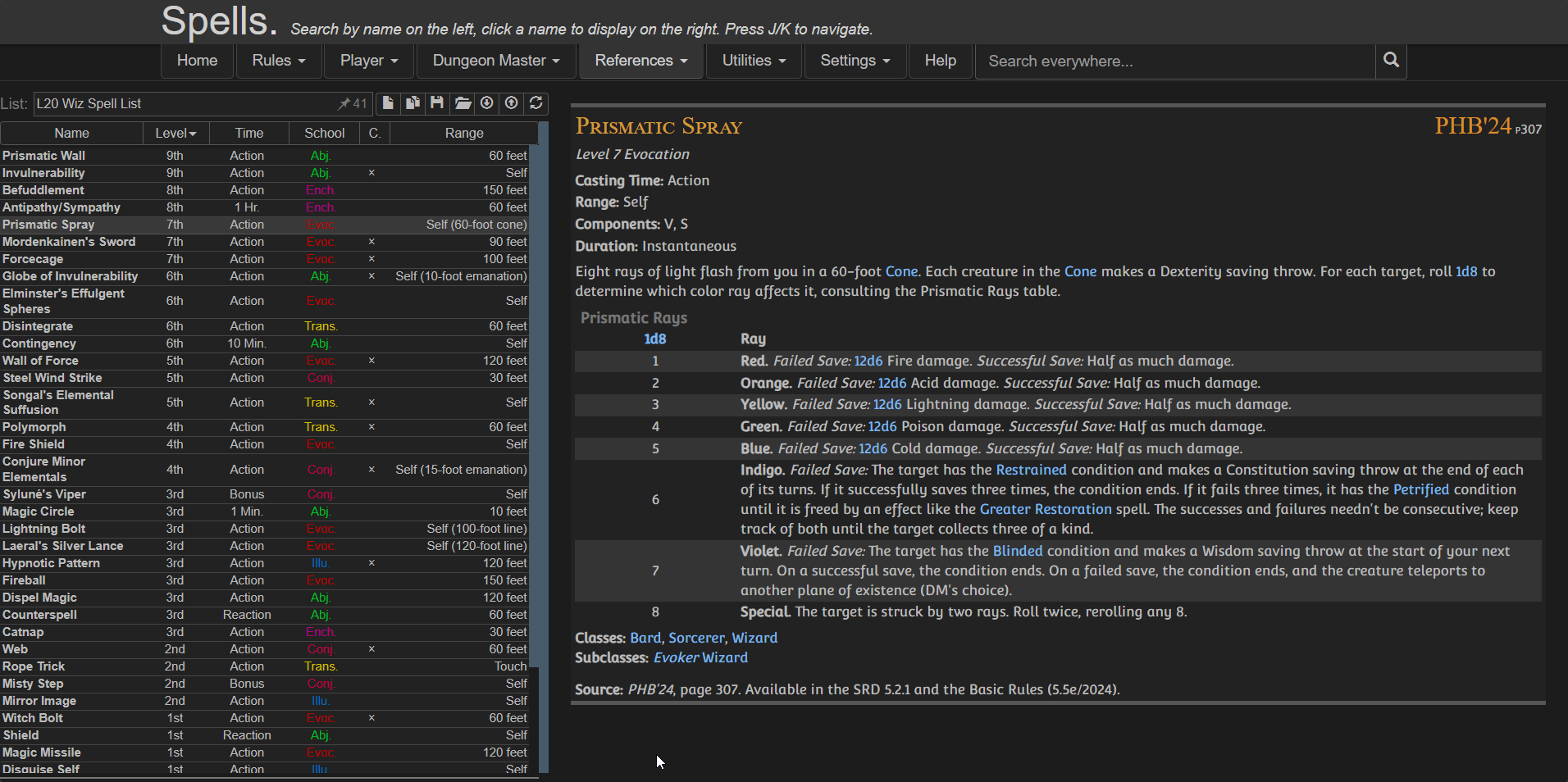
Preview

Features

  • Moving the Pinned Spell List to the left
  • Keeping spell details on the right
  • Using full screen width efficiently
  • Providing a clean, consistent reading experience
  • Optional toggles via userscript settings:
    • Show/Hide Header
    • Show/Hide Navigation
    • Show/Hide Extra panel

⚠️ IMPORTANT
Create your spell list BEFORE enabling the script because once the script is active:
  • The original UI is replaced
  • You won’t have access to the main spell browser anymore

Installation

Configuration

You can customize the layout using your userscript manager:

Violentmonkey dashboard > Edit the script > Go to Values / Script Settings


{
  "showExtra": true,
  "showHeader": true,
  "showNav": false
}

Credits