GitHub Freshness

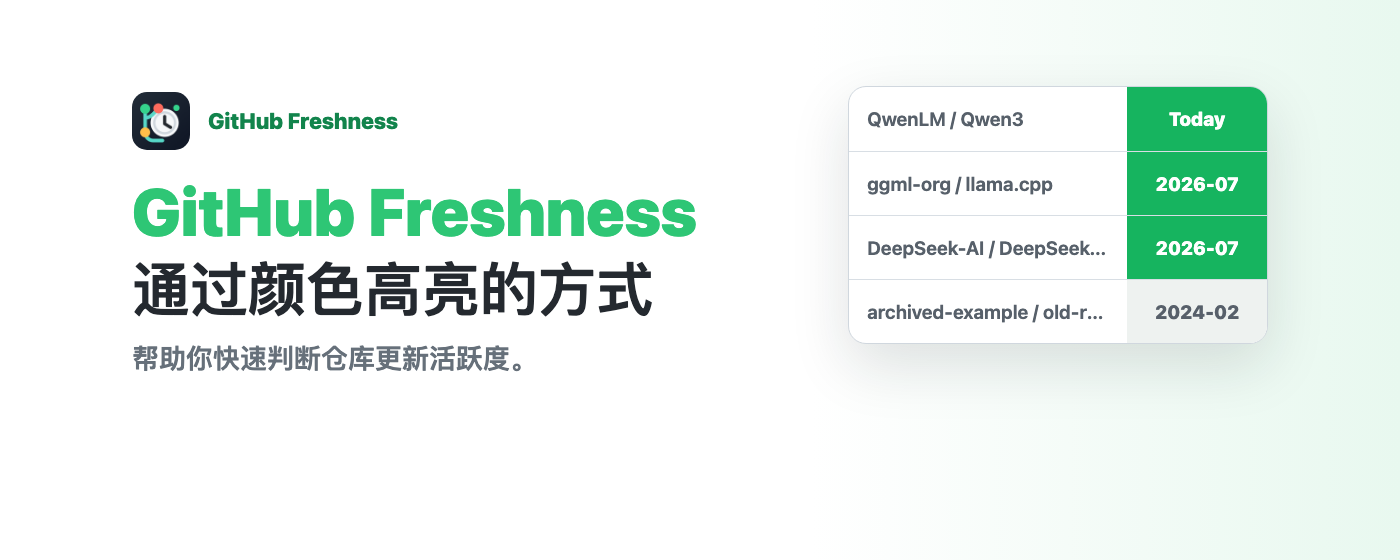
通过颜色高亮的方式,帮助你快速判断一个 GitHub 仓库是否在更新。
You will need to install an extension such as Tampermonkey, Greasemonkey or Violentmonkey to install this script.

You will need to install an extension such as Tampermonkey to install this script.

You will need to install an extension such as Tampermonkey or Violentmonkey to install this script.

You will need to install an extension such as Tampermonkey or Userscripts to install this script.

You will need to install an extension such as Tampermonkey to install this script.

You will need to install a user script manager extension to install this script.

(Tôi đã có Trình quản lý tập lệnh người dùng, hãy cài đặt nó!)

You will need to install an extension such as Stylus to install this style.

You will need to install an extension such as Stylus to install this style.

You will need to install an extension such as Stylus to install this style.

You will need to install a user style manager extension to install this style.

You will need to install a user style manager extension to install this style.

You will need to install a user style manager extension to install this style.

(I already have a user style manager, let me install it!)

Tác giả
rational_stars
Cài đặt hàng ngày
1
Số lần cài đặt
320
Đánh giá
10 1 0
Phiên bản
2.0.0
Đã tạo
22-01-2025
Đã cập nhật
15-07-2026
Kích thước
70 KB
Giấy phép
MIT
Áp dụng cho

简体中文 | English

GitHub Freshness

GitHub Freshness

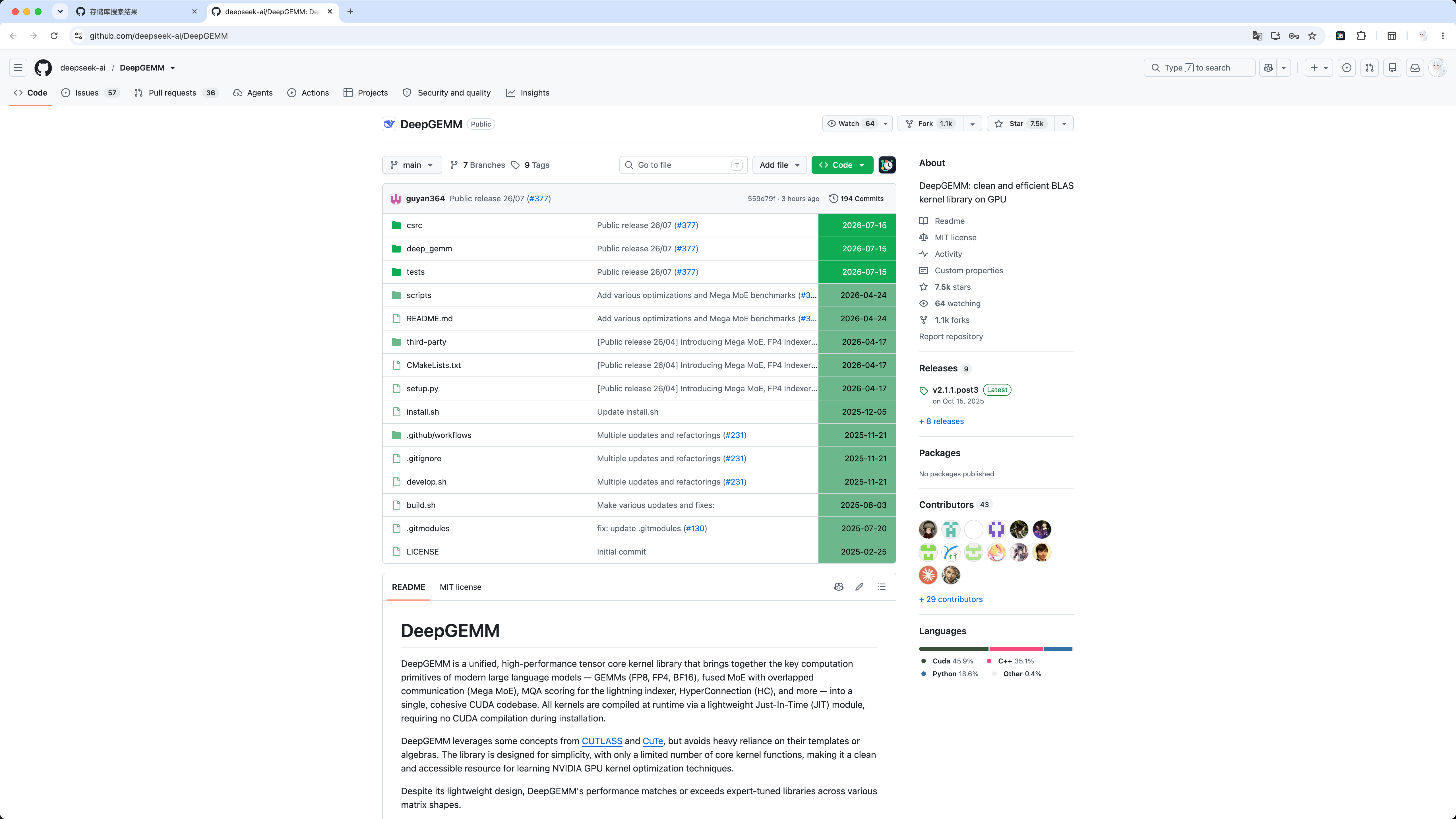
GitHub Freshness 通过颜色标记 GitHub 仓库、文件和搜索结果的更新时间,帮助你快速判断项目是否仍在活跃维护。

项目提供 Chrome 扩展版和 Tampermonkey 油猴脚本版。Chrome 扩展已经在 Chrome Web Store 正式上架,可从 Chrome Web Store 安装 GitHub Freshness

主要功能

  • 根据自定义“新鲜期限”标记近期和较早更新的内容。
  • 支持仓库文件列表、目录树和 GitHub 搜索结果。
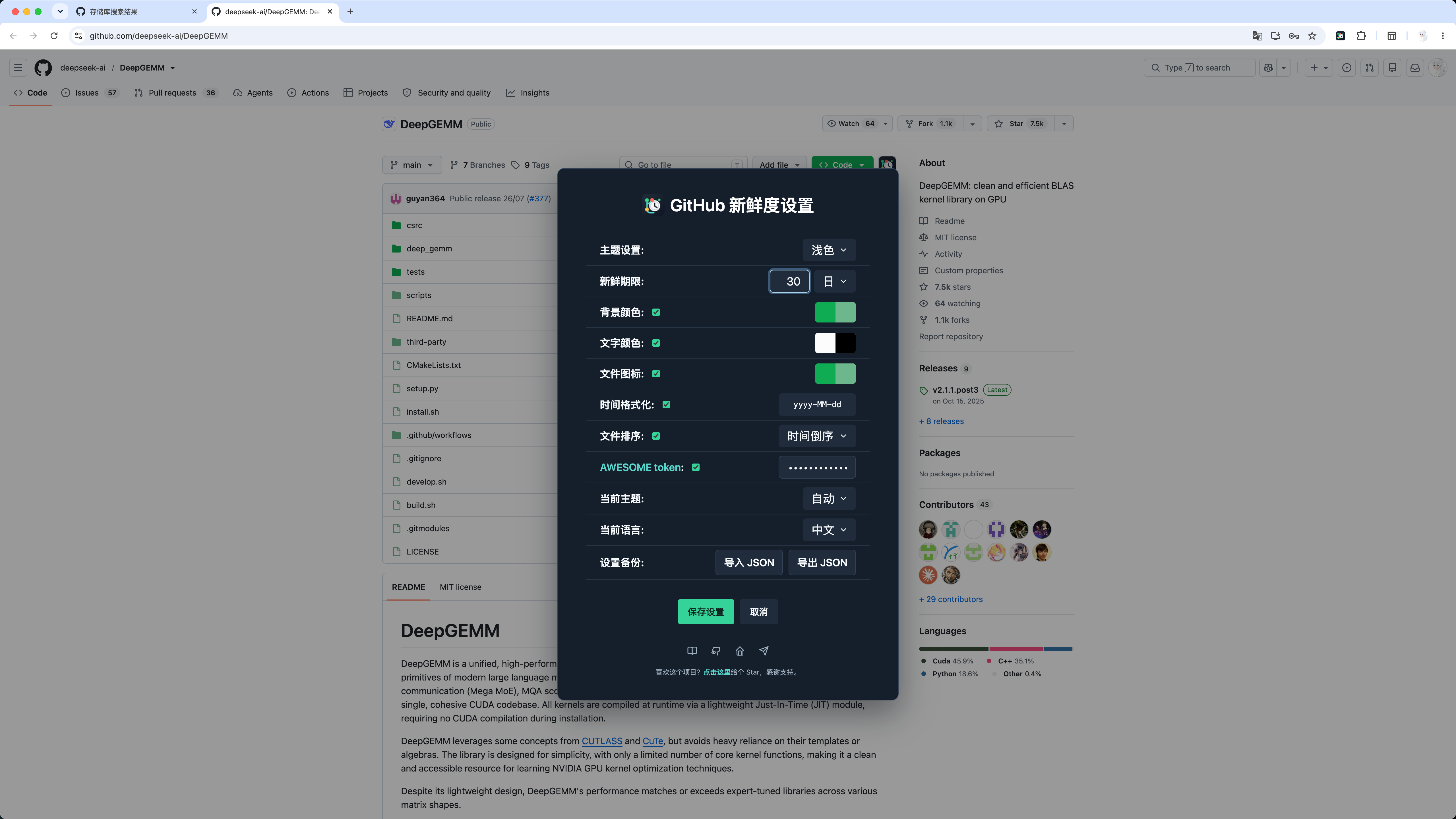
  • 自定义浅色与深色主题的背景、文字和文件图标颜色。
  • 按更新时间排序文件,并可将相对时间显示为 yyyy-MM-dd
  • 通过 JSON 导入、导出设置,备份文件不会包含 AWESOME token。
  • 设置面板支持中文和英文,并可在页面内快速打开。
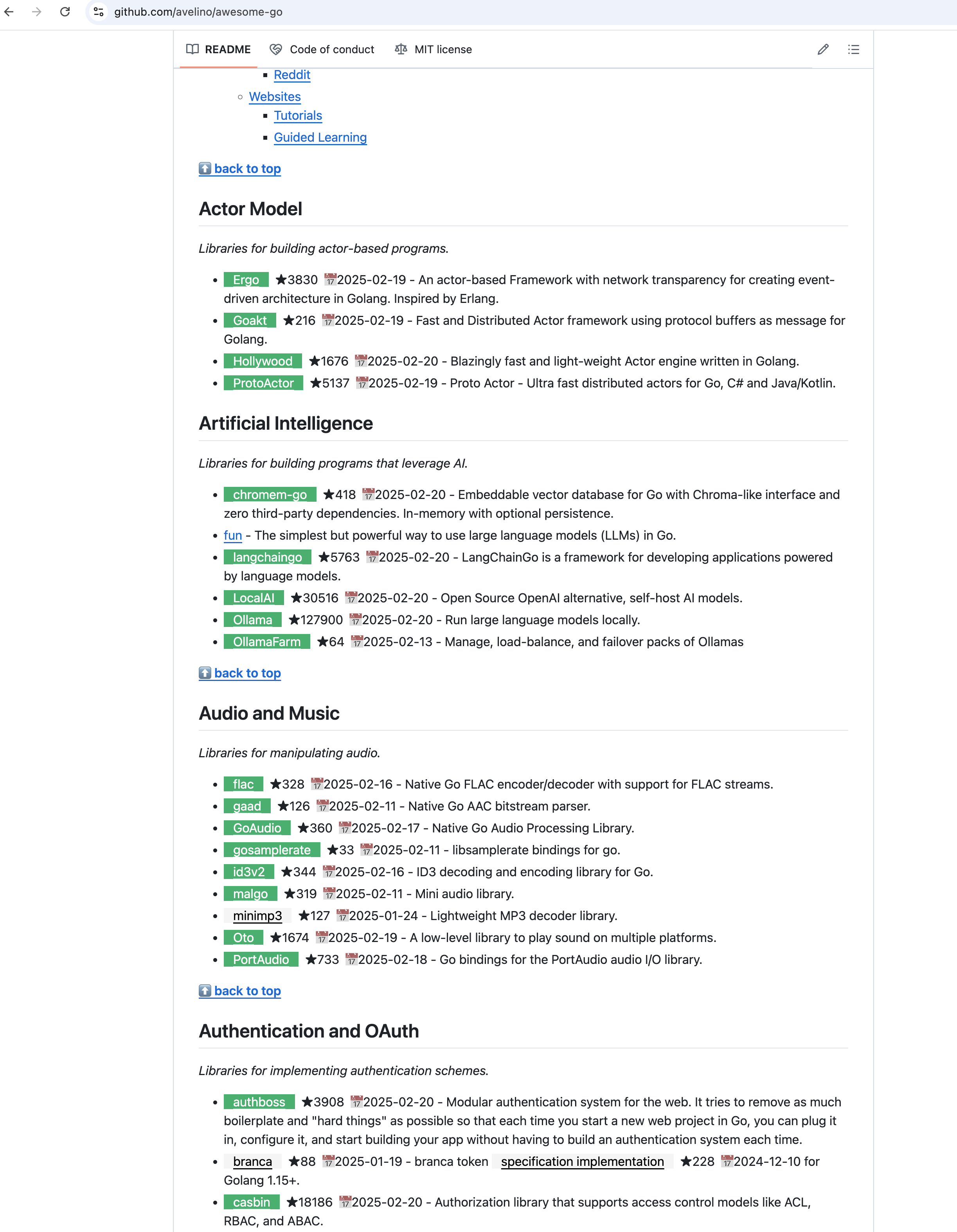
  • 可选的 Awesome 项目增强功能会显示仓库 Star 数量和最近更新时间。

效果预览

仓库文件新鲜度

仓库文件新鲜度

设置面板

GitHub Freshness 设置面板

Awesome-xxx 项目

GitHub Awesome-xxx 项目预览

更多目录树、搜索结果和深色主题截图请查看完整效果预览

安装

Chrome 扩展

从 Chrome Web Store 安装 GitHub Freshness

Chrome 扩展源码不包含在本公开仓库中,请勿从非官方来源安装扩展文件。

Tampermonkey 脚本

  1. 安装 Tampermonkey
  2. Greasy Fork 安装 GitHub Freshness
  3. 打开 GitHub 仓库页或搜索页,通过 GitHub Freshness 图标进入设置面板。

文档与隐私

公开仓库包含源码可用的油猴脚本和项目文档。Chrome 扩展独立发布,其源码不在本仓库公开。

反馈与交流

喜欢这个项目的话,可以在 GitHub 点一颗 Star,感谢支持。

许可证

本仓库中的公开源码和文档采用 PolyForm Noncommercial License 1.0.0

  • 可用于个人学习、教育、研究和其他非商业项目。
  • 可以为非商业目的修改和重新发布,但必须保留版权及许可证声明。
  • 公司、商业组织及其他营利用途(包括公司内部使用)需要获得单独的书面授权。

商业授权请联系:[email protected]