YouTube Pro: Audio Enhancer

Cinema-quality sound with a professional 5-band EQ and multiband compressor. Remembers your settings!

You will need to install an extension such as Tampermonkey, Greasemonkey or Violentmonkey to install this script.

You will need to install an extension such as Tampermonkey to install this script.

You will need to install an extension such as Tampermonkey or Violentmonkey to install this script.

You will need to install an extension such as Tampermonkey or Userscripts to install this script.

You will need to install an extension such as Tampermonkey to install this script.

You will need to install a user script manager extension to install this script.

(I already have a user script manager, let me install it!)

You will need to install an extension such as Stylus to install this style.

You will need to install an extension such as Stylus to install this style.

You will need to install an extension such as Stylus to install this style.

You will need to install a user style manager extension to install this style.

You will need to install a user style manager extension to install this style.

You will need to install a user style manager extension to install this style.

(I already have a user style manager, let me install it!)

Author
人民的勤务员
Daily installs
5
Total installs
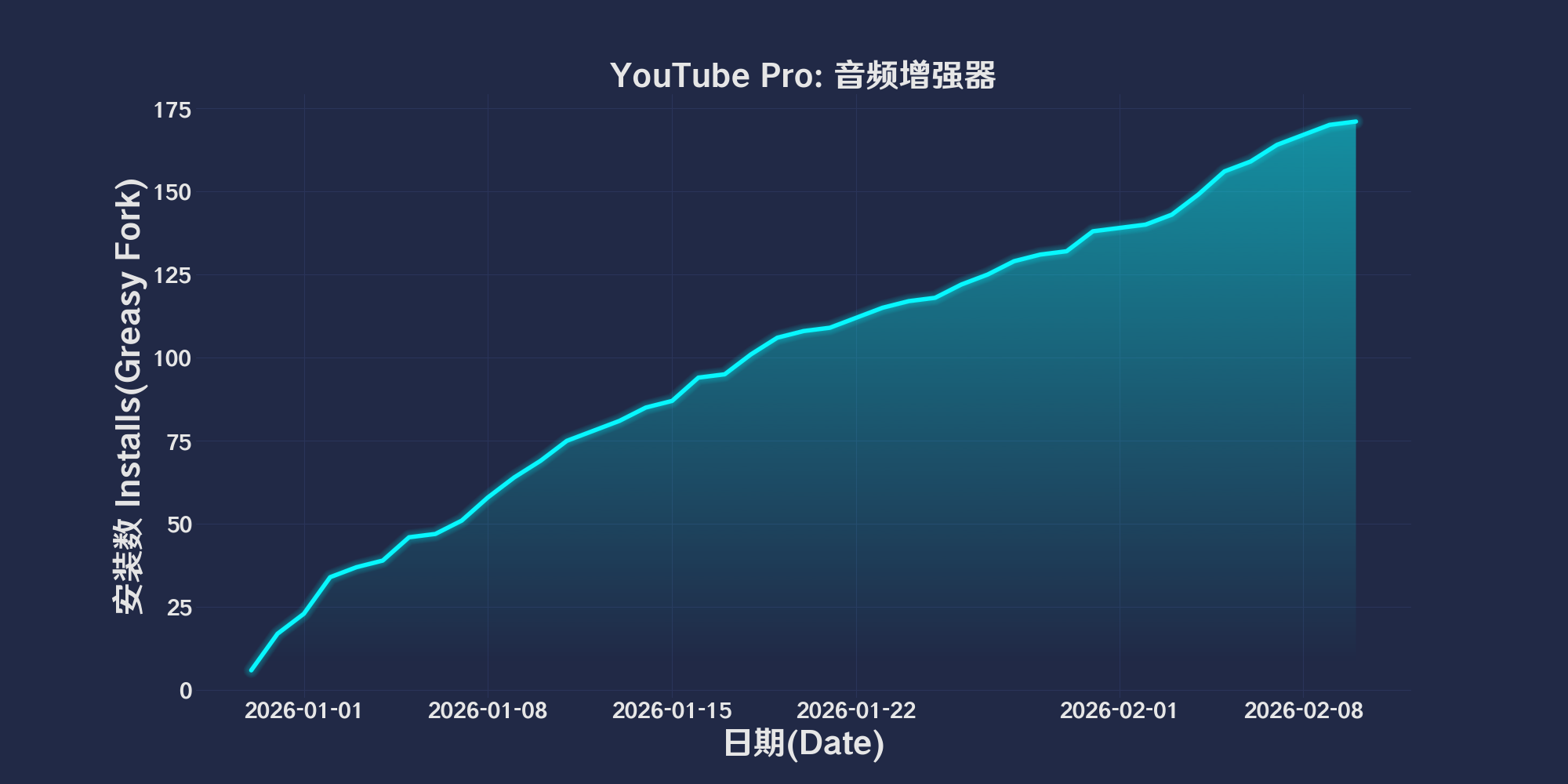
71
Ratings
0 0 0
Version
2025.12.30.1
Created
2025-12-30
Updated
2025-12-30
Size
59 KB
Compatibility
Compatible with Firefox Compatible with Chrome Compatible with Opera Compatible with Safari Compatible with Edge
License
MIT
Applies to

简体中文 | English | 한국어 | Tiếng Việt | 繁體中文

👆️access GitHub Readme file on the app for a better experience。

Recommended:
Support
Support
Support
💡 Tip: The above list of script managers and browsers is not exhaustive
The script runs fine in the following environment
Passed

YouTube Pro: Audio Enhancer

「 Cinema-grade sound effects, equipped with professional-grade 5-band equalizer and multi-band compressor. It also remembers your settings. 」

Views

Download:Github | ⭐Greasy Fork

🎧 YouTube Pro Audio Enhancer

one for YouTube playerAdvanced audio enhancement scripts created by,based on Web Audio API,Can enhance the low-frequency intensity of video with one click、Vocal clarity and overall loudness,Let ordinary videos have a more professional listening experience。


✨ Features

  • 🔊 Low frequency enhancement(Sub Bass)
    use Low Shelf Filter enhancement approx. 60Hz low frequency,Give music a deeper sense of depth。

  • 🧹 Turbid band reduction(Mud Cut)
    exist 250Hz Make cuts nearby,Reduce feeling of stuffiness,Make the sound cleaner。

  • 🎤 Improved vocal clarity(Presence)
    promote 2.5kHz sense of presence,Make vocals stand out more、clearer。

  • High frequency brightness enhancement(Brilliance)
    Enhance 8kHz High frequency above,Make the overall listening experience more transparent。

  • 📈 dynamic compression(Compressor)
    Balance volume dynamics,Reduce big and small problems,More stable hearing。

  • 🔉 overall gain increase(Gain)
    Without obvious distortion,Moderately increase overall volume。


🖱 Usage

  • exist YouTube A new one will be added in the lower left corner of the player 🎵 audio boost button
  • Just click the button turn on / Turn off audio enhancement
  • The button turns blue to indicate that enhancements are enabled for the current video

💾 state memory

  • The script will automatically record your switch status(localStorage
  • After refreshing the page or switching videos,Will automatically restore the last open state

🔧 Technical implementation

  • use AudioContext Create an audio processing environment
  • pass createMediaElementSource() take over <video> audio stream
  • Use multiple BiquadFilterNode + DynamicsCompressorNode Build an audio processing chain
  • With the help of MutationObserver and yt-navigate-finish event,adaptation YouTube of SPA Page switching

⚠ Things to note

  • Initial activation may require After playing the video To activate the audio context(Browser restrictions)
  • different devices / earphone / Speaker effects will vary
  • This script only takes effect locally,No audio data will be modified or uploaded

🚀 Applicable scenarios

  • 🎶 music MV / live performance
  • 🎧 podcast / Interview / Tutorial
  • 📺 The volume is too low or the sound quality is average YouTube video
  • 💻 Laptops with weak external sound quality

📜 License

MIT License
For study and personal use only,Please use it reasonably。

💖 The script refers to or uses the following script:

🧑‍💻 @beyazprens ⇒ 📜 youtube-pro-audio-ambient.user.js
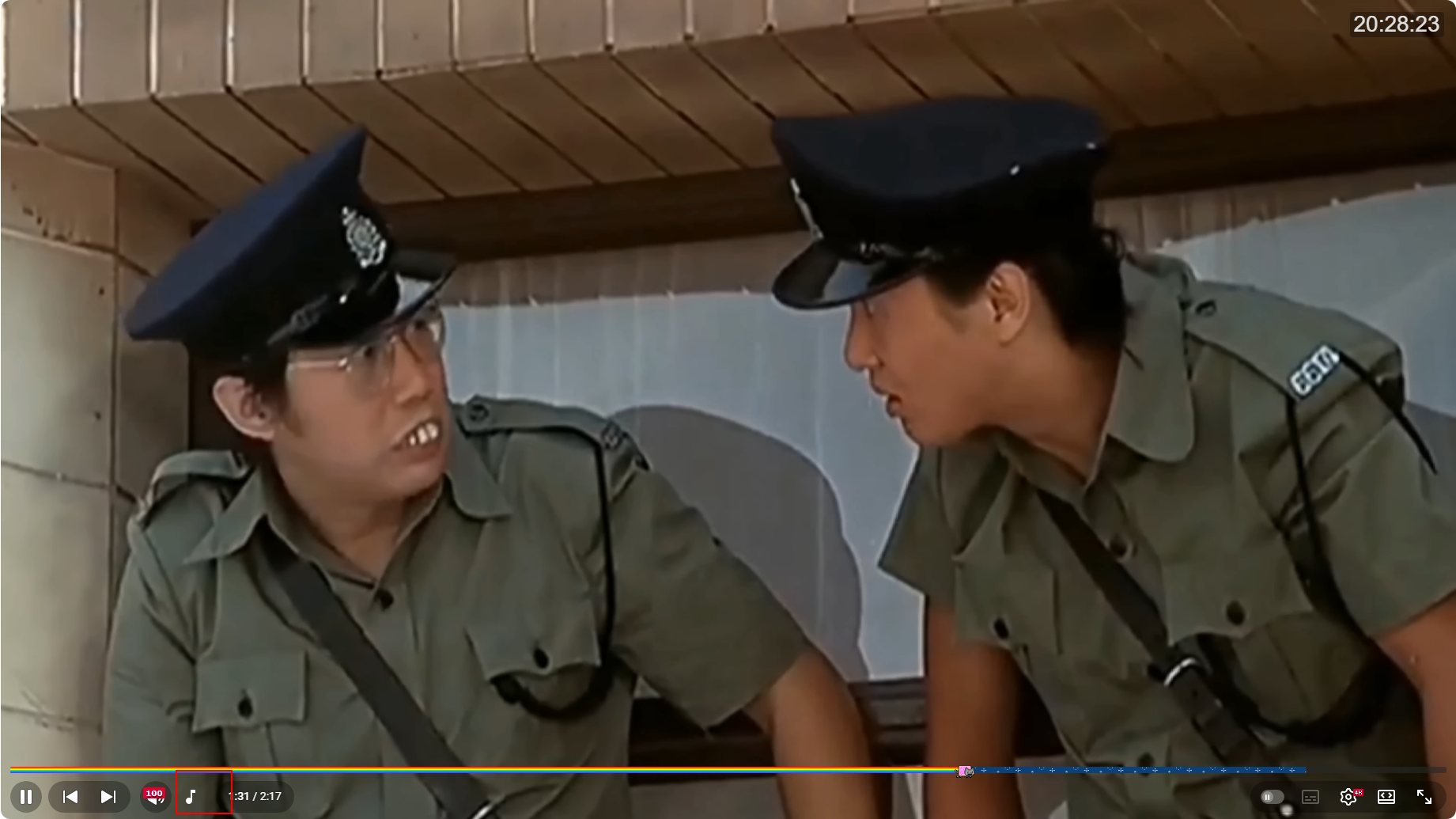

Preview screenshot:

2025.12.30

Help

Recommended browsers and script managers:

  • Greasemonkey + Waterfox
  • Tampermonkey/Violentmonkey + Firefox
  • Tampermonkey/Violentmonkey + Chrome
  • Userscripts + ios Safari
  • Violentmonkey/KiWiBrowser + Android

If you need to know more about how to install userscripts,click meView graphic teaching!

View all publish scripts