正方教务系统导出成绩详情

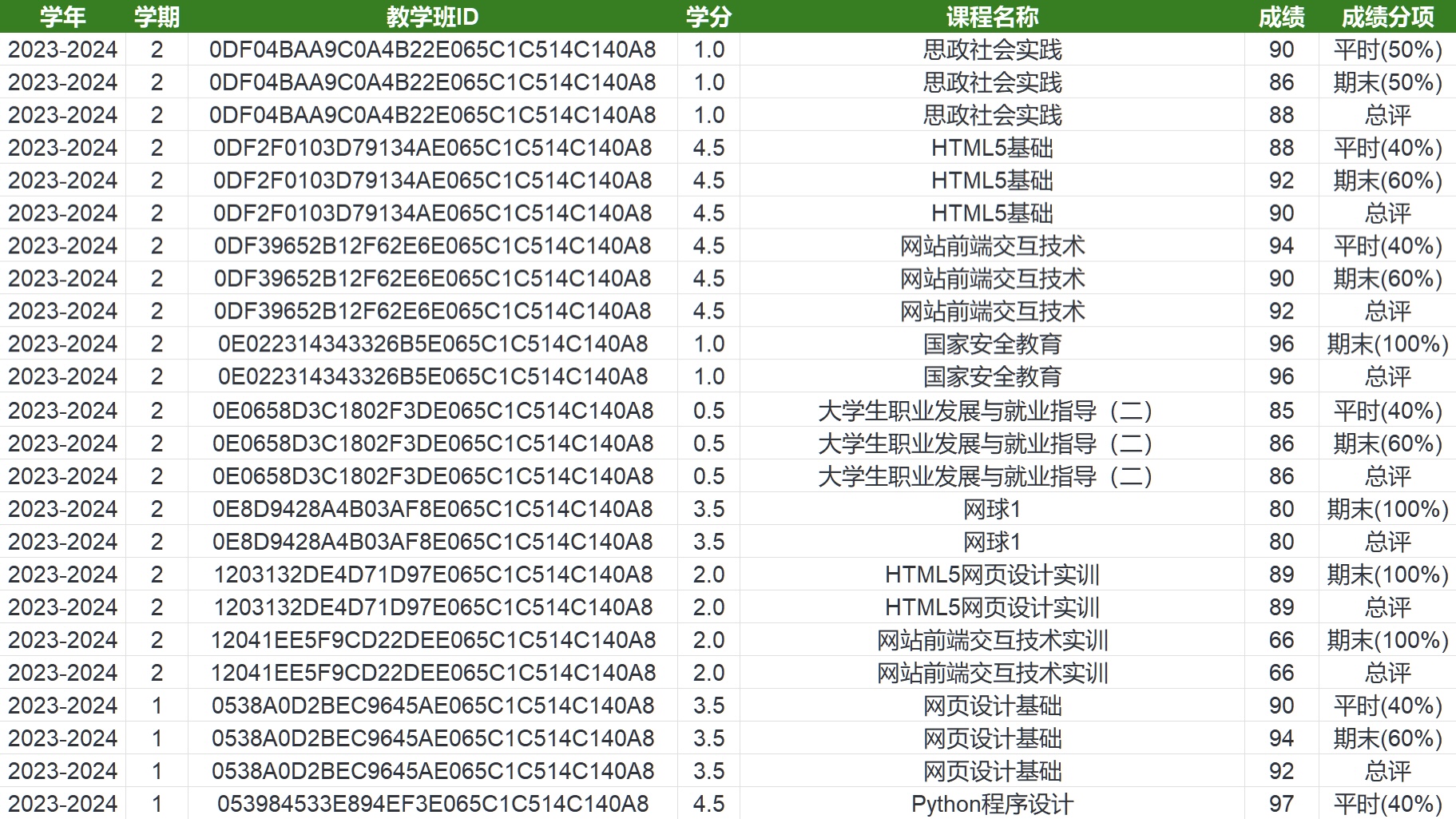
绕过正方教务管理系统的权限限制,一键导出包含平时成绩、期末成绩以及最终成绩在内的完整成绩单。

You will need to install an extension such as Tampermonkey, Greasemonkey or Violentmonkey to install this script.

You will need to install an extension such as Tampermonkey to install this script.

You will need to install an extension such as Tampermonkey or Violentmonkey to install this script.

You will need to install an extension such as Tampermonkey or Userscripts to install this script.

You will need to install an extension such as Tampermonkey to install this script.

You will need to install a user script manager extension to install this script.

(I already have a user script manager, let me install it!)

You will need to install an extension such as Stylus to install this style.

You will need to install an extension such as Stylus to install this style.

You will need to install an extension such as Stylus to install this style.

You will need to install a user style manager extension to install this style.

You will need to install a user style manager extension to install this style.

You will need to install a user style manager extension to install this style.

(I already have a user style manager, let me install it!)
Author
Klauthmos
Daily installs
0
Total installs
77
Ratings
0 0 0
Version
1.0.0
Created
2025-07-15
Updated
2025-07-21
Size
6.49 KB
License
Apache-2.0 license
Applies to

正方教务系统导出成绩详情

简介

使用 ZFAllGradeDetails 脚本,您可以绕过正方教务管理系统的权限限制,一键导出包含平时成绩、期末成绩以及最终成绩在内的完整成绩单。

先决条件

  1. 在浏览器中安装 Tampermonkey 插件。
  2. 在 Tampermonkey 中安装 ZFAllGradeDetails 脚本。

使用方法

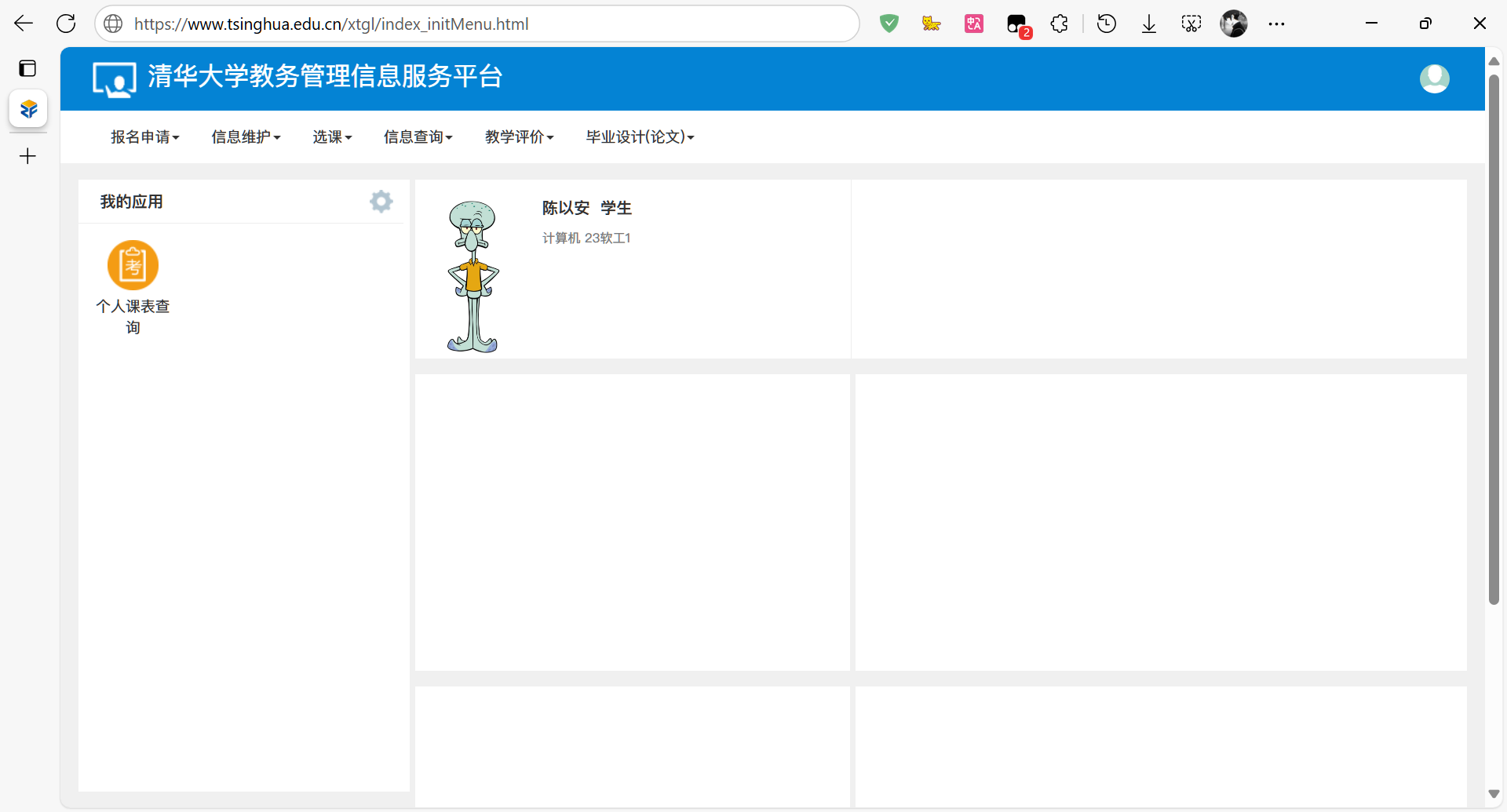
  1. 在已安装 Tampermonkey 与 ZFAllGradeDetails 脚本的浏览器中,访问您的正方教务系统。

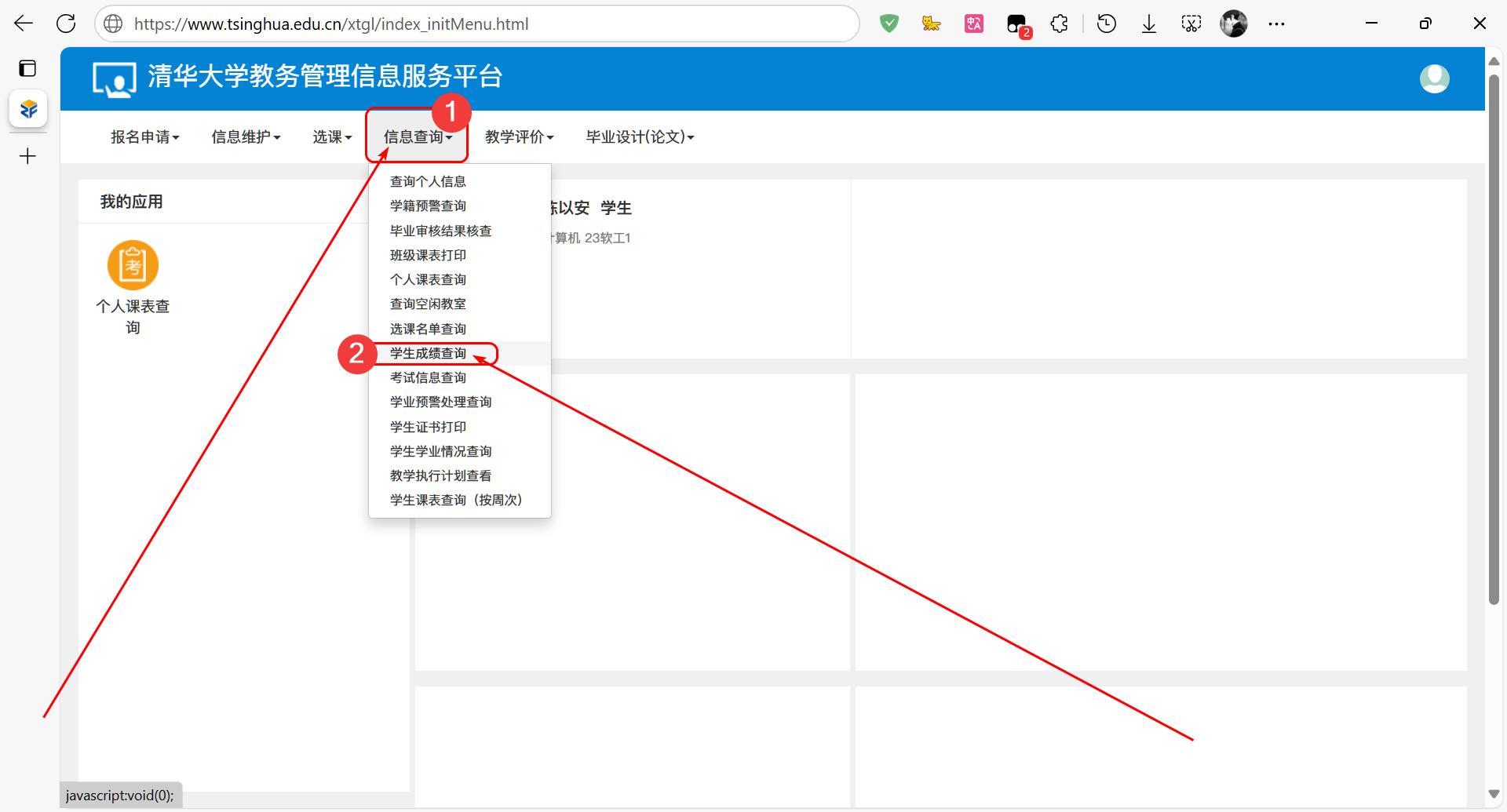
  1. 进入“学生成绩查询”页面。

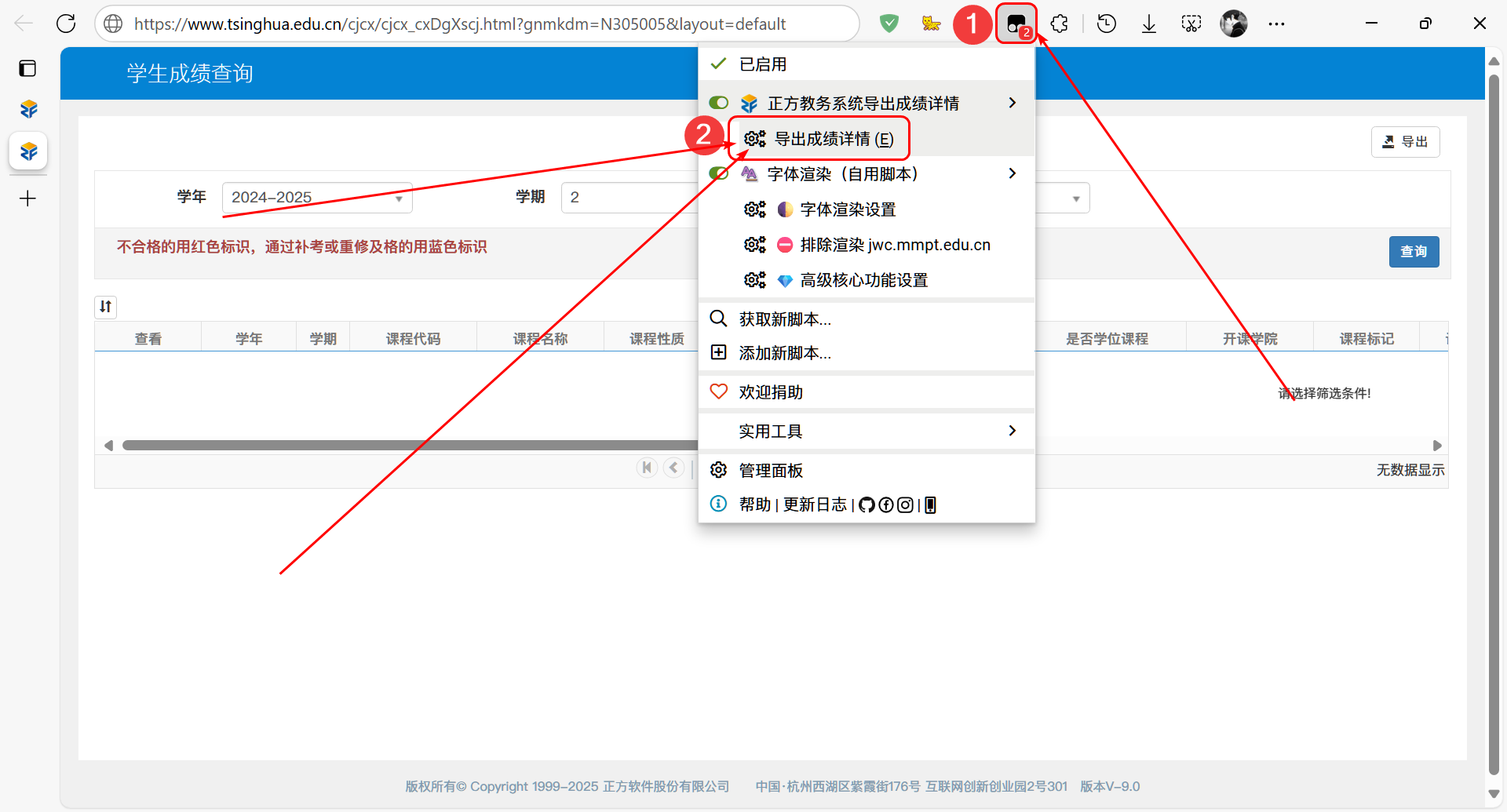
  1. 点击浏览器工具栏中的 Tampermonkey 图标,选择“导出成绩详情”。

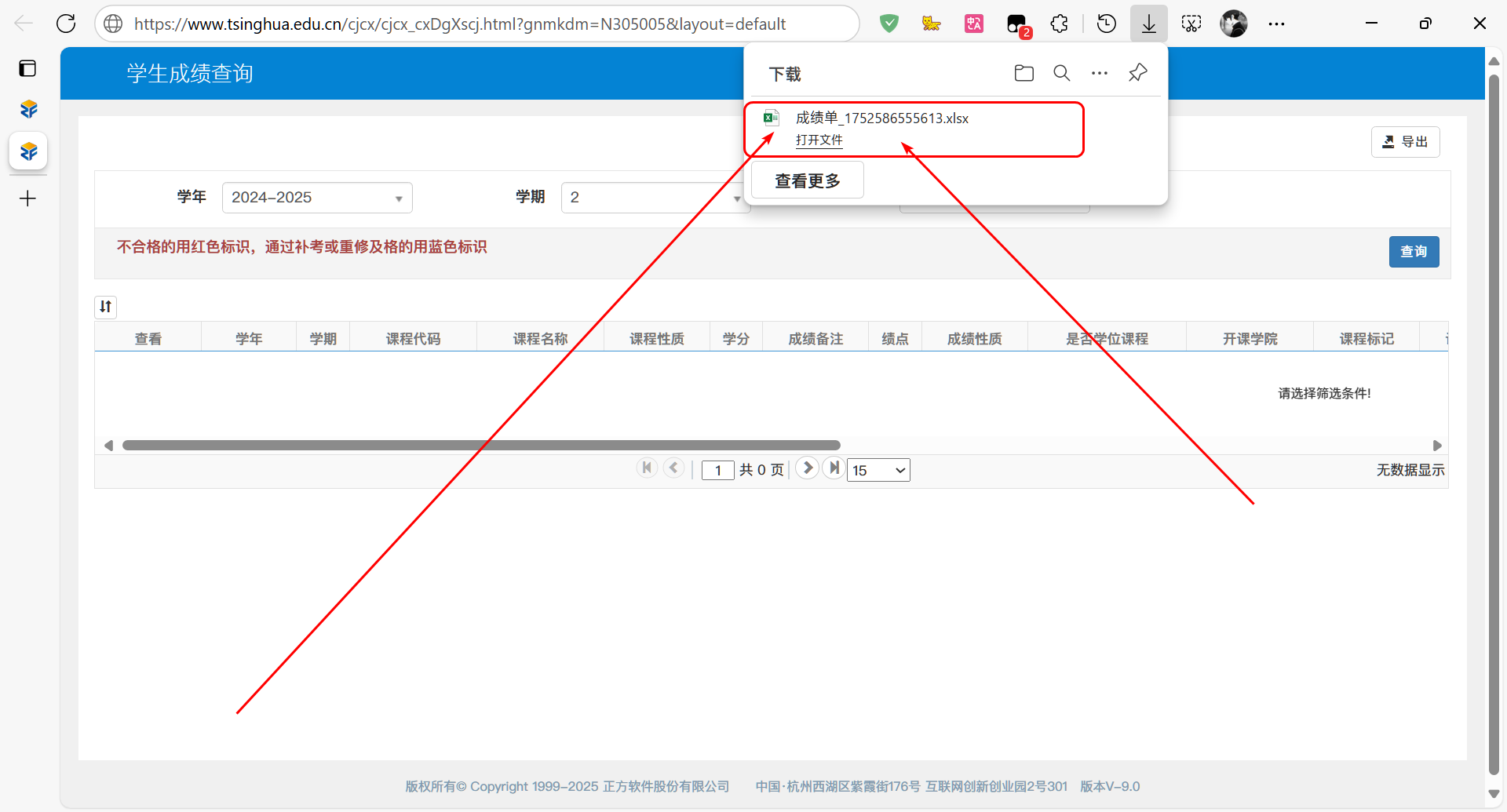
  1. 下载完成后,打开生成的 Excel 文件。

  1. 在文件中查看包含平时成绩、期末成绩及最终成绩的完整成绩详情。