bangumi 自定义追番时间表

bangumi自定义追番时间表,支持按周规划番剧观看顺序。可自主安排番剧到每周的任意日期,适合等待字幕组或喜欢按个人计划节奏来追番的用户。

You will need to install an extension such as Tampermonkey, Greasemonkey or Violentmonkey to install this script.

You will need to install an extension such as Tampermonkey to install this script.

You will need to install an extension such as Tampermonkey or Violentmonkey to install this script.

You will need to install an extension such as Tampermonkey or Userscripts to install this script.

You will need to install an extension such as Tampermonkey to install this script.

You will need to install a user script manager extension to install this script.

(I already have a user script manager, let me install it!)

You will need to install an extension such as Stylus to install this style.

You will need to install an extension such as Stylus to install this style.

You will need to install an extension such as Stylus to install this style.

You will need to install a user style manager extension to install this style.

You will need to install a user style manager extension to install this style.

You will need to install a user style manager extension to install this style.

(I already have a user style manager, let me install it!)

Author
goldenegg
Daily installs
0
Total installs
3
Ratings
0 0 0
Version
1.1
Created
2025-07-12
Updated
2025-07-25
Size
37.7 KB
License
MIT
Applies to

描述

Bangumi 自定义追番时间表,支持按周规划番剧观看顺序。

可自主安排番剧到每周的任意日期,适合等待字幕组或喜欢按个人计划节奏来追番的用户。

(脚本讨论页)
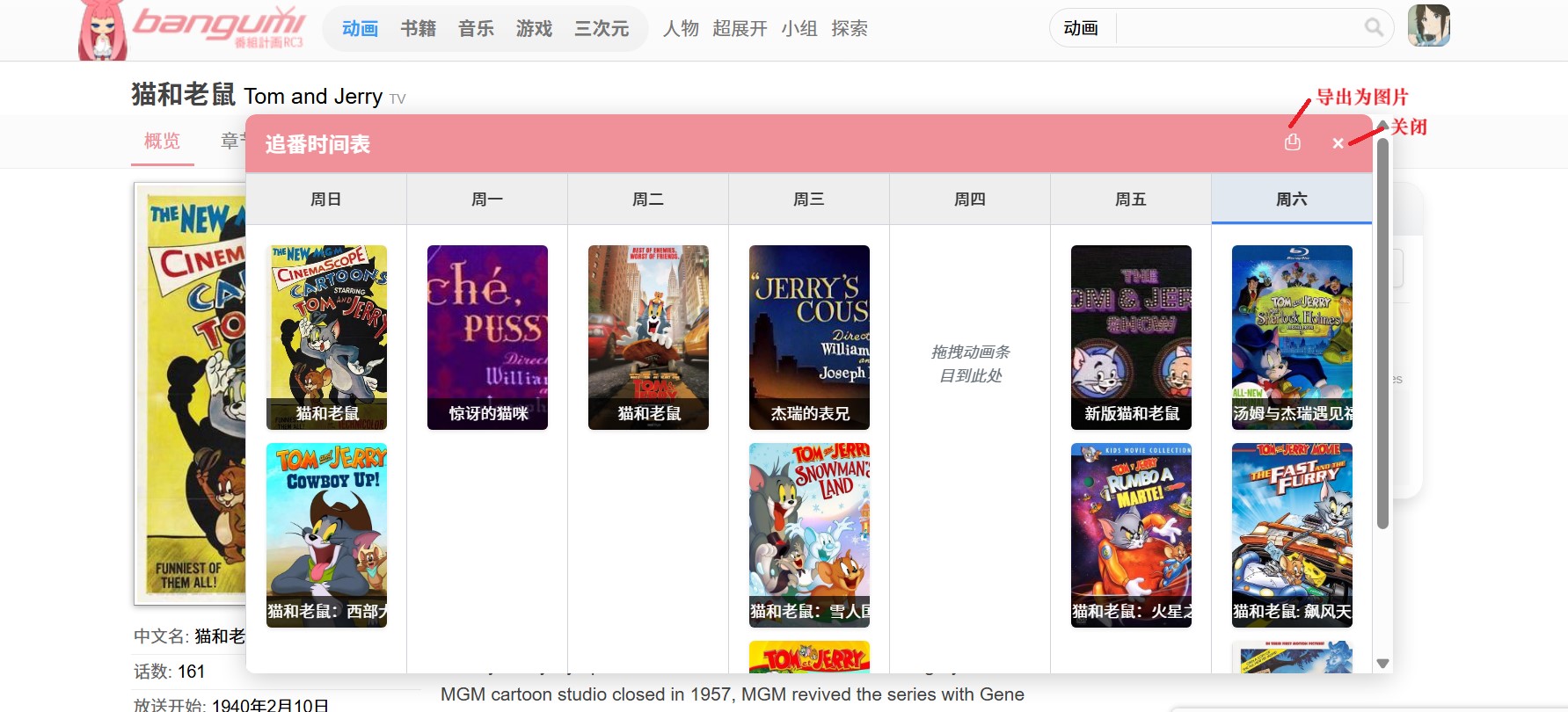
效果图

效果图

链接

Bangumi超合金组件

Greasy Fork

基本操作

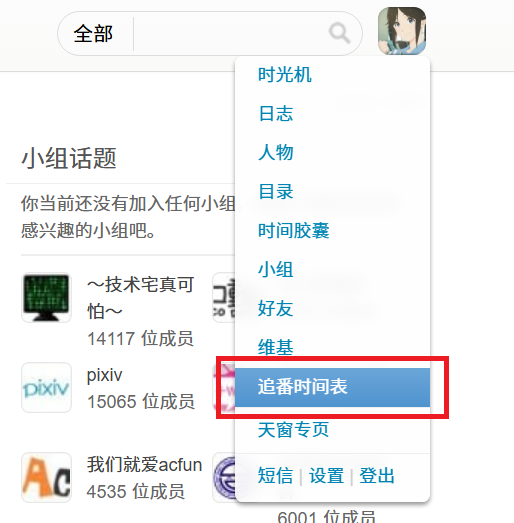
  1. 打开/关闭:在 Bangumi 网站右上角用户菜单中,点击 "追番时间表" 选项

  2. 添加动画:从任意 Bangumi 条目页面,拖拽动画条目到窗口任意日期栏

  3. 删除动画:将鼠标悬停在动画卡片上,点击右上角的 "×" 按钮
    操作示例

其它

  1. 其他功能:①动画卡片支持拖拽调整日期或顺序 ②点击动画卡片页面会跳转到对应条目页 ③支持保存为图片 ④支持 Bangumi 的关灯模式

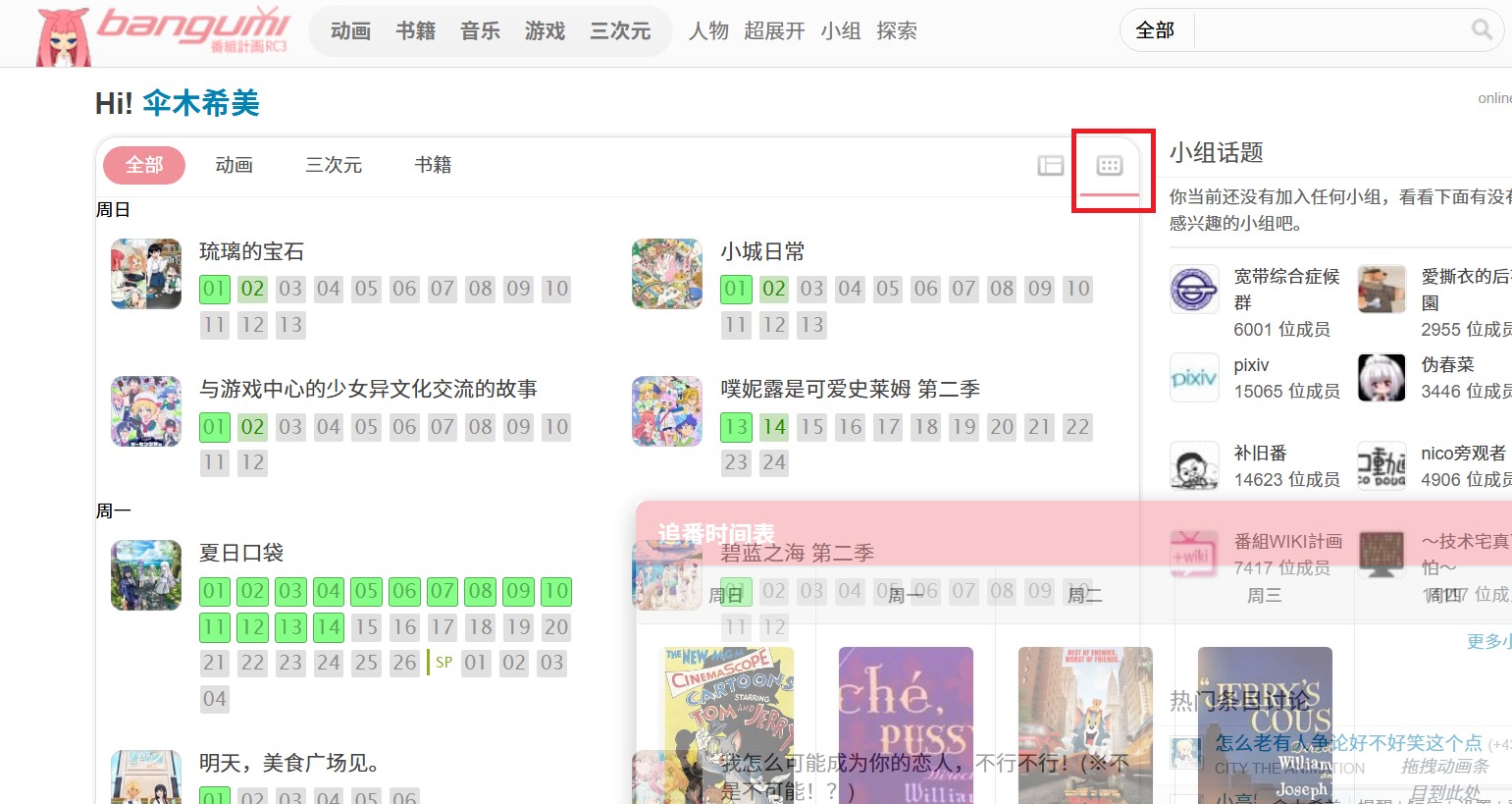
  2. 推荐结合组件:首页按星期分组/排序,在 Bangumi 首页的平铺模式使用
    组合效果

更新

2025.7.12 v1.0

2025.7.25 v1.1

1.可添加里番 2.优化样式 3.优化html2canvas加载逻辑