Greasy Fork Enhance

Enhance your experience at GreasyFork.


You will need to install an extension such as Tampermonkey, Greasemonkey or Violentmonkey to install this script.

You will need to install an extension such as Tampermonkey to install this script.

You will need to install an extension such as Tampermonkey or Violentmonkey to install this script.

You will need to install an extension such as Tampermonkey or Userscripts to install this script.

You will need to install an extension such as Tampermonkey to install this script.

You will need to install a user script manager extension to install this script.

(I already have a user script manager, let me install it!)

You will need to install an extension such as Stylus to install this style.

You will need to install an extension such as Stylus to install this style.

You will need to install an extension such as Stylus to install this style.

You will need to install a user style manager extension to install this style.

You will need to install a user style manager extension to install this style.

You will need to install a user style manager extension to install this style.

(I already have a user style manager, let me install it!)

Author
PRO-2684
Daily installs
9
Total installs
13,418
Ratings
23 0 0
Version
0.9.6
Created
2023-05-25
Updated
2026-02-23
Size
58.5 KB
License
GPL-3.0
Applies to

Greasy Fork GitHub Repo stars

If you encounter formatting issues reading Greasy Fork's README, please visit the README on GitHub for a better experience.

✨ Featured

  • Flat layout
  • Regex filter
  • Show version number in script list
  • Copy/hide/show code support (Test link)
    • Auto hide code that has more lines than given value

⚙️ Configuration

Config marked with * requires refreshing to take effect

  • 🔎 Filter and Search
    • *Anchor: Show anchor for each heading
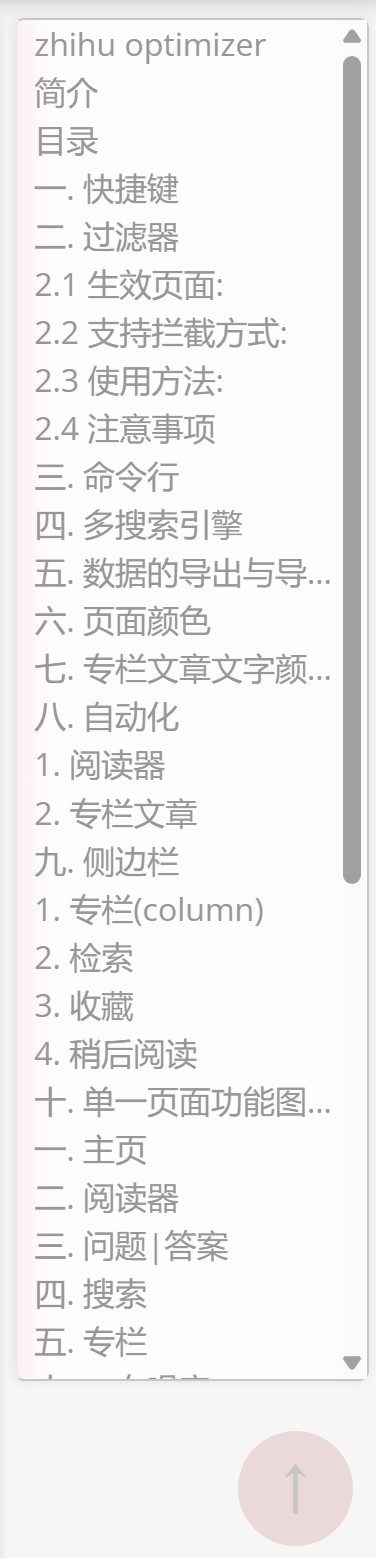
    • *Outline: Show an outline for the page, if your screen is wide enough
    • Shortcut: Enable keyboard shortcuts
    • Regex filter: Use regex to filter out matching scripts
    • *Search syntax: Enable partial search syntax for Greasy Fork search bar
  • 📝 Code blocks
    • *Toolbar: Show toolbar for code blocks, which allows copying and toggling code
    • Auto hide code: Hide long code blocks by default (Need "*Toolbar" to be enabled)
    • Min rows to hide: Minimum number of rows to hide (Need "*Toolbar" to be enabled)
    • Tab size: Set Tab indentation size
    • Animation: Enable animation for toggling code blocks
    • Metadata: Parses certain important script metadata and displays it on the script code page
  • 🎨 Display
    • Hide buttons: Hide floating buttons added by this script
    • Sticky pagination: Make pagination bar sticky
    • Flat layout: Use flat layout for script list and descriptions
    • Show version: Show version number in script list
    • Navigation bar: Override navigation bar style
      • Default: Use default style
      • Desktop: Use desktop style
      • Mobile: Use mobile style
    • Always show notification: Always show the notification widget
  • 🔑 Credentials (Not maintained)
    • *Auto login: Automatically login to Greasy Fork, if not already (only support email/password login, without 2FA)
      • Never: Never auto login
      • HomepageOnly: Auto login only on homepage
      • Always: Always auto login
    • Capture credentials: Automatically save email and password after login attempt, overwriting existing values
    • Email: Email address for auto login
    • Password: Password for auto login
  • 🔧 Other
    • Short link: Display a shortened link to current script
    • Alternative URLs for library: Show a list of alternative URLs for a given library
    • *Image proxy: Use wsrv.nl as proxy for user-uploaded images
    • Debug: Enable debug mode

📖 Reference

Regex filter

Filter out (hides) scripts whose name matches the given regular expression, disabled when left empty. For example:

  • .{30,}: Hide scripts whose name length is greater than 30
  • 网盘|网课|网购: Hide scripts containing 网盘, 网课, or 网购
  • [\uE000-\uF8FF]|\uD83C[\uDC00-\uDFFF]|\uD83D[\uDC00-\uDFFF]|[\u2580-\u27BF]|\uD83E[\uDD10-\uDEFF]|\uFE0F: Hide scripts containing emojis

Search syntax

Note that this is case-insensitive, and specifiers (other than type) are only for script search.

  • site:: Only display scripts for given site, e.g. query ad site:youtube.com will navigate you to https://greasyfork.org/scripts/by-site/youtube.com?q=ad
  • type:: Search in specified type, including:
    • script: Script search (default)
    • lib, library: Library search
    • code: Code search
    • user: User search
  • lang:: Specify programming language
    • js, javascript: JavaScript (default)
    • css: CSS
    • *, any, all: All languages
  • sort:: Specify sorting method
    • rel, relevant, relevance: Sort by relevance (default when query is given)
    • day, daily, daily_install, daily_installs: Sort by daily installs (default when no query is given)
    • total, total_install, total_installs: Sort by total installs
    • score, rate, rating, ratings: Sort by rating
    • created, created_at: Sort by creation time
    • updated, updated_at: Sort by update time
    • name, title: Sort by name
  • total:: Filter scripts by total installs
    • >100: Only show scripts with more than 100 total installs
    • <50: Only show scripts with less than 50 total installs
    • =200: Only show scripts with exactly 200 total installs
    • By omitting the operator, it defaults to >, e.g. total:100 is equivalent to total:>100
  • daily:: Filter scripts by daily installs, with the same syntax as total:
  • rating:: Filter scripts by rating. The syntax is the same as total:, but the value can be a decimal number between 0 and 1, and = operator is not supported, e.g. rating:0.9 is equivalent to rating:>0.9
  • created:: Filter scripts by creation time
    • >2026-01-01T01:23:45: Only show scripts created after January 1st, 2026, 01:23:45
    • <2026-01-01: Only show scripts created before January 1st, 2026, 0:00:00
    • By omitting the operator, it defaults to >, e.g. created:2026-01-01 is equivalent to created:>2026-01-01
    • Note that = operator is not supported here
    • See MDN for supported datetime formats
  • updated:: Filter scripts by update time, with the same syntax as created:

Shortcut

  • Ctrl+Enter inside a textarea to submit forms
  • Enter to focus on first search box / textarea
  • Escape to unfocus
  • ArrowLeft and ArrowRight for previous and next page

"Always on" features

  • Quickly goes back to top
    • Double click white space at either sides
    • Click button at lower right corner (can be hidden)
  • Fix current tab link to make it functional as well (Including tabs at script detail page and the logo at homepage)
  • Larger file drop area
  • More recognizable tables