Replace AO3's "Find your favorites" with custom shortcuts to any page — filtered tags, author pages, collections, bookmarks, and more.

AO3's built-in "Find your favorites" section only lets you follow a single tag — no filtering, no customization. Custom Favorites replaces it with your own shortcuts to anything on AO3: a ship search pre-filtered exactly how you like it, your favorite authors' pages, collections, gift exchanges, your own bookmarks, whatever you actually go back to.
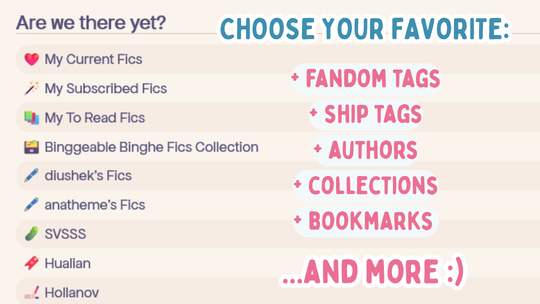
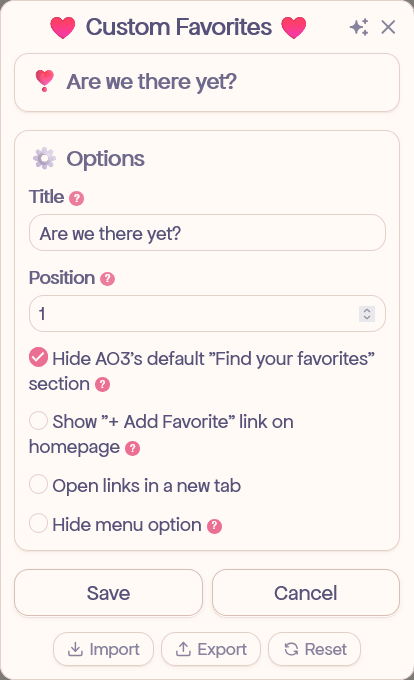
That's it — one click gets you back to that exact filtered view every time.
💡 Tip: When filtering, use metatags where you can as they cover all related subtags automatically. For example, excluding Modern Era blocks every modern AU variant, not just Alternate Universe - Modern Setting. To check if a tag has a metatag, search for it on the tag search page and select wrangling status -> canonical. The tag's page will list any metatags and subtags at the bottom.
⚠️ Important for Chromium-based browsers: On Chrome, Brave, Vivaldi, or Microsoft Edge (PC), an extra activation step is required. Follow these instructions. For the Tampermonkey iOS app, see this video.
💡 Using AO3 on multiple devices? Check out AO3: Script Sync — it automatically syncs your settings and data across devices using Google Sheets.
