WME Quick Replies

Quick reply templates for Update Requests in Waze Map Editor. Auto-detects EN/ES/FR/PT/DE and inserts the actual UR problem type.

You will need to install an extension such as Tampermonkey, Greasemonkey or Violentmonkey to install this script.

You will need to install an extension such as Tampermonkey to install this script.

You will need to install an extension such as Tampermonkey or Violentmonkey to install this script.

You will need to install an extension such as Tampermonkey or Userscripts to install this script.

You will need to install an extension such as Tampermonkey to install this script.

You will need to install a user script manager extension to install this script.

(I already have a user script manager, let me install it!)

Advertisement:

You will need to install an extension such as Stylus to install this style.

You will need to install an extension such as Stylus to install this style.

You will need to install an extension such as Stylus to install this style.

You will need to install a user style manager extension to install this style.

You will need to install a user style manager extension to install this style.

You will need to install a user style manager extension to install this style.

(I already have a user style manager, let me install it!)

Advertisement:

Upphovsman
danialonso
Dagliga installationer
5
Totala installationer
5
Betyg
0 0 0
Version
1.8.3
Skapad
2026-06-22
Uppdaterad
2026-06-22
Size
28,9 KB
Licens
MIT
Gäller för

WME Quick Replies

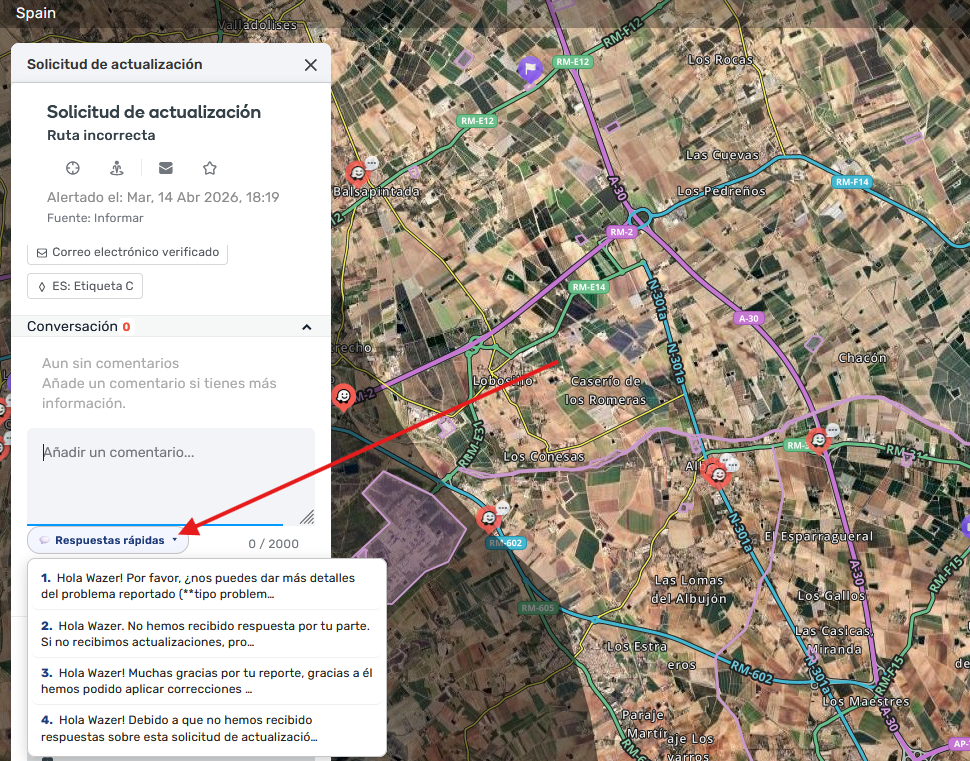
Adds a Quick replies dropdown button to the conversation field of Update Requests (URs) in the Waze Map Editor, so you can answer reporters with one click instead of retyping the same messages.

✨ Features

  • 💬 Quick replies button right next to the UR comment character counter.
  • ✍️ Up to 5 editable templates, managed from a Scripts tab inside WME — no need to edit the code.
  • 🧩 Problem-type token: write **problem type** and it's replaced with the actual UR type.
  • 🧹 Clears the field first instead of appending.
  • 🌍 Multilingual: English (default), Español, Français, Português, Deutsch.
  • Lightweight — the button is cached, so it doesn't slow the editor down.

🚀 Usage

  1. Open any Update Request.
  2. Click 💬 Quick replies next to the comment box and pick a template.
  3. Edit templates from the 💬 Quick Replies tab in the WME sidebar (Scripts section), then Save.

Usage

⚙️ Settings

Personalise all 5 templates from the 💬 Quick Replies tab in WME. Leave a box empty to hide that reply; use Restore defaults to reset.
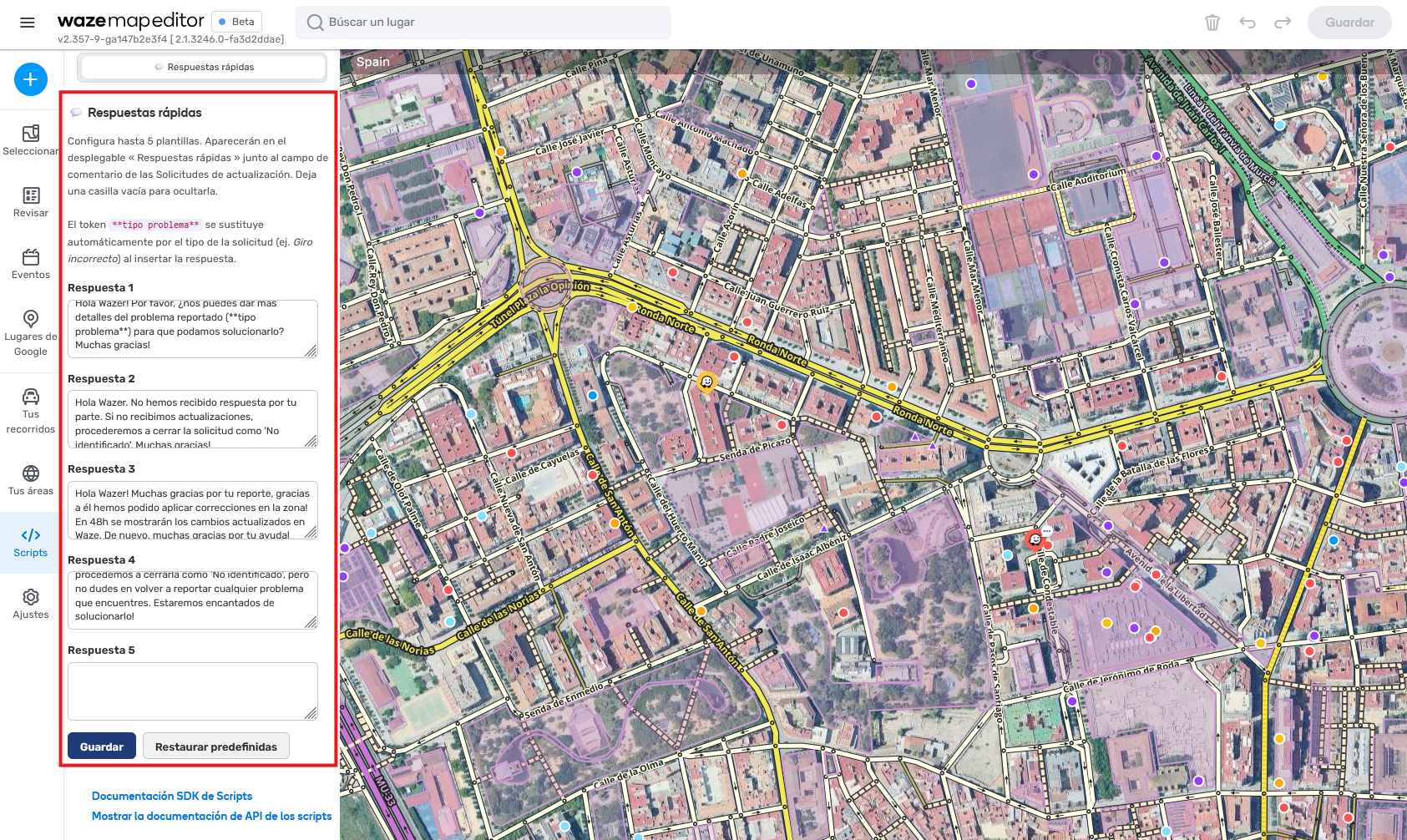
Settings

🔗 Source & issues

Source code and bug reports on GitHub. Licensed under MIT.