Automatically saves and resumes video playback progress on YouTube without needing to log in.

&label=GreasyFork)

Why YPP? ◆ Quick Start ◆ Features ◆ Screenshots ◆ Translations ◆ License
YouTube Playback Plox is a userscript that automatically remembers the exact point where you left off in a YouTube video, so you can resume it later without needing an account or logging in.
Requirements: You need a script manager extension installed in your browser.
1- Install a Script Manager
2- Install the Script
📥 Click here to install or download it directly from GreasyFork.
After installation, your videos will start tracking correctly. Access the saved videos modal directly within the YouTube progress bar.
IndexedDB in your browser.Regular VideosMiniplayerShorts (disabled by default)Live streams (disabled by default)Previews on home (disabled by default)title, author, type, duration, date, percentage viewed, remaining time, and more.playlists on the fly from your viewed videos.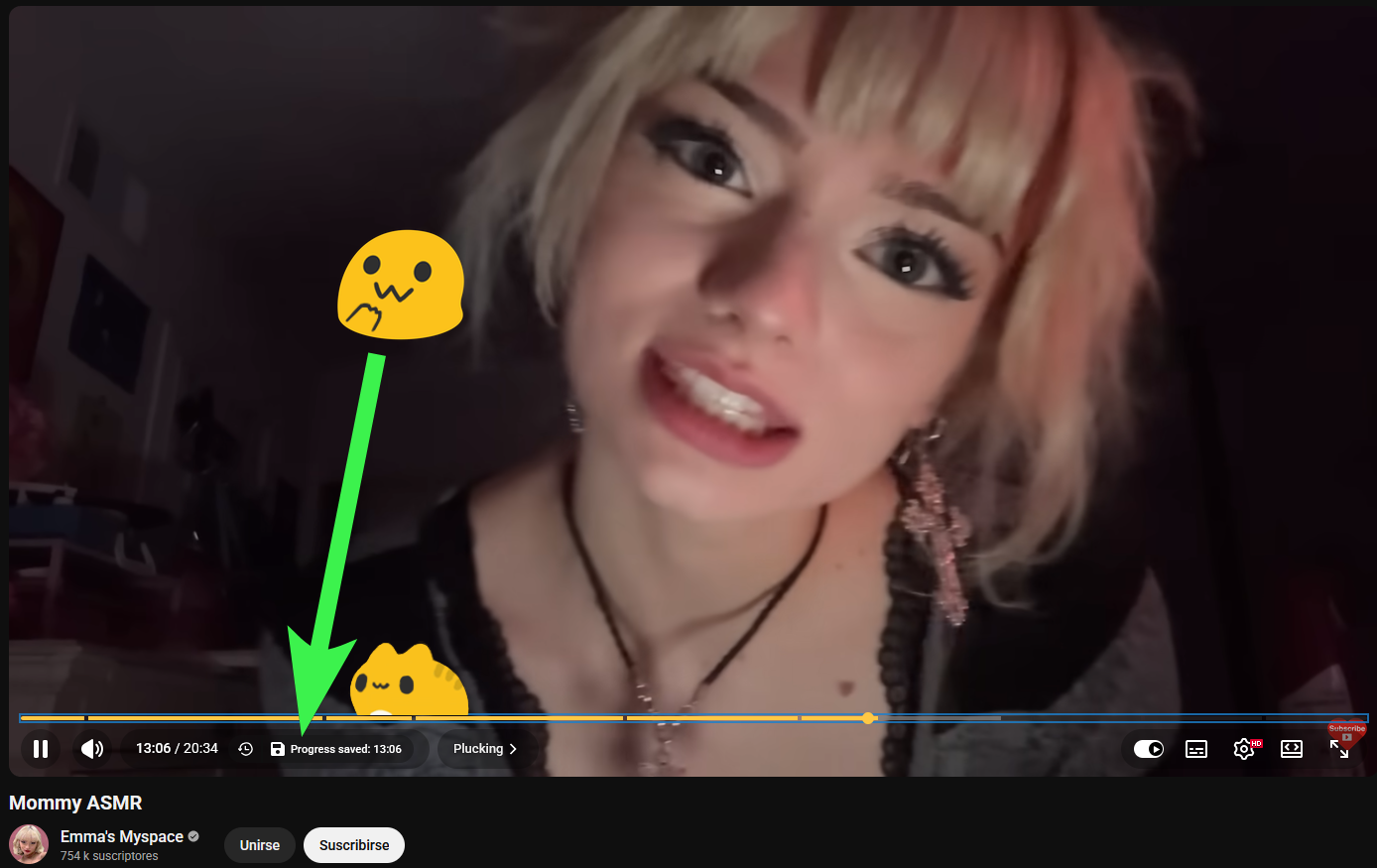
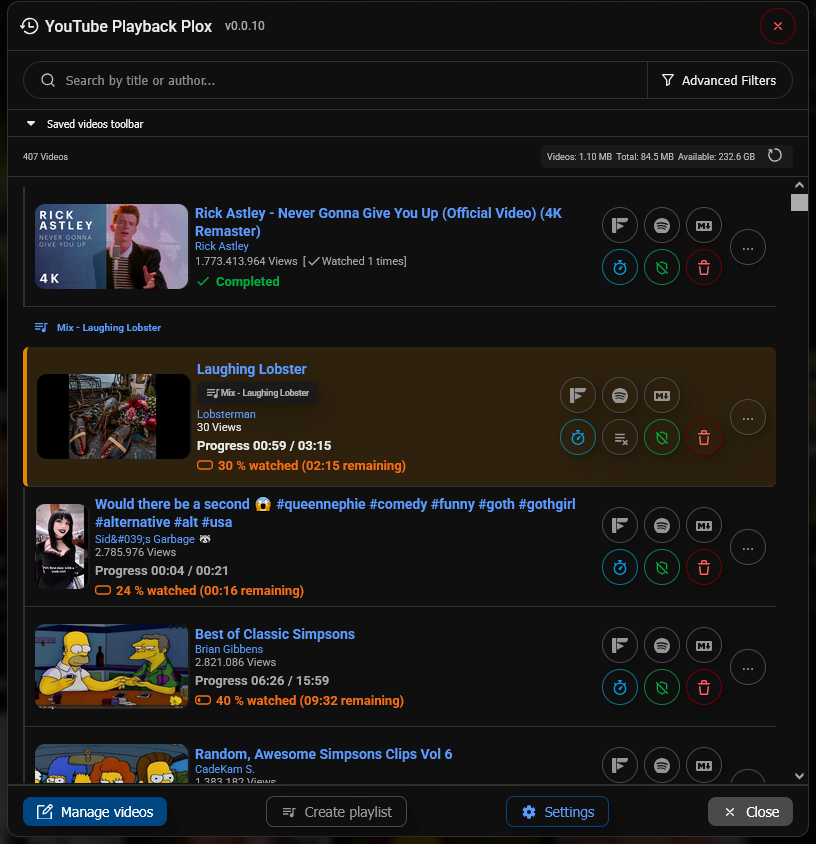
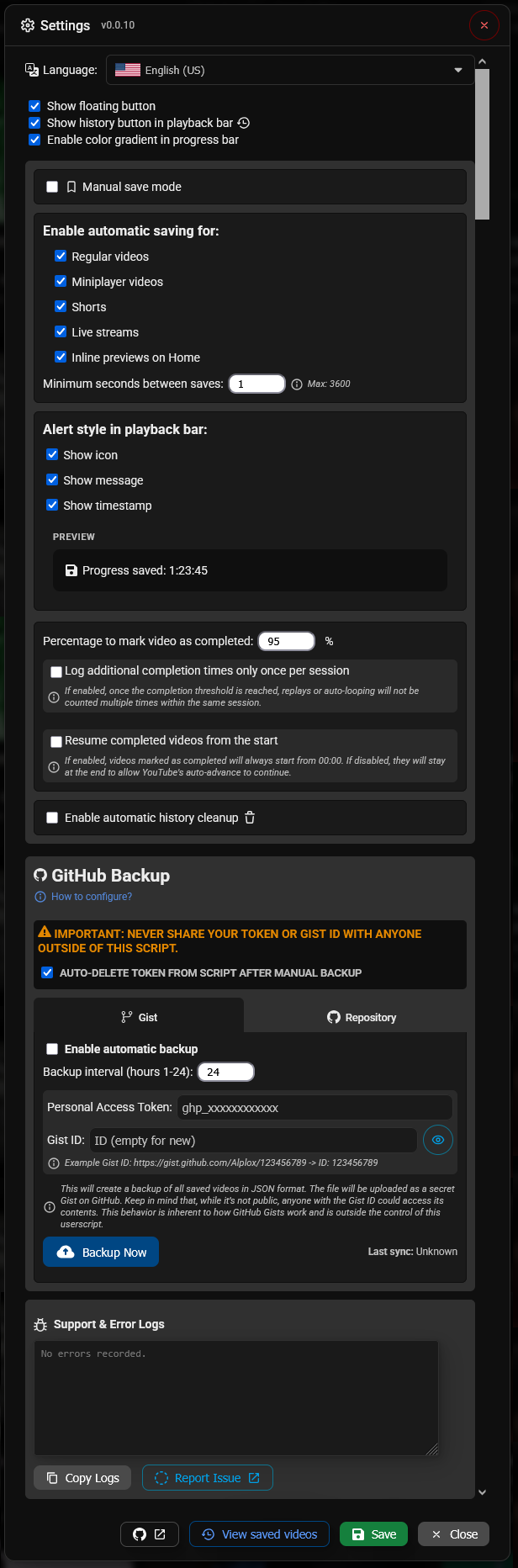
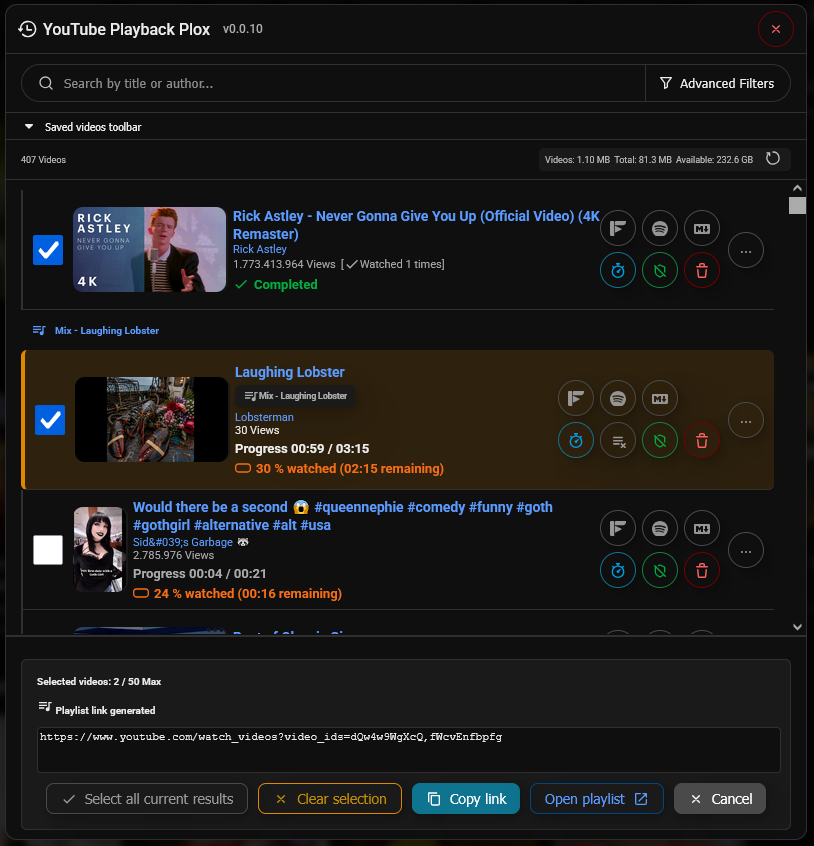
Settings and UI are fully translated into 50+ native languages.
Do you want to help, collaborate or correct the translation of the script? You can do it from here.
| Language | Code | Language | Code | |
|---|---|---|---|---|
| 🇬🇧 English (UK) | en-GB |
🇺🇸 English (US) | en-US |
|
| 🇪🇸 Español | es-ES |
🇪🇸 Español (Latam) | es-419 |
|
| 🇪🇸 Català | ca |
🇫🇷 Français | fr |
|
| 🇩🇪 Deutsch | de |
🇮🇹 Italiano | it |
|
| 🇵🇹 Português | pt |
🇳🇱 Nederlands | nl |
|
| 🇵🇱 Polski | pl |
🇸🇪 Svenska | sv |
|
| 🇩🇰 Dansk | da |
🇳🇴 Norsk | no |
|
| 🇫🇮 Suomi | fi |
🇨🇿 Čeština | cs |
|
| 🇸🇰 Slovenčina | sk |
🇭🇺 Magyar | hu |
|
| 🇷🇴 Română | ro |
🇧🇬 Български | bg |
|
| 🇬🇷 Ελληνικά | el |
🇷🇸 Српски | sr |
|
| 🇭🇷 Hrvatski | hr |
🇸🇮 Slovenščina | sl |
|
| 🇱🇹 Lietuvių | lt |
🇱🇻 Latviešu | lv |
|
| 🇺🇦 Українська | uk |
🇷🇺 Русский | ru |
|
| 🇹🇷 Türkçe | tr |
🇸🇦 العربية | ar |
|
| 🇮🇷 فارسی | fa |
🇮🇱 עברית | he |
|
| 🇮🇳 हिन्दी | hi |
🇧🇩 বাংলা | bn |
|
| 🇮🇳 తెలుగు | te |
🇱🇰 தமிழ் | ta |
|
| 🇮🇳 मराठी | mr |
🇨🇳 简体中文 | zh |
|
| 🇹🇼 繁體中文 | zh-TW |
🇭🇰 粵語 | yue |
|
| 🇭🇰 繁體中文 (HK) | zh-HK |
🇯🇵 日本語 | ja |
|
| 🇰🇷 한국어 | ko |
🇹🇭 ไทย | th |
|
| 🇻🇳 Tiếng Việt | vi |
🇮🇩 Indonesia | id |
|
| 🇲🇾 Melayu | ms |
🇵🇭 Filipino | tl |
|
| 🇲🇲 မြန်မာ | my |
🇰🇪 Kiswahili | sw |
This project is licensed under the MIT License - see the LICENSE file for details.
Notice: This project is not affiliated with Google or YouTube.
Built with ❤️ by Alplox
