洛谷讨论区显示时间改成具体时间

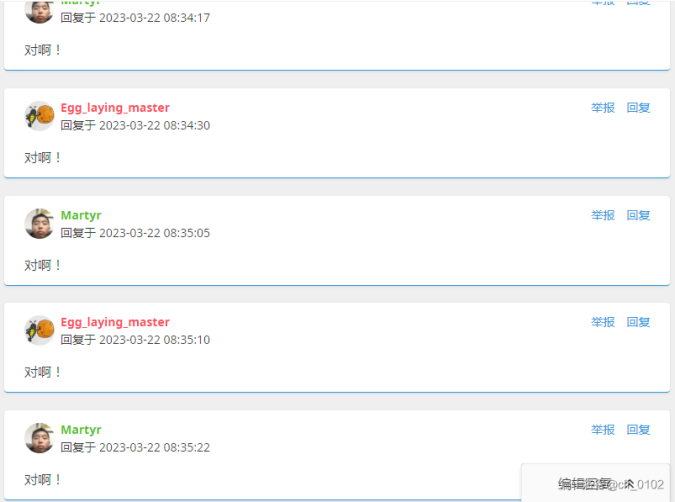
将原本的“……前”改为具体的时间

You will need to install an extension such as Tampermonkey, Greasemonkey or Violentmonkey to install this script.

You will need to install an extension such as Tampermonkey to install this script.

You will need to install an extension such as Tampermonkey or Violentmonkey to install this script.

You will need to install an extension such as Tampermonkey or Userscripts to install this script.

You will need to install an extension such as Tampermonkey to install this script.

You will need to install a user script manager extension to install this script.

(I already have a user script manager, let me install it!)

You will need to install an extension such as Stylus to install this style.

You will need to install an extension such as Stylus to install this style.

You will need to install an extension such as Stylus to install this style.

You will need to install a user style manager extension to install this style.

You will need to install a user style manager extension to install this style.

You will need to install a user style manager extension to install this style.

(I already have a user style manager, let me install it!)
Author
cff_0102
Daily installs
0
Total installs
675
Ratings
3 0 0
Version
2.0.2
Created
2023-09-09
Updated
2025-01-22
Size
9.41 KB
License
MIT
Applies to

洛谷更新讨论区后,时间显示变成了“……前”的样式(虽然鼠标悬停会显示具体时间),然而对于大部分情况来说,直接像之前一样显示具体时间或许是更好的选择。这个插件可以把洛谷的时间显示方法改回具体时间。还有更改个人主页“动态”部分时间的功能,这个可以关掉。

顺便科普一下,显示“几秒后”是因为你的电脑时间比标准时间慢了,导致标准时间相对你的电脑时间是在几秒后的。

另外,你可能还想自定义洛谷讨论区的主题色

小粉兔强势推荐