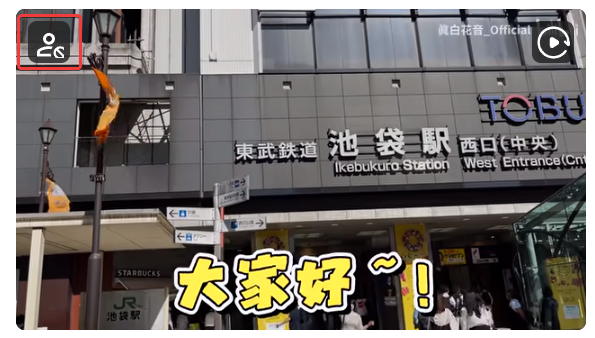
B站用户屏蔽

隐藏不感兴趣的内容,支持用户、首页频道推广和广告。

You will need to install an extension such as Tampermonkey, Greasemonkey or Violentmonkey to install this script.

You will need to install an extension such as Tampermonkey to install this script.

You will need to install an extension such as Tampermonkey or Violentmonkey to install this script.

You will need to install an extension such as Tampermonkey or Userscripts to install this script.

You will need to install an extension such as Tampermonkey to install this script.

You will need to install a user script manager extension to install this script.

(I already have a user script manager, let me install it!)

You will need to install an extension such as Stylus to install this style.

You will need to install an extension such as Stylus to install this style.

You will need to install an extension such as Stylus to install this style.

You will need to install a user style manager extension to install this style.

You will need to install a user style manager extension to install this style.

You will need to install a user style manager extension to install this style.

(I already have a user style manager, let me install it!)

Author
NateScarlet
Daily installs
0
Total installs
3,731
Ratings
50 3 1
Version
2025.11.20+9d410331
Created
2023-05-06
Updated
2025-11-20
Size
322 KB
License
N/A
Applies to

B 站内容屏蔽

屏蔽你不感兴趣的内容。

目前支持:

  • 首页视频列表
  • 首页推广卡片
  • 搜索页视频列表
  • 视频列表中的广告
  • 视频列表中的视频
    • 按时长筛选
    • 按关键词排除
    • 推广视频(默认开启)
  • 视频播放列表页右侧推荐
  • 视频详情页右侧推荐
  • 视频详情页播放结束后推荐(基于同页面已屏蔽视频的标题匹配,可能误伤相同标题的视频)
  • 排行榜
  • 直播分区中的直播间

纯本地运行,不进行任何网络请求。

为保证脚本管理器能正常更新,脚本显示名称依旧为 B站用户屏蔽,但是实际上不止能够屏蔽用户。
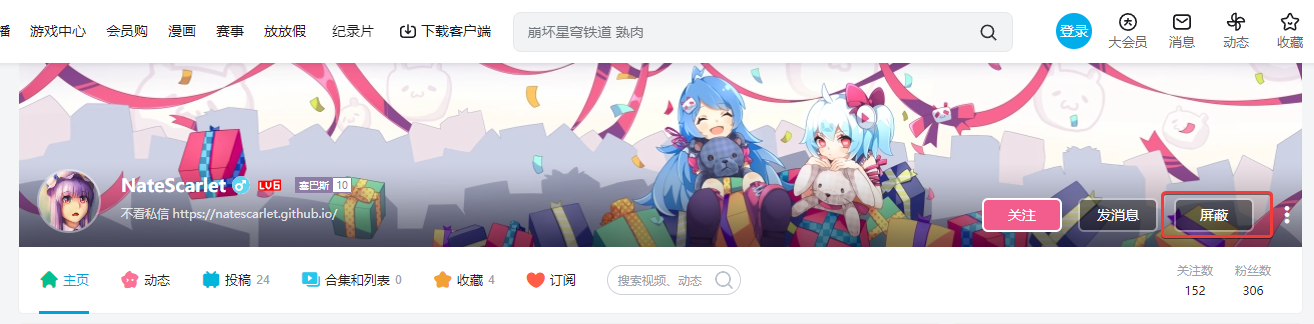
屏蔽用户

chrome_2023-05-08_23-14-07.png

至目标用户个人空间,点击 屏蔽取消屏蔽 按钮。

chrome_2023-06-16_01-11-42.png

或者点击单个视频左上角的屏蔽按钮,误操作时需要从屏蔽列表中找回。

屏蔽短视频或长视频

在设置中可输入允许的视频时长。

为避免意外造成首页无限加载,时长设置超出合理范围时会被自动替换为默认值。

要取消限制时,清空输入框即可。
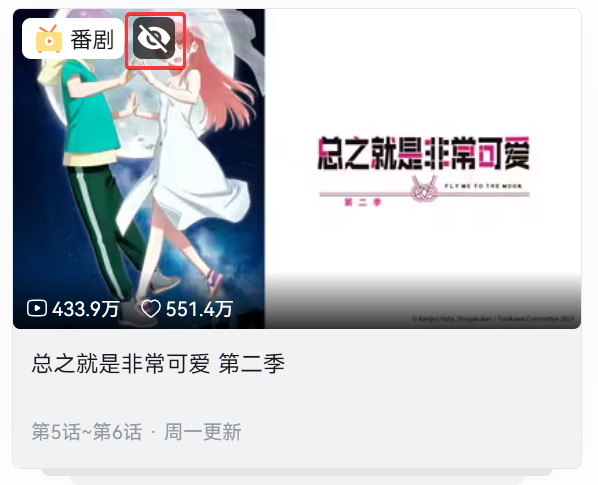
屏蔽首页楼层推广卡片

firefox_2023-06-19_00-38-06.png

点击在卡片左上角的屏蔽按钮即可屏蔽此频道的推广,可在设置中取消屏蔽。

屏蔽广告

默认就是屏蔽的,在设置中可勾选允许广告来取消屏蔽。

现在只支持屏蔽视频列表中的广告。

查看当前设置

chrome_2023-06-19_00-56-11.png

点击顶端导航栏的 屏蔽 按钮。

多设备支持

当前不支持多设备同步,数据保存在设备本地。

数据迁移请使用脚本管理器的备份和还原功能。