Ophel Atlas 🚀
Turn AI chats into documents you can read, navigate, and reuse
Language: English | 简体中文
📣
Help promote Ophel Atlas

Demo •
Core Features •
Quick Start •
Architecture •
Support
🌐 English | 简体中文 | 繁體中文 | 日本語 | 한국어 | Deutsch | Français | Español | Português | Русский
📹 Demo
| Outline |
Conversations |
Features |
|
|
|
🎯 Use Cases
- Learning & research: long-form reasoning, organize knowledge, review conclusions, extract notes
- Daily work: requirements breakdown, solution drafting, competitive analysis, meeting notes, consulting & management workflows
- Development & technical writing: long code discussions, bug triage, architecture exploration, docs/blog writing
- Content creation: iterate on scripts/outlines/polish, jump back to key passages, export for reuse
- Power users of AI: need structure, order, and reuse — not just ad-hoc chats
✨ Core Features
- 🧠 Smart Outline — Auto-parse user queries & AI responses into rich structured outlines
- 💬 Conversation Manager — Folders, tags, search, batch operations
- ⌨️ Prompt Library — Variables, Markdown preview, categories, one-click insert
- 🎨 Theme Customization — 20+ dark/light themes, custom CSS
- 🔧 UI Optimization — Widescreen mode, page & bubble width control, sidebar layout
- 📖 Reading Experience — Scroll lock, reading history restore, Markdown fixes
- ⚡ Productivity Tools — Shortcuts, model lock, tab auto-rename, notifications
- 🎭 Claude Enhancement — Session Key management, multi-account switching
- 🔒 Privacy First — Local storage, WebDAV sync, no data collection
Privacy & Data (expand)
**Ophel Atlas** puts privacy first: local by default, your data stays in your control.
- **Local by default:** settings, prompts, and conversation management data are stored in your browser
- **No account required:** use it without signing up
- **Permissions on demand:** optional permissions are requested only when needed and can be revoked anytime (see the Permissions page in the extension)
- **Optional WebDAV sync:** use your own WebDAV for multi-device consistency (controllable, portable)
- **Export & backup:** export and migrate to avoid lock-in
Note: Support for specific AI sites depends on site matching and page structure changes.
🚀 Quick Start
[!tip]
We highly recommend using the Browser Extension version for a more complete feature set, better experience, and higher compatibility. The Userscript version has limitations.
Web Store



Manual Installation
Browser Extension
- Download & unzip from Releases
- Open browser extensions page, enable Developer mode
- Click Load unpacked and select the unzipped folder
Userscript
- Install Tampermonkey
- Download
.user.js file from Releases
- Drag into browser or click the link to install
Local Build
Click to expand build steps
**Requirements**: Node.js >= 20.x, pnpm >= 9.x
```bash
git clone https://github.com/urzeye/ophel.git
cd ophel
pnpm install
pnpm dev # Development mode
pnpm build # Chrome/Edge production build
pnpm build:firefox # Firefox production build
pnpm build:userscript # Userscript production build
```
🏗️ Architecture
Tech Stack: Plasmo + React + TypeScript + Zustand
📐 Architecture Diagram (click to expand)
```mermaid
%%{init: {'theme': 'base', 'themeVariables': { 'primaryColor': '#6366f1', 'primaryTextColor': '#fff', 'primaryBorderColor': '#4f46e5', 'lineColor': '#94a3b8', 'secondaryColor': '#f1f5f9', 'tertiaryColor': '#e2e8f0', 'background': '#ffffff'}}}%%
flowchart TB
subgraph Platforms["🚀 Dual Platform Build"]
direction LR
EXT["🧩 Browser Extension
Plasmo + Manifest V3"]
US["🛢️ Userscript
Vite + vite-plugin-monkey"]
end
subgraph Entry["📦 Entry Layer"]
direction LR
CE["Content Script
ui-entry.tsx"]
BG["Background
background.ts"]
OPT["Options Page
tabs/options.tsx"]
USE["Userscript Entry
platform/userscript/entry.tsx"]
end
subgraph Adapters["🔌 Site Adapters"]
direction LR
GEM["Gemini"]
GPT["ChatGPT"]
CLA["Claude"]
GRK["Grok"]
AIS["AI Studio"]
GEE["Gemini
Enterprise"]
end
subgraph Core["⚙️ Core Modules"]
direction TB
TM["🎨 Theme Manager
Theme Switch · View Transitions"]
OM["📑 Outline Manager
Outline Generation · Navigation"]
RH["📖 Reading History
Position Restore"]
ML["🔒 Model Lock
Model Locking"]
NM["📡 Network Monitor
Request Interception · Status Detection"]
end
subgraph State["💾 State Management"]
direction LR
ZS["Zustand Stores
settings · prompts · conversations"]
CS["Chrome Storage
local · sync"]
GM["GM_* Storage
Userscript API"]
end
subgraph UI["🎯 UI Components"]
direction TB
APP["App.tsx"]
MP["MainPanel
Side Panel"]
SM["SettingsModal
Settings Dialog"]
TABS["Tabs
Outline · Conversations · Prompts"]
end
subgraph CSS["🎨 Styling System"]
direction LR
SD["Shadow DOM
Style Isolation"]
TV["CSS Variables
Theme Variables"]
TH["Theme Presets
20+ Preset Themes"]
end
%% Connections
EXT --> CE & BG & OPT
US --> USE
CE --> Adapters
USE --> Adapters
Adapters --> Core
Core --> State
CE --> UI
USE --> UI
UI --> CSS
ZS <--> CS
ZS <-.-> GM
%% Styles
classDef platform fill:#818cf8,stroke:#6366f1,color:#fff
classDef entry fill:#34d399,stroke:#10b981,color:#fff
classDef adapter fill:#fbbf24,stroke:#f59e0b,color:#1f2937
classDef core fill:#60a5fa,stroke:#3b82f6,color:#fff
classDef state fill:#f472b6,stroke:#ec4899,color:#fff
classDef ui fill:#a78bfa,stroke:#8b5cf6,color:#fff
classDef css fill:#fb923c,stroke:#f97316,color:#fff
class EXT,US platform
class CE,BG,OPT,USE entry
class GEM,GPT,CLA,GRK,AIS,GEE adapter
class TM,OM,RH,ML,NM core
class ZS,CS,GM state
class APP,MP,SM,TABS ui
class SD,TV,TH css
```
🐛 Bug Report
For issues or suggestions, please visit GitHub Issues.
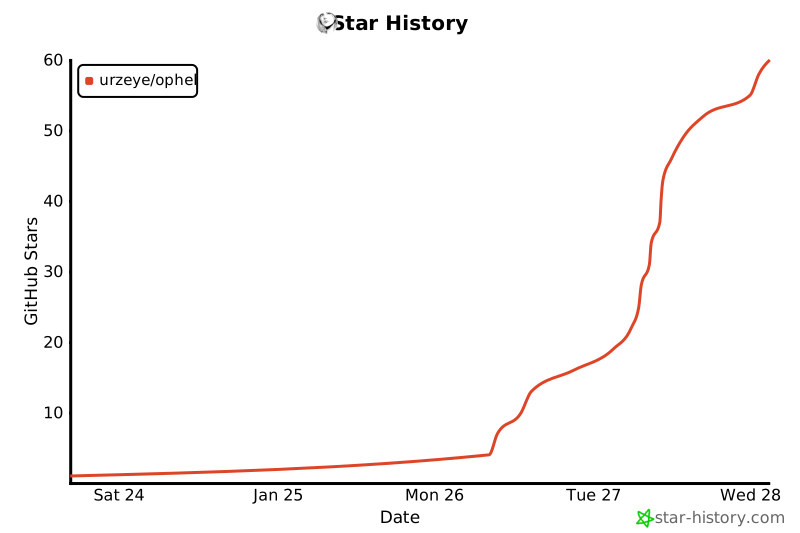
⭐ Star History
💖 Support
"If you want to go fast, go alone. If you want to go far, go together."
If Ophel improves your workflow or learning, please consider supporting via Star or Sponsor to help us go further.
Made with ❤️ by urzeye
📜 License
This project is licensed under GNU GPLv3. See LICENSE for details.










