Add nicknames for users on GitHub feed and profile pages, configured based on JSON content or remote URL.
Add nicknames for users on GitHub feed and profile pages
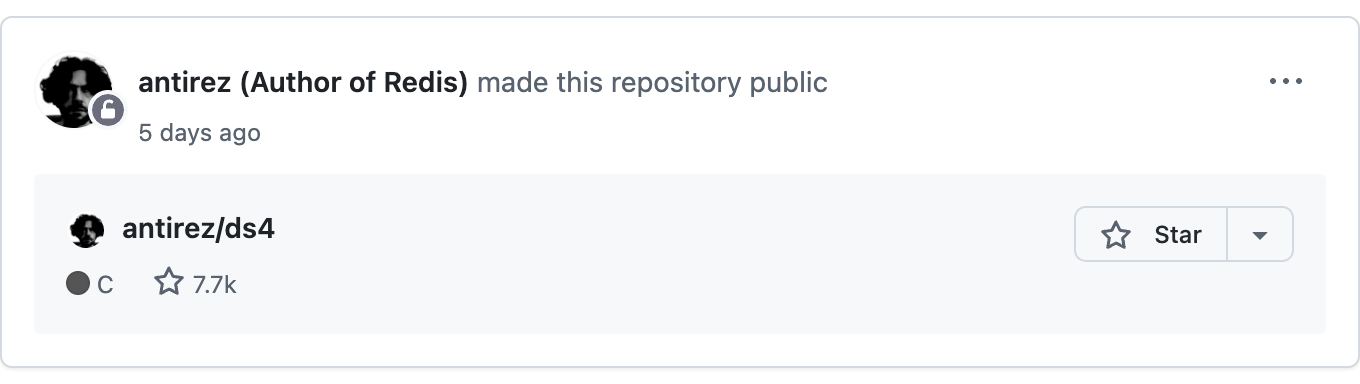
| Mode | Description | Config Entry | Example |
|---|---|---|---|
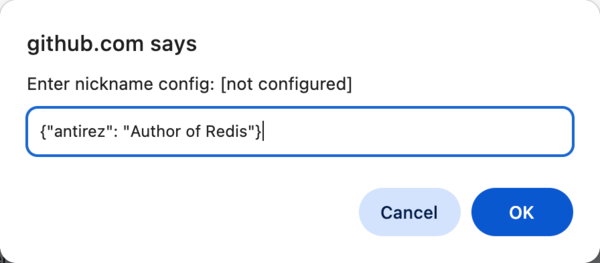
| JSON Mode | Enter a JSON string, suitable for a small number of user nicknames | Tampermonkey menu -> Config nickname | {"torvalds": "Father of Linux"} |
| URL Mode | Enter a URL to a remote JSON file, suitable for many nicknames or teams | Tampermonkey menu -> Config nickname | https://example.com/nicknames.json |
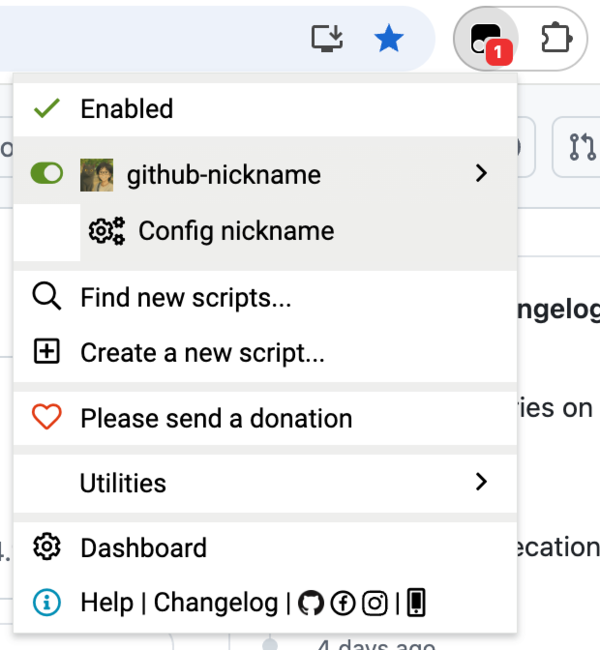
Click the Tampermonkey icon in the browser toolbar and select the "Config nickname" menu item
In the dialog that appears, enter a JSON string or URL and click OK to save the configuration
{
  "username": "nickname",
  "another-username": "another nickname"
}
Q: How do I update the nickname configuration?
A: Repeat the configuration steps above to update. JSON mode takes effect immediately, while URL mode fetches the latest configuration on the next page load.
Q: Which GitHub pages are supported?
A: Currently supports the GitHub homepage (feed page) and user profile page (profile page).
Q: Can I use JSON mode and URL mode at the same time?
A: No, you can only choose one mode. Configuring a new mode will automatically clear the previous configuration.
