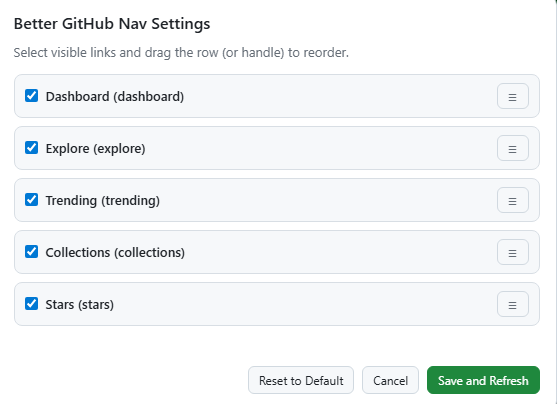
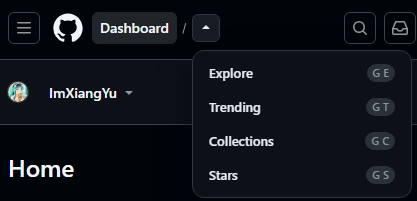
Supports adding commonly used sections such as Dashboard, Explore, Trending, Collections, and Stars to the navigation bar for one-click access. Allows customization of visibility and order. Supports dark mode and narrow-screen layouts. Also includes a “GitHub Top Repositories” feature for pinning repositories, making frequently used repositories easy to access.
Better GitHub Navigation 是一款给 GitHub 补效率的 Tampermonkey(油猴)脚本。
支持将 DashBoard、Explore、Trending、Collections、Stars 这些常用入口放入导航栏中一键直达。支持自定义是否显示,自定义顺序。支持深色模式、窄屏场景。同时加入了 Github Top repositories 显示仓库置顶功能,常用仓库一键置顶,方便查看。
Dashboard、Explore、Trending、Collections、Stars 这些常用入口补到顶部导航。

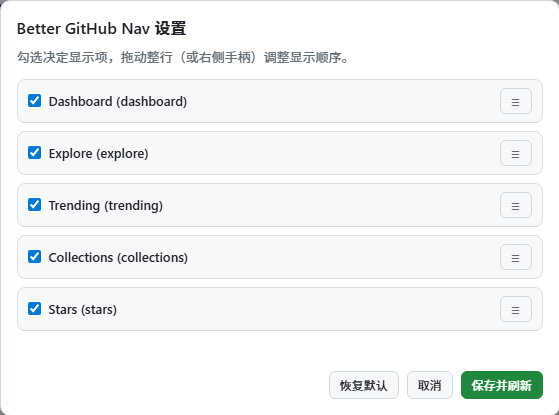
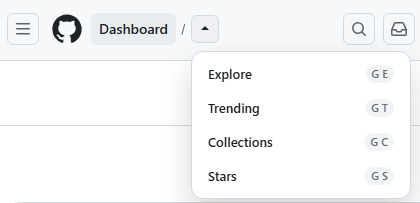
Top repositories 支持一键置顶,把你真正常开的仓库留在最前面。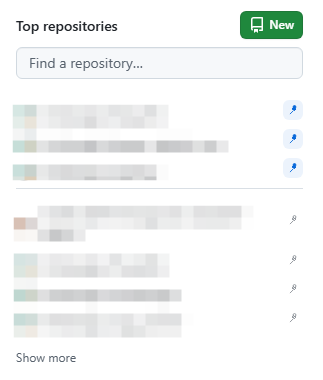

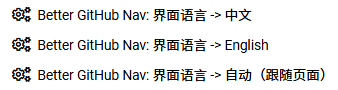

Top repositories 每个仓库后方的置顶按钮,把最常用的仓库固定到前面。请前往 GreasyFork 安装最新版本: 👉 GreasyFork: Better GitHub Navigation
GitHub 首页增强, GitHub 导航增强, Top repositories 置顶, 常用仓库固定, Dashboard 快捷入口, Stars 快速访问, Tampermonkey 油猴脚本, GitHub 效率工具.
Better GitHub Navigation is a Tampermonkey userscript built to make GitHub more efficient.
It allows commonly used sections such as Dashboard, Explore, Trending, Collections, and Stars to be added to the navigation bar for one-click access. Users can customize visibility and order. It also supports dark mode and narrow-screen layouts. Additionally, it includes a “GitHub Top Repositories” feature for pinning repositories, making frequently used repositories easy to access.
Dashboard, Explore, Trending, Collections, and Stars directly to the top navigation.Top repositories gets one-click pinning so your real daily repos stay at the front.
Top repositories to keep your most-used repos at the front.Install the latest version via GreasyFork: 👉 GreasyFork: Better GitHub Navigation
GitHub navigation shortcuts, GitHub home sidebar, Top repositories pinning, favorite repositories, GitHub productivity, GitHub userscript, Tampermonkey, GitHub workflow.
