5etools Clean Spell Layout

Makes the spells page of 5e.tools clean, and only show pinned list, with customizable UI.

Bu betiği kurabilmeniz için Tampermonkey, Greasemonkey ya da Violentmonkey gibi bir kullanıcı betiği eklentisini kurmanız gerekmektedir.

Bu betiği yüklemek için Tampermonkey gibi bir uzantı yüklemeniz gerekir.

Bu betiği kurabilmeniz için Tampermonkey ya da Violentmonkey gibi bir kullanıcı betiği eklentisini kurmanız gerekmektedir.

Bu betiği kurabilmeniz için Tampermonkey ya da Userscripts gibi bir kullanıcı betiği eklentisini kurmanız gerekmektedir.

Bu betiği indirebilmeniz için ayrıca Tampermonkey gibi bir eklenti kurmanız gerekmektedir.

Bu komut dosyasını yüklemek için bir kullanıcı komut dosyası yöneticisi uzantısı yüklemeniz gerekecek.

(Zaten bir kullanıcı komut dosyası yöneticim var, kurmama izin verin!)

Bu stili yüklemek için Stylus gibi bir uzantı yüklemeniz gerekir.

Bu stili yüklemek için Stylus gibi bir uzantı kurmanız gerekir.

Bu stili yükleyebilmek için Stylus gibi bir uzantı yüklemeniz gerekir.

Bu stili yüklemek için bir kullanıcı stili yöneticisi uzantısı yüklemeniz gerekir.

Bu stili yüklemek için bir kullanıcı stili yöneticisi uzantısı kurmanız gerekir.

Bu stili yükleyebilmek için bir kullanıcı stili yöneticisi uzantısı yüklemeniz gerekir.

(Zateb bir user-style yöneticim var, yükleyeyim!)

Yazar
ThunderE75
Günlük kurulumlar
0
Toplam kurulumlar
1
Değerlendirmeler
0 0 0
Versiyon
1.3
Oluşturulma
22.04.2026
Güncellenme
22.04.2026
Boyut
21 KB
Lisans
AGPL-3.0
Geçerli


5eTools Spell List Userscript

Fixes the awkward layout of the spell view on 5etools by creating a clean, split-screen interface.
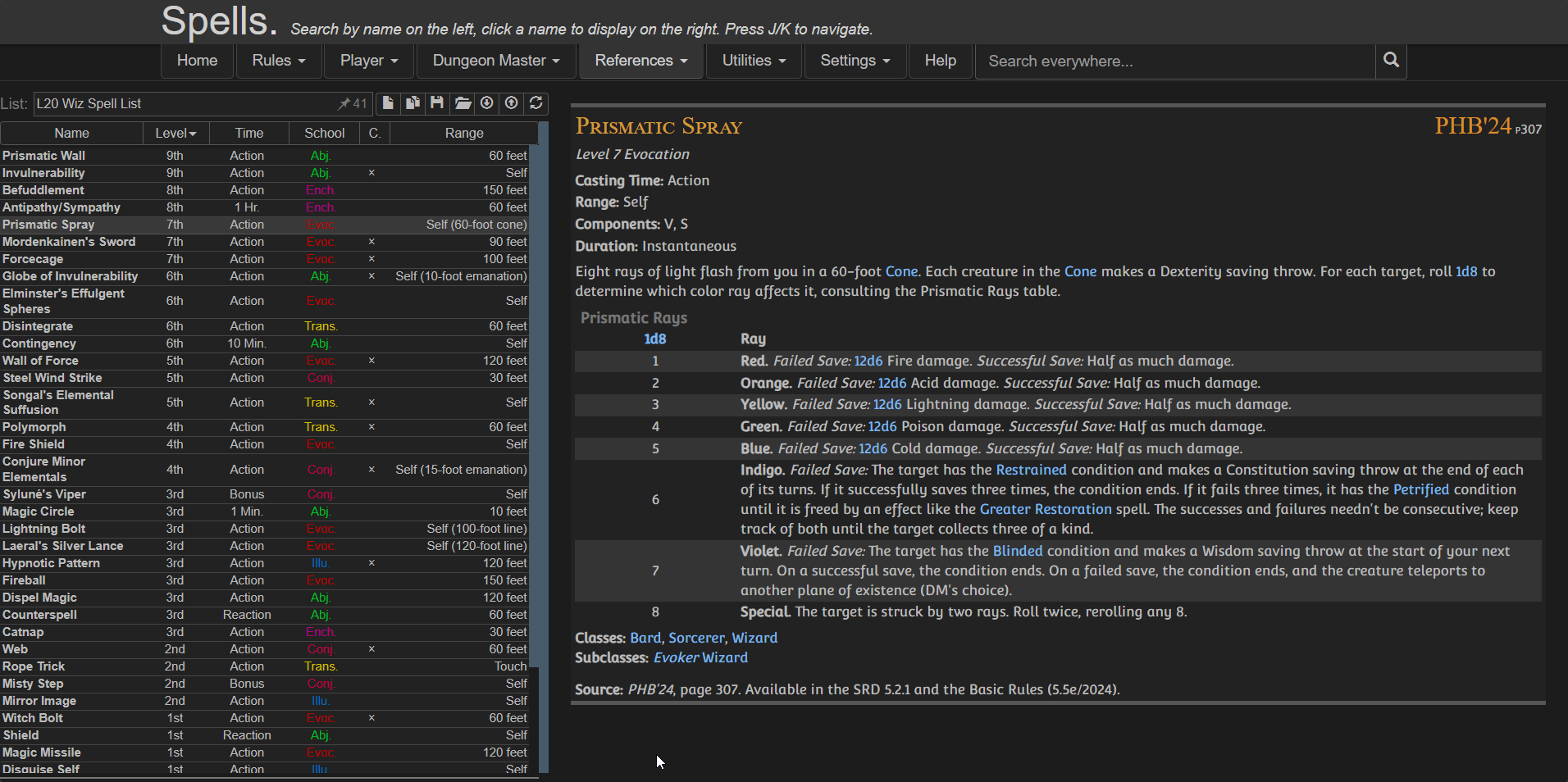
Preview

Features

  • Moving the Pinned Spell List to the left
  • Keeping spell details on the right
  • Using full screen width efficiently
  • Providing a clean, consistent reading experience
  • Optional toggles via userscript settings:
    • Show/Hide Header
    • Show/Hide Navigation
    • Show/Hide Extra panel

⚠️ IMPORTANT
Create your spell list BEFORE enabling the script because once the script is active:
  • The original UI is replaced
  • You won’t have access to the main spell browser anymore

Installation

Configuration

You can customize the layout using your userscript manager:

Violentmonkey dashboard > Edit the script > Go to Values / Script Settings


{
  "showExtra": true,
  "showHeader": true,
  "showNav": false
}

Credits