swagger-toolkit

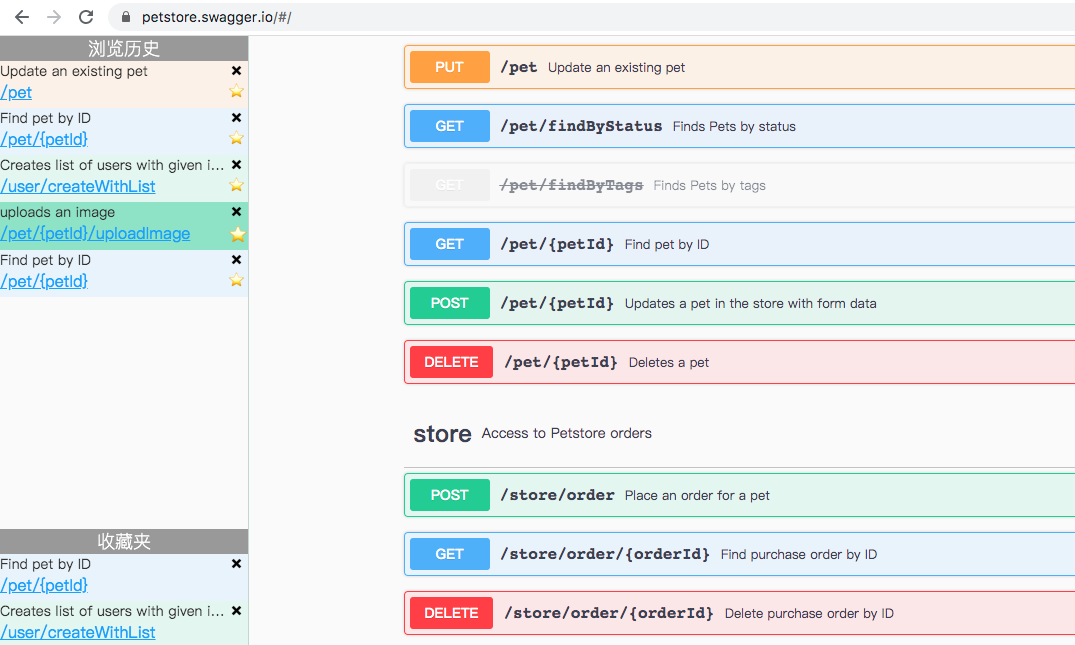
Swagger 站点工具脚本 💪 | 保存浏览历史 🕘 | 显示收藏夹 ⭐️ | 点击 path 快速定位 🎯 | 快速复制 API path 🔗

คุณจะต้องติดตั้งส่วนขยาย เช่น Tampermonkey, Greasemonkey หรือ Violentmonkey เพื่อติดตั้งสคริปต์นี้

You will need to install an extension such as Tampermonkey to install this script.

คุณจะต้องติดตั้งส่วนขยาย เช่น Tampermonkey หรือ Violentmonkey เพื่อติดตั้งสคริปต์นี้

You will need to install an extension such as Tampermonkey or Userscripts to install this script.

You will need to install an extension such as Tampermonkey to install this script.

You will need to install a user script manager extension to install this script.

(I already have a user script manager, let me install it!)

You will need to install an extension such as Stylus to install this style.

You will need to install an extension such as Stylus to install this style.

You will need to install an extension such as Stylus to install this style.

You will need to install a user style manager extension to install this style.

You will need to install a user style manager extension to install this style.

You will need to install a user style manager extension to install this style.

(I already have a user style manager, let me install it!)
ผู้เขียน
SublimeCT
จำนวนติดตั้งประจำวัน
0
จำนวนติดตั้งทั้งหมด
341
คะแนน
0 0 0
เวอร์ชัน
1.2.0
สร้างเมื่อ
21-04-2020
อัปเดตเมื่อ
29-05-2020
Size
18.9 กิโลไบต์
สัญญาอนุญาต
ไม่มี
ปรับใช้กับ

Swagger Toolkit

swagger-toolkit-image.png

使用

若未生效请在代码中加入 @match, 后期将检测当前页面是否是 swagger 站点

功能

  • 保存浏览历史
  • 可以将接口添加至收藏夹
  • 可以从左侧 sidebar 中快速定位到接口
  • 快速复制 API path 🔗

脚本测试站点

https://petstore.swagger.io/