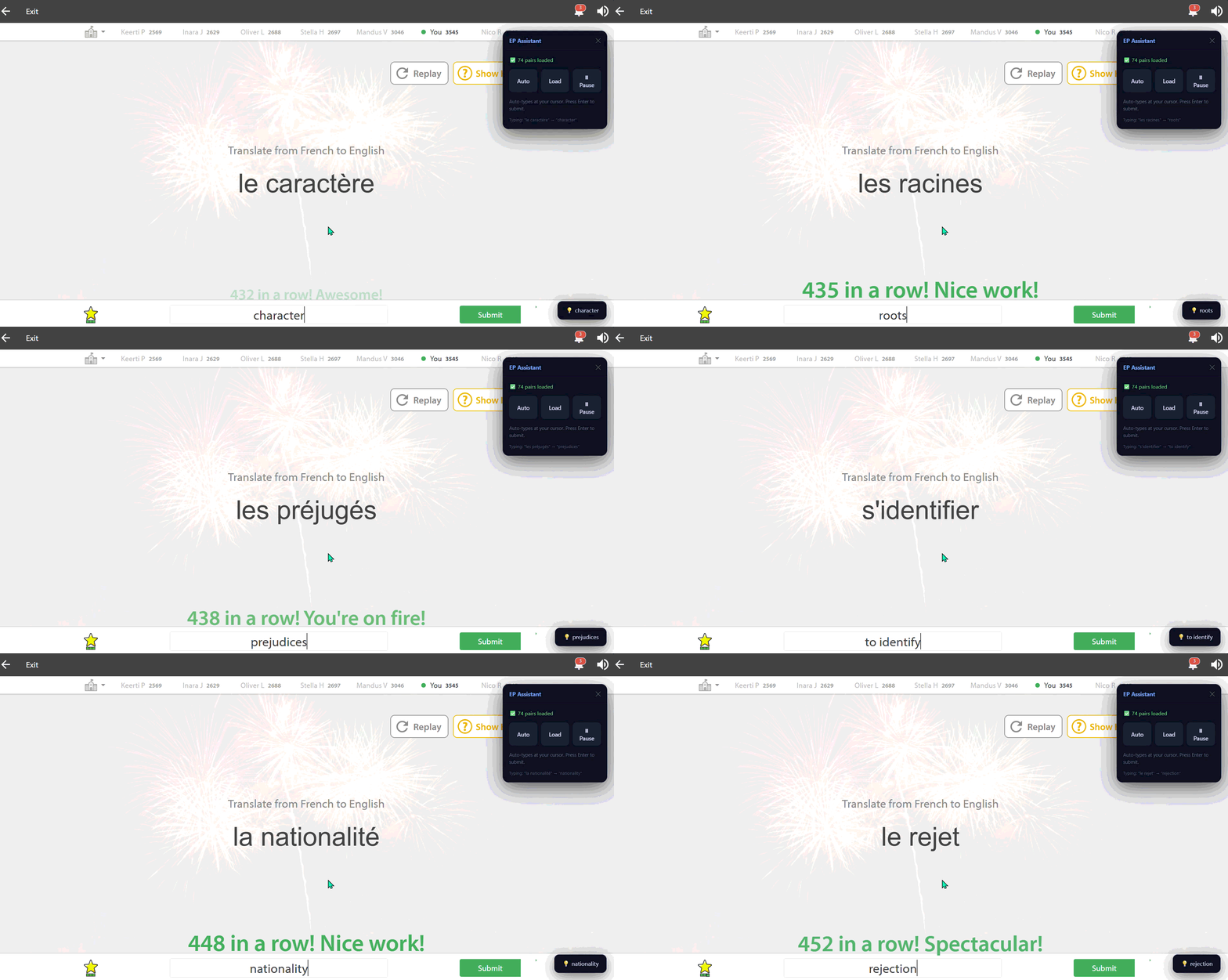
Auto-fills answers on Education Perfect. (Working 2026)
https://addons.mozilla.org/en-US/firefox/addon/tampermonkey/
Create a new script
CTRL + S
Navigate to:
https://app.educationperfect.com/
Open a list and click:
Load
The assistant will begin automatically filling answers.
EP Assistant
128 pairs loaded

[ Load ] [ Pause ]

Typing: "bonjour" → "hello"
All configurable settings are stored in:
const CFG = {
  fuzzyThreshold : 0.60,
  typeDelay      : 20,
  toastDuration  : 3000,
  pollInterval   : 2000,
  cooldown       : 2000,
  typeCooldown   : 1500,
};
const CFG = {
  fuzzyThreshold : 0.3,
  typeDelay      : 0,
  toastDuration  : 1500,
  pollInterval   : 500,
  cooldown       : 300,
  typeCooldown   : 0,
};
The script:
This script includes protections against:
┌────────────────────┐
│ Vocabulary Loader  │
└─────────┬──────────┘
          │
          ▼
┌────────────────────┐
│ Answer Map Builder │
└─────────┬──────────┘
          │
          ▼
┌────────────────────┐
│ Question Detector  │
└─────────┬──────────┘
          │
          ▼
┌────────────────────┐
│ Fuzzy Matcher      │
└─────────┬──────────┘
          │
          ▼
┌────────────────────┐
│ Cursor Typing      │
└────────────────────┘
The script is optimized to minimize:
For best performance:
typeDelay: 0
pollInterval: 500
typeCooldown: 0
| Feature | Supported |
|---|---|
| Auto answer fill | Yes |
| Cursor-aware typing | Yes |
| Contenteditable support | Yes |
| Fuzzy matching | Yes |
| Angular-safe input | Yes |
| Draggable UI | Yes |
| Pause / resume | Yes |
| Live extraction | Yes |
Recommended setup:
VS Code
Tampermonkey
Chrome DevTools
Open DevTools:
F12 → Console
The script outputs detailed logs:
[EP] Loaded 128 pairs
[EP] "bonjour" → "hello"
Pull requests, optimizations, and fixes are welcome.
Suggested areas for improvement:
MIT License
This project is provided for educational and research purposes only. We do not scrape any data from the code. Use responsibly and comply with your institution's policies. (or not its your decision be we heavily suggest it :) ).
