5etools Clean Spell Layout

Makes the spells page of 5e.tools clean, and only show pinned list, with customizable UI.

이 스크립트를 설치하려면 Tampermonkey, Greasemonkey 또는 Violentmonkey와 같은 확장 프로그램이 필요합니다.

이 스크립트를 설치하려면 Tampermonkey와 같은 확장 프로그램을 설치해야 합니다.

이 스크립트를 설치하려면 Tampermonkey 또는 Violentmonkey와 같은 확장 프로그램이 필요합니다.

이 스크립트를 설치하려면 Tampermonkey 또는 Userscripts와 같은 확장 프로그램이 필요합니다.

이 스크립트를 설치하려면 Tampermonkey와 같은 확장 프로그램이 필요합니다.

이 스크립트를 설치하려면 유저 스크립트 관리자 확장 프로그램이 필요합니다.

(이미 유저 스크립트 관리자가 설치되어 있습니다. 설치를 진행합니다!)

이 스타일을 설치하려면 Stylus와 같은 확장 프로그램이 필요합니다.

이 스타일을 설치하려면 Stylus와 같은 확장 프로그램이 필요합니다.

이 스타일을 설치하려면 Stylus와 같은 확장 프로그램이 필요합니다.

이 스타일을 설치하려면 유저 스타일 관리자 확장 프로그램이 필요합니다.

이 스타일을 설치하려면 유저 스타일 관리자 확장 프로그램이 필요합니다.

이 스타일을 설치하려면 유저 스타일 관리자 확장 프로그램이 필요합니다.

(이미 유저 스타일 관리자가 설치되어 있습니다. 설치를 진행합니다!)

작성자
ThunderE75
일일 설치 수
0
총 설치 수
1
평점
0 0 0
버전
1.3
생성일
2026-04-22
갱신일
2026-04-22
크기
21KB
라이선스
AGPL-3.0
적용 사이트


5eTools Spell List Userscript

Fixes the awkward layout of the spell view on 5etools by creating a clean, split-screen interface.
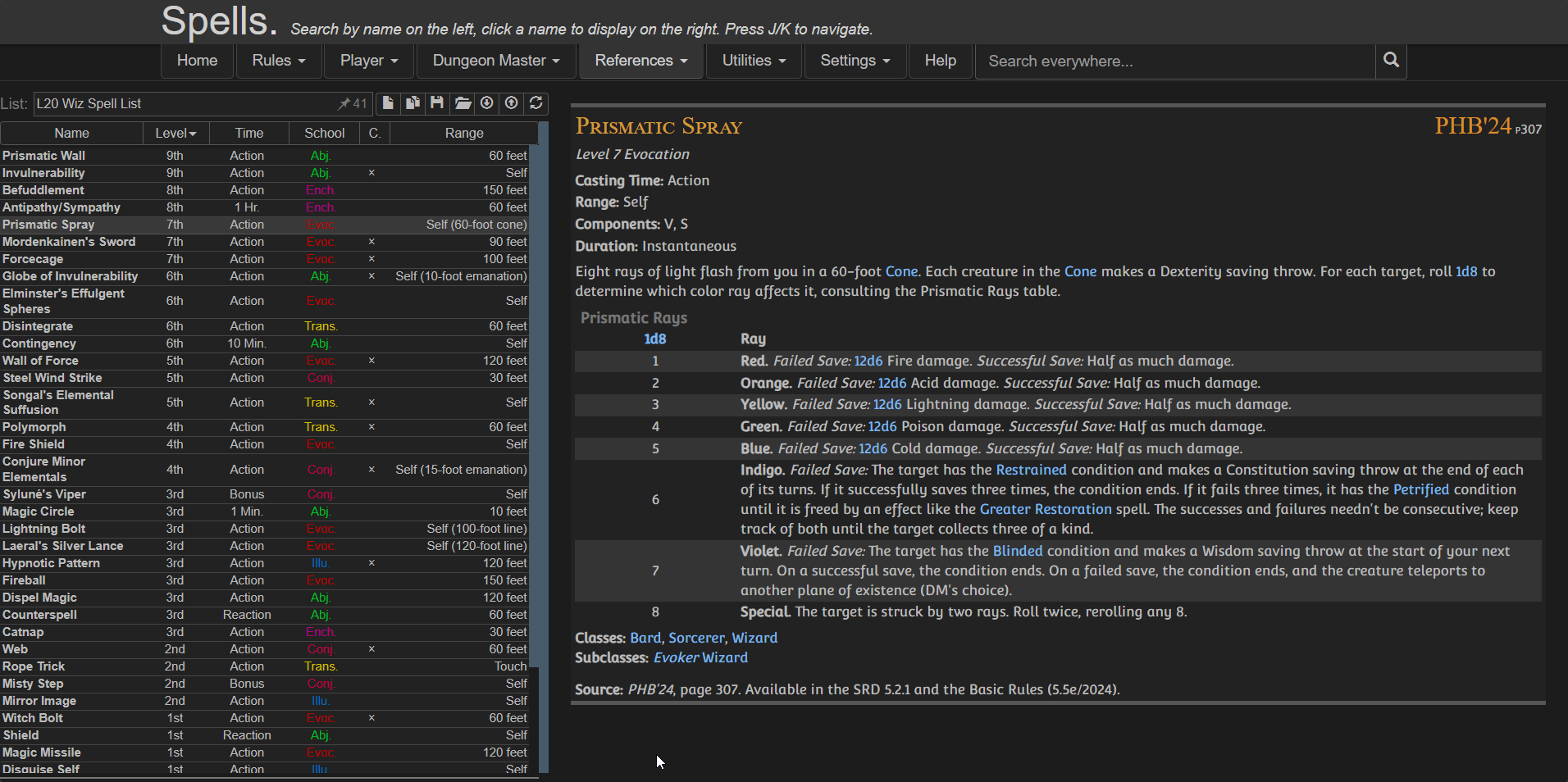
Preview

Features

  • Moving the Pinned Spell List to the left
  • Keeping spell details on the right
  • Using full screen width efficiently
  • Providing a clean, consistent reading experience
  • Optional toggles via userscript settings:
    • Show/Hide Header
    • Show/Hide Navigation
    • Show/Hide Extra panel

⚠️ IMPORTANT
Create your spell list BEFORE enabling the script because once the script is active:
  • The original UI is replaced
  • You won’t have access to the main spell browser anymore

Installation

Configuration

You can customize the layout using your userscript manager:

Violentmonkey dashboard > Edit the script > Go to Values / Script Settings


{
  "showExtra": true,
  "showHeader": true,
  "showNav": false
}

Credits