YouTube PiP

Smart Picture-in-Picture mode with all YouTube controls and functions

Dovrai installare un'estensione come Tampermonkey, Greasemonkey o Violentmonkey per installare questo script.

You will need to install an extension such as Tampermonkey to install this script.

Dovrai installare un'estensione come Tampermonkey o Violentmonkey per installare questo script.

Dovrai installare un'estensione come Tampermonkey o Userscripts per installare questo script.

Dovrai installare un'estensione come ad esempio Tampermonkey per installare questo script.

Dovrai installare un gestore di script utente per installare questo script.

(Ho già un gestore di script utente, lasciamelo installare!)

Dovrai installare un'estensione come ad esempio Stylus per installare questo stile.

Dovrai installare un'estensione come ad esempio Stylus per installare questo stile.

Dovrai installare un'estensione come ad esempio Stylus per installare questo stile.

Dovrai installare un'estensione per la gestione degli stili utente per installare questo stile.

Dovrai installare un'estensione per la gestione degli stili utente per installare questo stile.

Dovrai installare un'estensione per la gestione degli stili utente per installare questo stile.

(Ho già un gestore di stile utente, lasciamelo installare!)

Autore
dmitroderkach
Installazioni giornaliere
2
Installazioni totali
57
Valutazione
0 0 0
Versione
2.2.11
Creato il
26/01/2026
Aggiornato il
21/02/2026
Dimensione
222 KB
Licenza
MIT
Applica a

YouTube PiP

Smart Picture-in-Picture mode for YouTube with full playback controls and navigation.
✨ Features

Core Functionality

  • 🖼️ Document Picture-in-Picture — Opens YouTube mini player in a separate, always-on-top window using Chrome's Document PiP API
  • 🎮 Media Session Integration — Trigger PiP directly from browser's native media controls (e.g., "Enter Picture-in-Picture" button)
  • 🔄 SPA Navigation — Click on video links inside PiP window to navigate without reloading the page

Playback Controls

  • ⏩ Seek Support — Click or drag the progress bar in PiP window to jump to any point in the video
  • 👍 Like/Dislike — Fully functional like and dislike buttons in PiP window
  • 📋 Context Menu — Right-click menu works seamlessly between main window and PiP

Smart Features

  • 📊 Playlist Panel — Automatic window height adjustment when playlist expands
  • 📝 Title Sync — Window titles stay synchronized between main page and PiP
  • ▶️ State Preservation — Playback position and playing state are preserved when closing PiP

📸 Screenshot

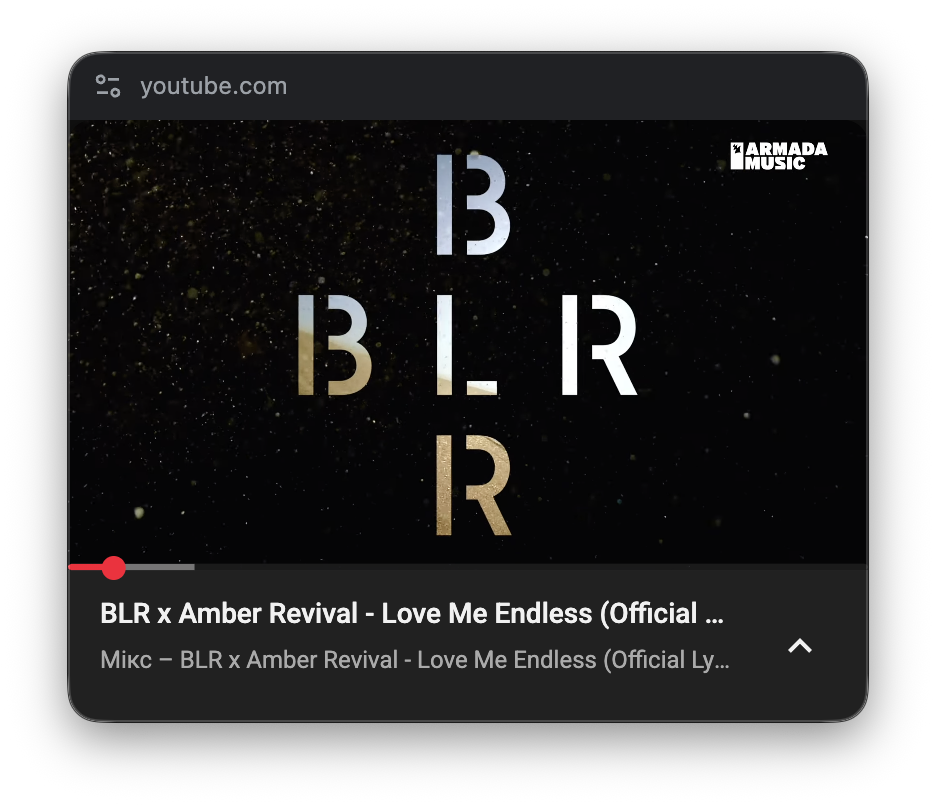
YouTube PiP Window

🔧 Requirements

📥 Installation

  1. Install Tampermonkey browser extension
  2. Click the "Install" button on this page
  3. Confirm installation in Tampermonkey
  4. Open YouTube and play any video

🐛 Debug Mode

Enable detailed logging in DevTools console:

localStorage.setItem('YOUTUBE_PIP_DEBUG', 'true');

Then reload the page. Logs include timestamps and are scoped by module.

🔗 Links

📄 License

MIT License — Free to use, modify, and distribute.

⚠️ Disclaimer

This userscript is not affiliated with, endorsed by, or officially connected to Google LLC or YouTube. It is an independent, third-party tool. Use at your own risk. YouTube's site structure and APIs may change at any time.