GitHub Freshness

通过颜色高亮的方式,帮助你快速判断一个 GitHub 仓库是否在更新。

Versione datata 24/02/2025. Vedi la nuova versione l'ultima versione.
Dovrai installare un'estensione come Tampermonkey, Greasemonkey o Violentmonkey per installare questo script.

You will need to install an extension such as Tampermonkey to install this script.

Dovrai installare un'estensione come Tampermonkey o Violentmonkey per installare questo script.

Dovrai installare un'estensione come Tampermonkey o Userscripts per installare questo script.

Dovrai installare un'estensione come ad esempio Tampermonkey per installare questo script.

Dovrai installare un gestore di script utente per installare questo script.

(Ho già un gestore di script utente, lasciamelo installare!)

Dovrai installare un'estensione come ad esempio Stylus per installare questo stile.

Dovrai installare un'estensione come ad esempio Stylus per installare questo stile.

Dovrai installare un'estensione come ad esempio Stylus per installare questo stile.

Dovrai installare un'estensione per la gestione degli stili utente per installare questo stile.

Dovrai installare un'estensione per la gestione degli stili utente per installare questo stile.

Dovrai installare un'estensione per la gestione degli stili utente per installare questo stile.

(Ho già un gestore di stile utente, lasciamelo installare!)

Autore
rational_stars
Valutazione
0 0 0
Versione
1.1.4
Creato il
22/01/2025
Aggiornato il
24/02/2025
Dimensione
27,5 KB
Licenza
MIT
Applica a

以下效果皆可在设置界面自定义

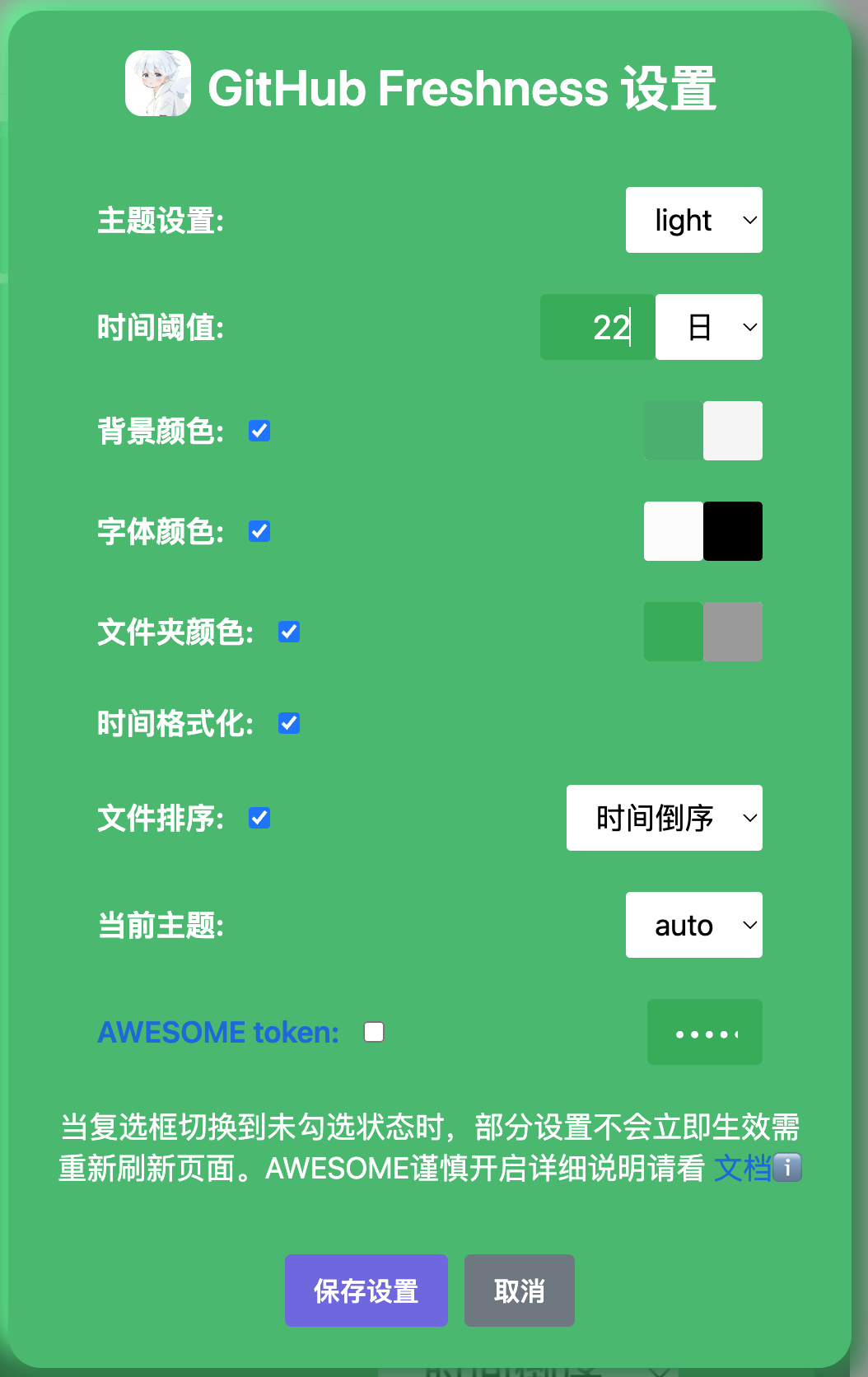
设置

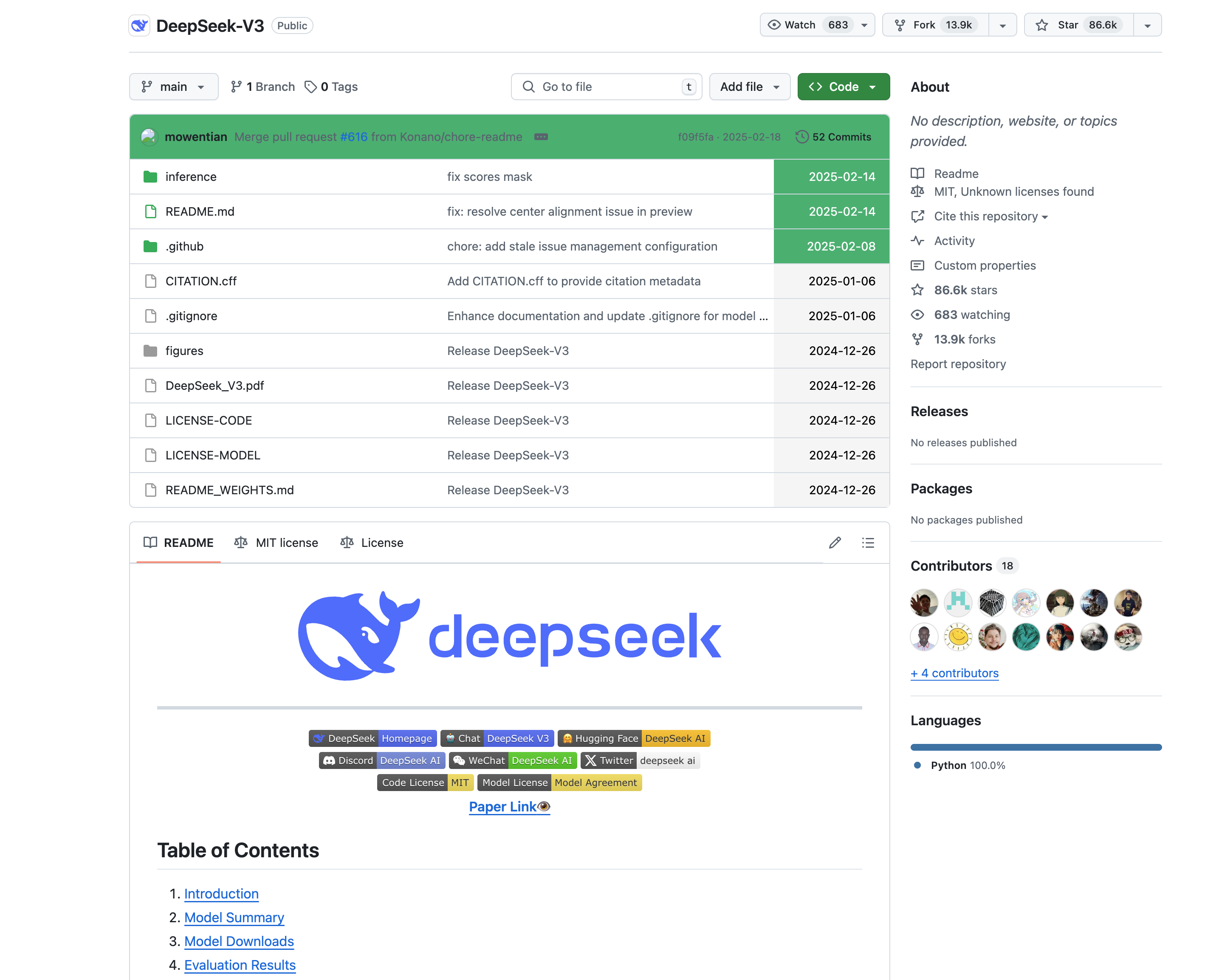
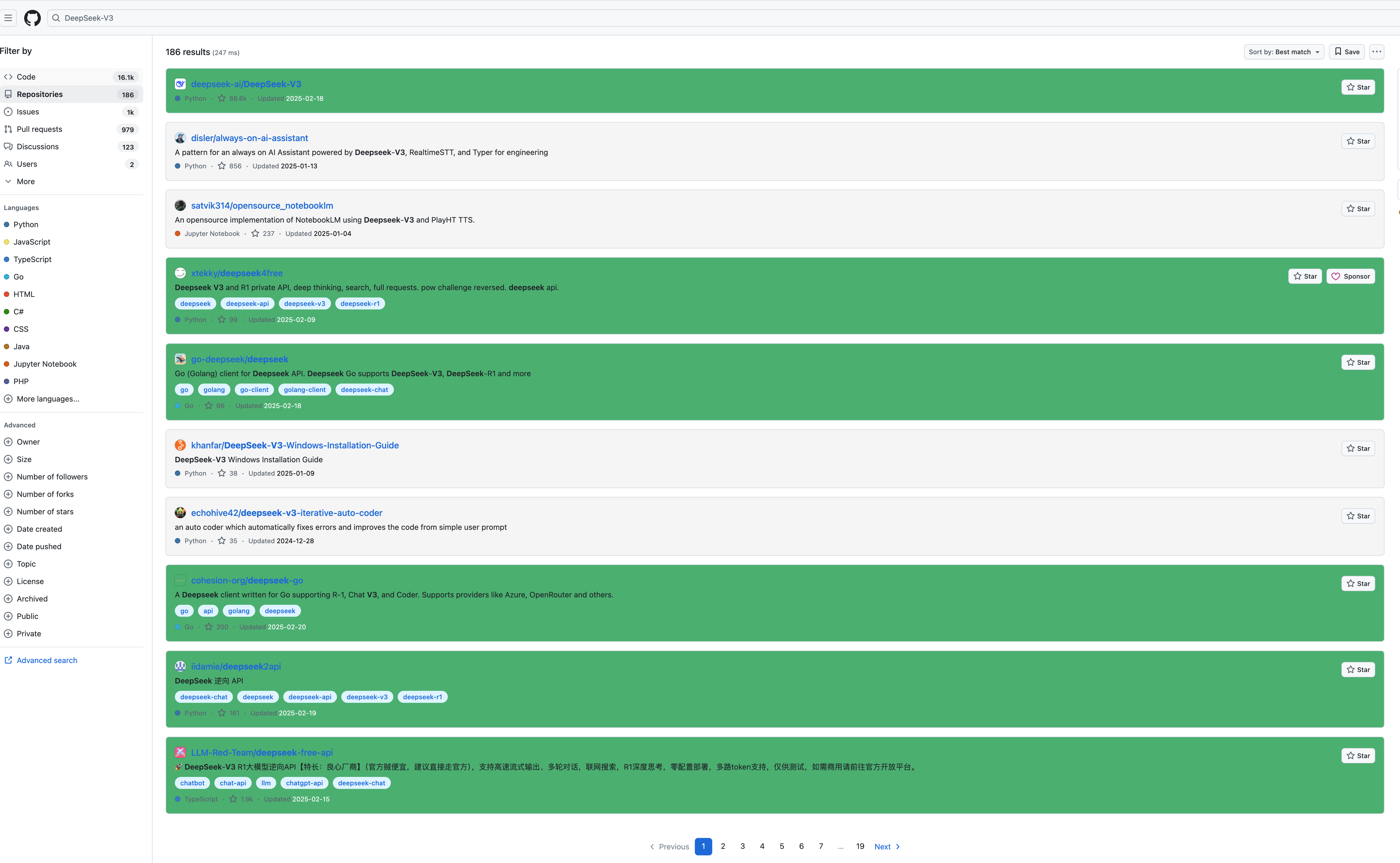
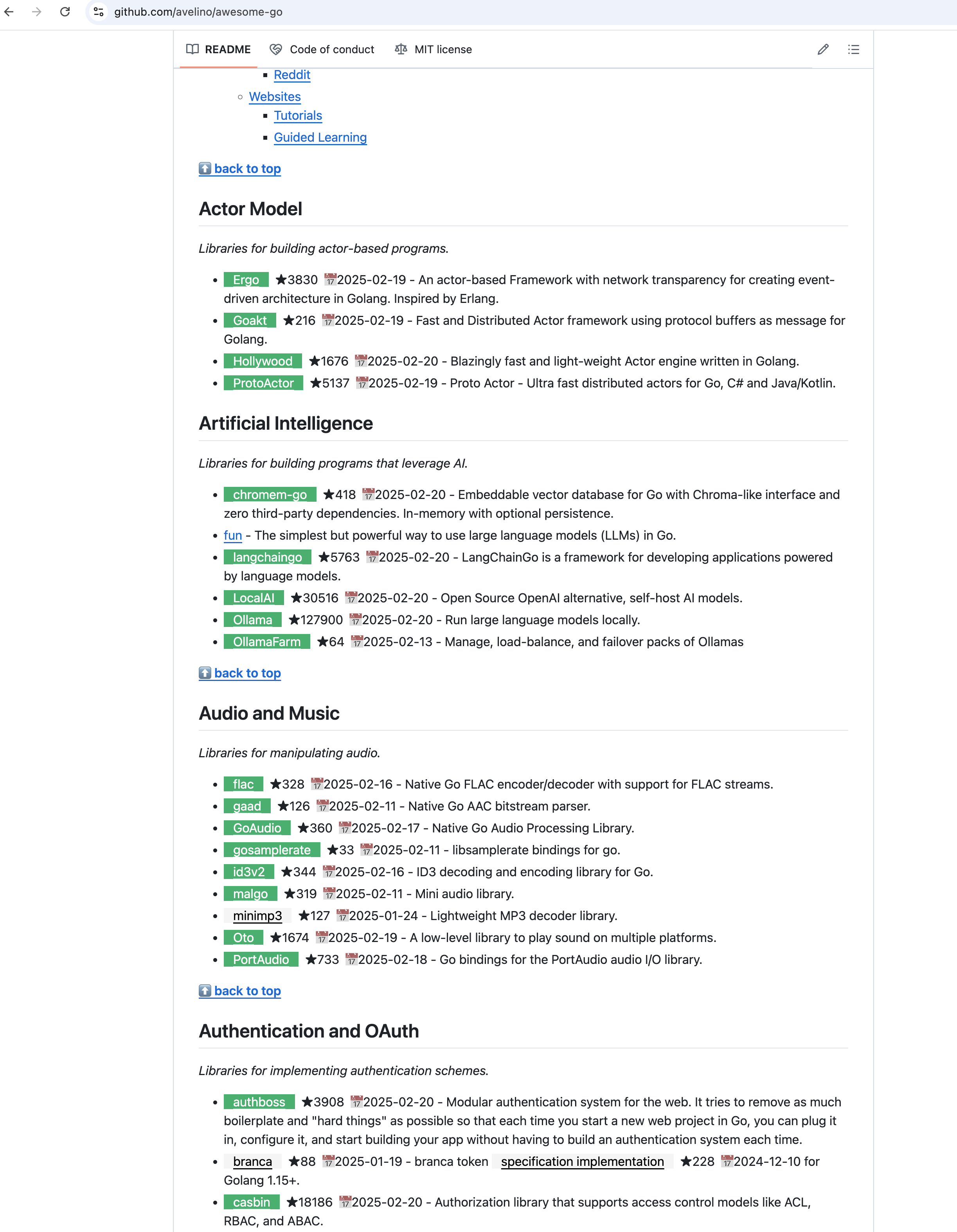
预览效果图

github 项目界面预览

github 项目界面预览

github 搜索界面预览

github 搜索界面预览

github Awesome-xxx项目预览

github Awesome-xxx项目预览

背景:

作为一个喜欢在 GitHub 上寻找 JavaScript 脚本的开发者,我经常发现那些高星标的项目已经好几年没有更新,完全没有得到维护,浪费了大量的时间。为了帮助自己快速判断一个仓库是否还在更新,并查看它的最新更新时间,我开发了这个油猴脚本。我相信,很多开发者和我一样,都会遇到这种烦恼,渴望更高效地发现那些仍然活跃的项目。

介绍:

GitHub Freshness 是一个油猴脚本,通过颜色高亮的方式,帮助你快速判断一个 GitHub 仓库是否在更新。你可以通过设置面板来自定义颜色,并根据仓库的更新时间,轻松识别哪些项目仍在维护,哪些已经被遗弃。再也不用浪费时间在过时的项目上,寻找最新更新、活跃的资源更加高效!本项目脚本代码开源地址:https://github.com/rational-stars/GitHub-Freshness

使用教程

点击安装油猴扩展插件:https://www.tampermonkey.net/index.php

点击链接安装GitHub Freshness油猴脚本:https://greasyfork.org/zh-CN/scripts/524465-github-freshness

点击右上角扩展插件中的GitHub Freshness设置面板,然后设置喜欢的颜色和时间阈值即可 过于简单不再赘述。

详细使用教程点击去往GitHub Freshness 文档

声明

本脚本在任何支持油猴的浏览器皆可使用,并秉承「不作恶」的原则, 无需用户注册登录,不跟踪不记录任何用户信息,无需关注公众号,不添加广告。

本系列脚本功能皆为原创, 无任何隐藏、混淆和加密代码,所有代码开源可供用户查阅学习。 不需要的用户可以无视。

Star History

Star History Chart