[AO3] Chapter Update Frequency

Display a graph of how often new chapters of a work are published. Accessible from the chapter index page or a work blurb

Tendrás que instalar una extensión para tu navegador como Tampermonkey, Greasemonkey o Violentmonkey si quieres utilizar este script.

You will need to install an extension such as Tampermonkey to install this script.

Tendrás que instalar una extensión como Tampermonkey o Violentmonkey para instalar este script.

Necesitarás instalar una extensión como Tampermonkey o Userscripts para instalar este script.

Tendrás que instalar una extensión como Tampermonkey antes de poder instalar este script.

Necesitarás instalar una extensión para administrar scripts de usuario si quieres instalar este script.

(Ya tengo un administrador de scripts de usuario, déjame instalarlo)

Tendrás que instalar una extensión como Stylus antes de poder instalar este script.

Tendrás que instalar una extensión como Stylus antes de poder instalar este script.

Tendrás que instalar una extensión como Stylus antes de poder instalar este script.

Para poder instalar esto tendrás que instalar primero una extensión de estilos de usuario.

Para poder instalar esto tendrás que instalar primero una extensión de estilos de usuario.

Para poder instalar esto tendrás que instalar primero una extensión de estilos de usuario.

(Ya tengo un administrador de estilos de usuario, déjame instalarlo)

Autor
Ifky_
Instalaciones diarias
0
Instalaciones totales
2
Calificaciones
0 0 0
Versión
1.0.0
Creado
8/6/2026
Actualizado
10/6/2026
Tamaño
11,6 KB
Licencia
GPL-3.0-only
Funciona en

Chapter Update Frequency


About

This is a script meant to display a work's chapter update frequency in a line diagram for works on
Archive of Our Own (aka AO3). The diagram is displayed using Chart.js. Automatically display the graph on the "Chapter Index" page, or manually display the graph in the work blurb.
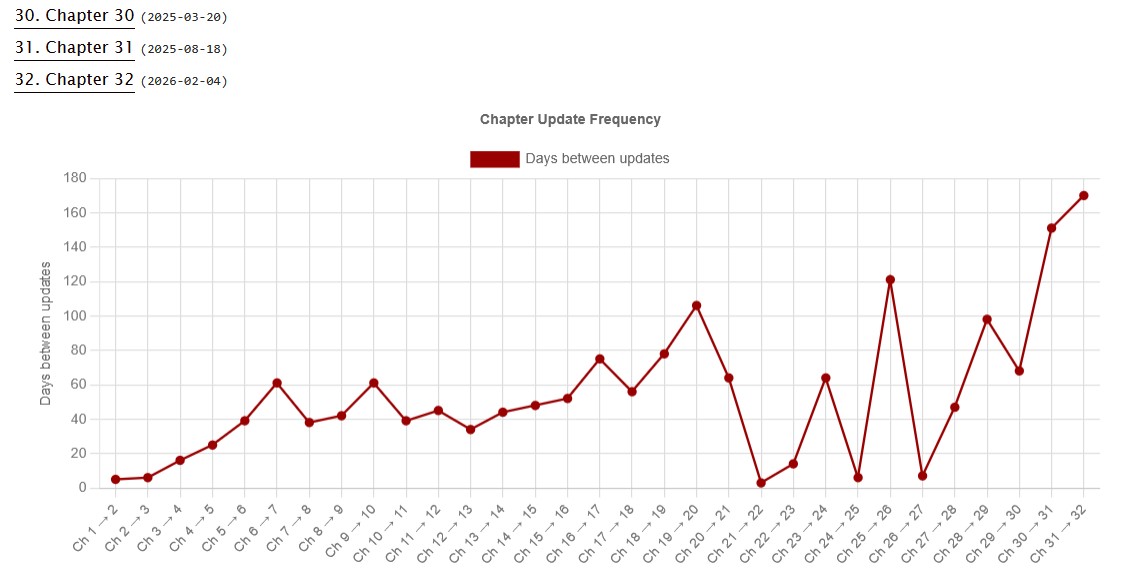


"Chapter Update Frequency" diagram on the "Chapter Index" page (Light Mode)
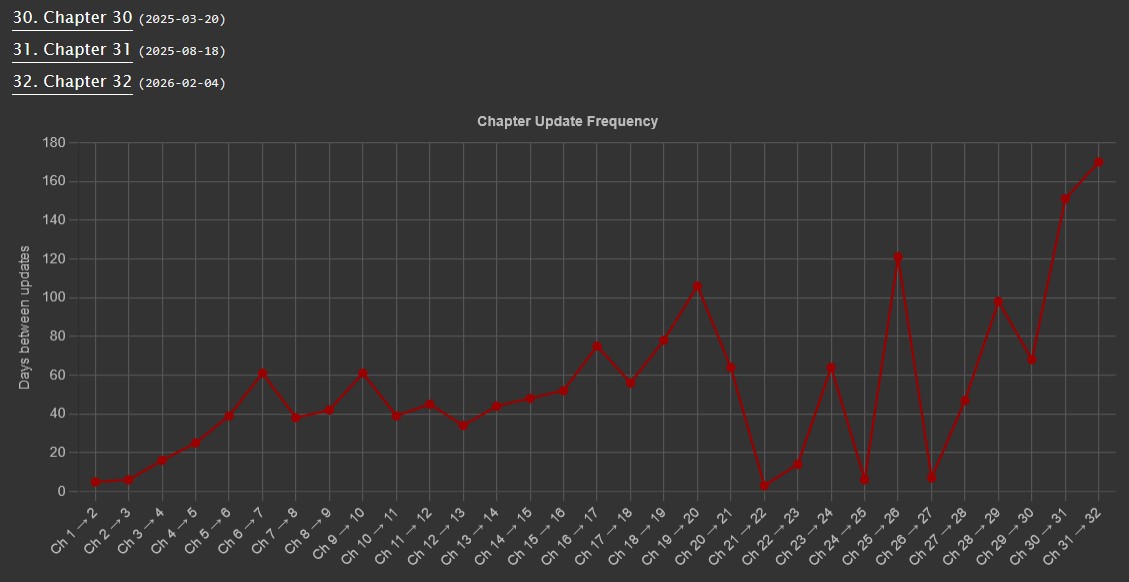


"Chapter Update Frequency" diagram on the "Chapter Index" page (Dark Mode)
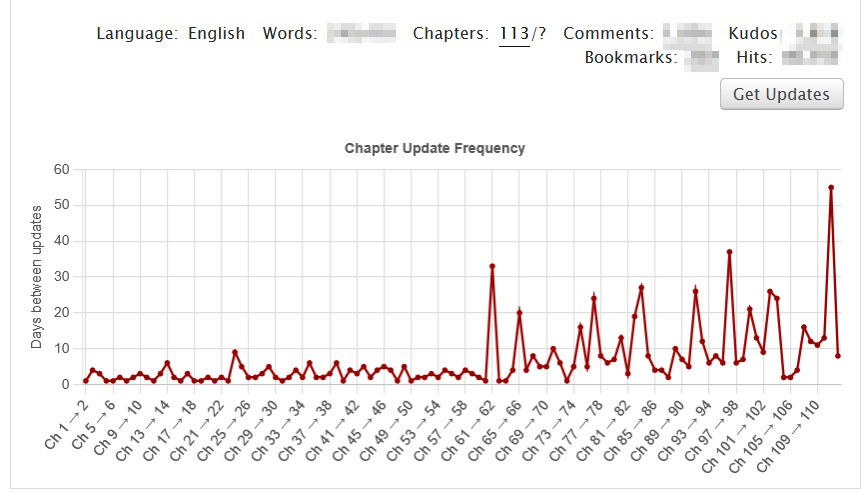


"Get Updates" button and "Chapter Update Frequency" diagram in the bottom of a work blurb


The script looks at the "Chapter Index" page, which contains a date for when each chapter was posted. (The page can be found by clicking on the "Chapter Index" button at the top of a work, and then going to the "Full-Page Index".) It calculates how many days have passed between each new chapter. (Only dates are included, so the assumed time becomes midnight UTC.)

On the "Chapter Index" page the diagram is automatically drawn. On pages with work blurbs, click on the "Get Updates" button to fetch the data and draw the diagram.

Not applicable for works with only one chapter.

Note: Creators can choose to set the publishing date of chapters manually. This could be used to backdate them if the work was cross-posted, or to set a new publishing date if a chapter got reworked. This can cause odd or inaccurate numbers to appear.

Theme

There is a light mode and dark mode theme, which is selected based on the theme in the browser. Edit the hex codes returned from the getTheme() function to customize the colours.


Script dependencies

  • Chart.js v4.4.6


FAQ

  • Q: I'm using Greasemonkey and isn't working. Why? A: Try using the Tampermonkey extension instead.


More Scripts