Καθαρές αναρτήσεις ιστολογίου

Αφαιρέστε ενοχλητικές πλευρικές γραμμές, μπλοκ σχολίων, διαφημίσεις και πολλά άλλα.

θα χρειαστεί να εγκαταστήσετε μια επέκταση όπως το Tampermonkey, το Greasemonkey ή το Violentmonkey για να εγκαταστήσετε αυτόν τον κώδικα.

You will need to install an extension such as Tampermonkey to install this script.

θα χρειαστεί να εγκαταστήσετε μια επέκταση όπως το Tampermonkey ή το Violentmonkey για να εγκαταστήσετε αυτόν τον κώδικα.

θα χρειαστεί να εγκαταστήσετε μια επέκταση όπως το Tampermonkey ή το Userscripts για να εγκαταστήσετε αυτόν τον κώδικα.

You will need to install an extension such as Tampermonkey to install this script.

Θα χρειαστεί να εγκαταστήσετε μια επέκταση διαχείρισης κώδικα χρήστη για να εγκαταστήσετε αυτόν τον κώδικα.

(Έχω ήδη έναν διαχειριστή κώδικα χρήστη, επιτρέψτε μου να τον εγκαταστήσω!)

You will need to install an extension such as Stylus to install this style.

You will need to install an extension such as Stylus to install this style.

You will need to install an extension such as Stylus to install this style.

You will need to install a user style manager extension to install this style.

You will need to install a user style manager extension to install this style.

You will need to install a user style manager extension to install this style.

(Έχω ήδη έναν διαχειριστή στυλ χρήστη, επιτρέψτε μου να τον εγκαταστήσω!)

Δημιουργός
人民的勤务员
Ημερήσιες εγκαταστάσεις
3
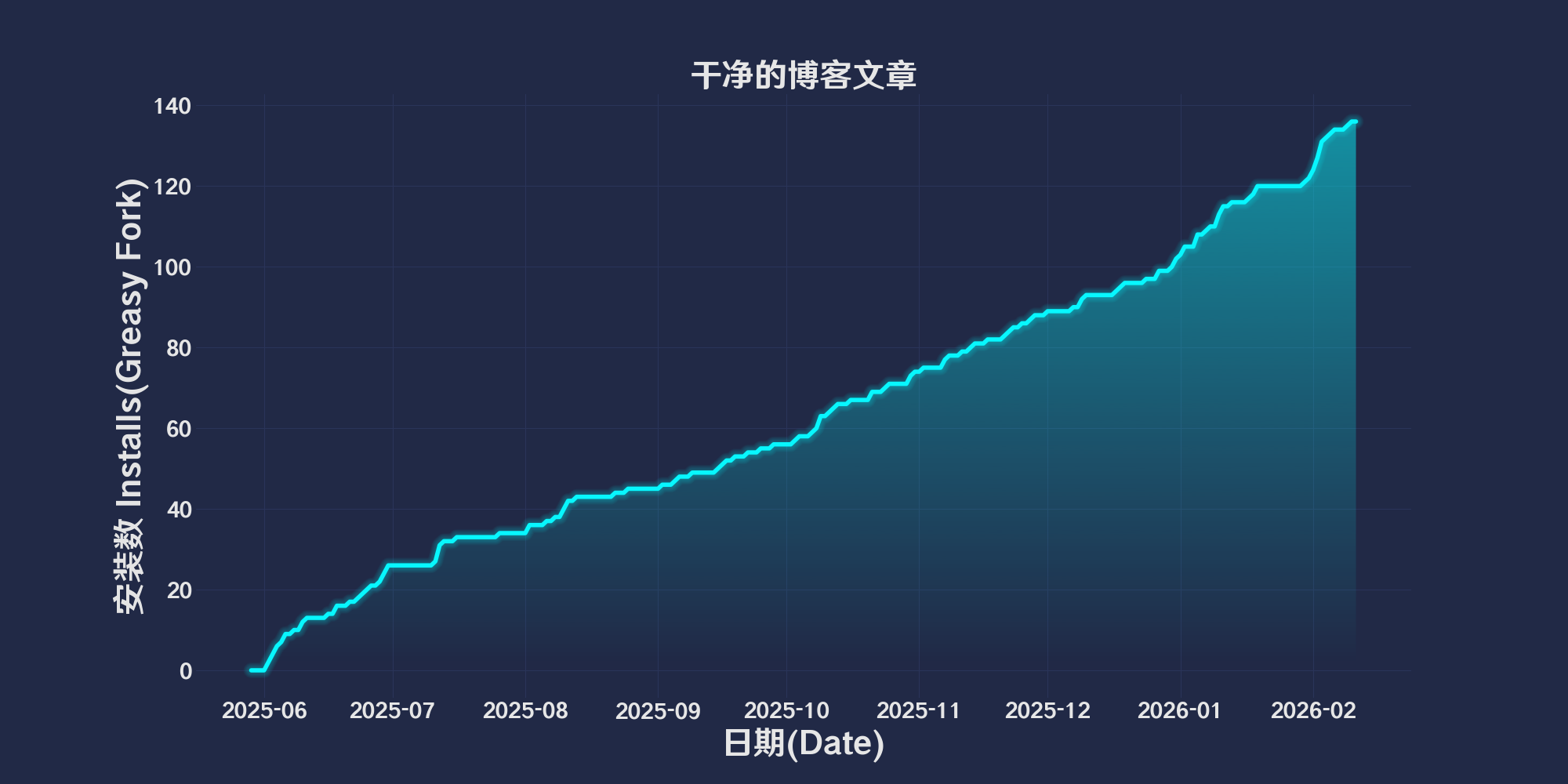
Σύνολο εγκαταστάσεων
108
Βαθμολογίες
1 0 0
Έκδοση
2025.6.2.1
Δημιουργήθηκε την
29/05/2025
Ενημερώθηκε την
02/06/2025
Μέγεθος
50 KB
Συμβατότητα
Συμβατό με Firefox Συμβατό με Chrome Συμβατό με Opera Συμβατό με Safari Συμβατό με Edge
Άδεια
MIT
Εφαρμόζεται σε

简体中文 | English | 한국어 | Tiếng Việt | 繁體中文

👆️access GitHub Readme file on for a better experience。

Recommended use:
Support
Support
Support
💡 Tip: The script manager and browser listed above do not represent all
The script runs normally in the following environment
Passed

Clean blog posts

「 Remove annoying sidebars, comment blocks, ads, and more. 」

Views

Download:Github | ⭐Greasy Fork

Clean Blog Articles

Function

  • Delete ads and distracting elements in the page。
  • Adjust page layout,Make content more concentrated。
  • Support multiple platforms,include CSDN、Blog Park、Reddit、Nuggets、Zhihu、Baeldung、Medium and Stack Overflow。
  • Custom copy function(If you allow accessibility to copy text)。
  • Automatically adjust layout for wide-screen and vertical-screen devices。

Supported platforms

  • CSDN:Remove login prompt、Sidebar、Toolbars, etc.。
  • Blog Park:Hide comment form、Sidebar, etc.,Optimize content display。
  • Reddit:Hide promotion links and sidebars,Show main content in a concentrated manner。
  • Nuggets:Remove the recommendation area、Interference elements such as comment section。
  • Zhihu:Optimize color styles,Hide the right sidebar、Advertising, etc.。
  • Baeldung:Hide top ads、Sidebar, etc.。
  • Medium:Hide member promotion post,Optimize code block display。
  • Stack Overflow:Remove sidebar and bottom footer。

💖 The script referenced or used the following script:

🧑‍💻 @bensgith ⇒ 📜 Clean Blog Articles

Help

Recommended browser and script manager:

  • Greasemonkey + Waterfox
  • Tampermonkey/Violentmonkey + Firefox
  • Tampermonkey/Violentmonkey + Chrome
  • Userscripts + ios Safari
  • Violentmonkey/KiWiBrowser + Android

If you need to learn more about how to install user scripts,Click meView the teaching of pictures and texts!

View all publish scripts