Fügt eine Symbolleiste pro Nachricht zum Kopieren, Herunterladen von Medien und Konvertieren von URLs hinzu, sowie ein verbessertes Weiterleitungspanel, Kanal-Shortcuts in der Seitenleiste (Wurmloch) und einen Ausdrucks-Sammlungsmanager.



A userscript that adds a message utility toolbar, an enhanced forwarding panel, cross-channel shortcuts, an expression collection manager, and a set of header utility controls to the Discord web client.
💡 Overview The core of this script is the Message Utility Toolbar — a per-message toolbar for copying text, downloading media, and converting social media URLs. All other modules are supplementary additions. These bonus features may be less stable or less suited to every workflow. Each module can be individually enabled or disabled at any time via the ⚙️ Module Settings panel accessible from the toolbar.
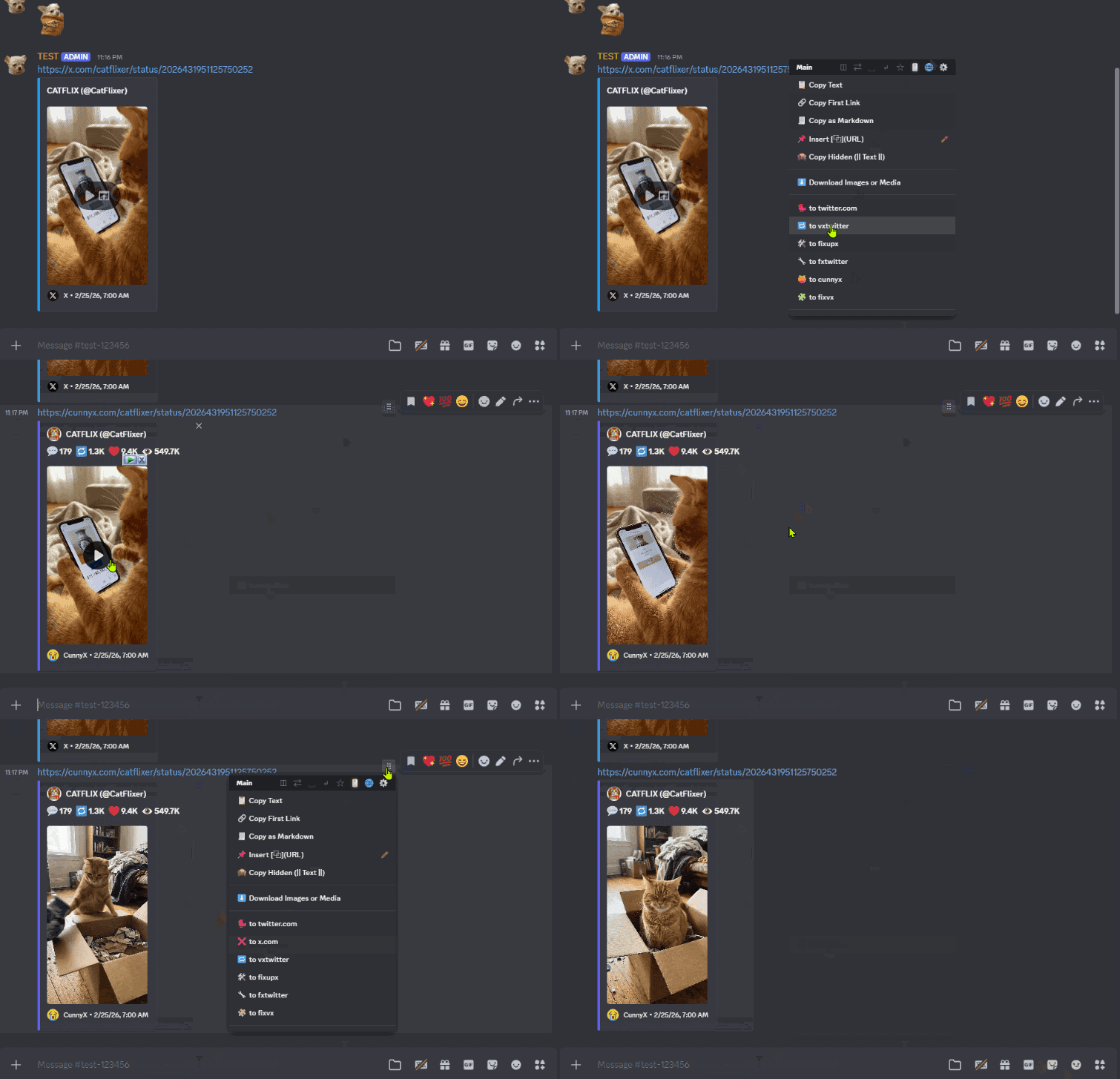
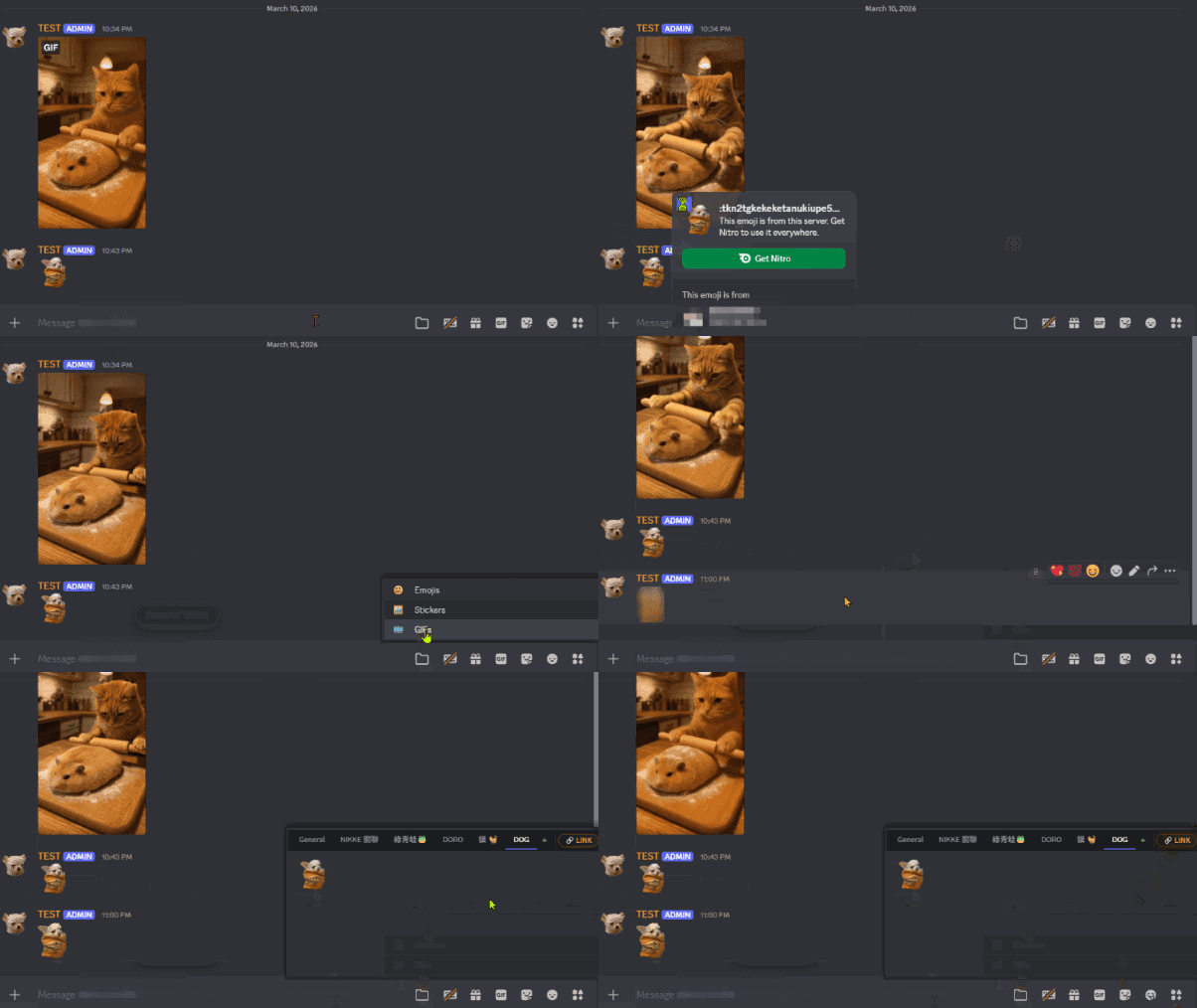
| Icon | Feature Name | Description |
|---|---|---|
| ⠿ | Message Utility Toolbar | Appears on hover (or click, if configured) at the top-right corner of any message. |
| 📋 | Forwarding Manager | Embedded inside Discord's native Forward modal. Adds pinned channels, history, and fuzzy search. |
| 😀 | Expression Manager | Accessible inside the emoji/GIF picker panel. Manages saved expression collections. |
| 🌀 | Wormhole Panel | Rendered in the Discord sidebar as a persistent shortcut launcher for channels. |
| 🖱️ | Anti-Hijack Toggle | Injected into the Discord top bar (near the Inbox icon). Controls right-click context menu behavior. |
| 📄 | Conceal Name Toggle | Injected into the Discord top bar (near the Inbox icon). Controls upload filename masking. |
These icons act as the primary entry points for the script's features.
Appears when hovering over (or clicking on) any Discord message.
⚠️ Usage Notice
This script converts X / Twitter links into media-embeddable third-party service URLs (for example, formats similar to https://fixupx.com/).
It may also send messages using Discord prefix formatting, such as:
[text](https://x.com/i/status/123456)This behavior may change how the link preview, source, and overall reading experience appear.
Before using, please make sure:
Please use responsibly and respect community expectations.
Accessible when opening Discord's native Forward panel.
A persistent panel rendered in the Discord sidebar.
Integrated into Discord's emoji/GIF picker.
Two toggle buttons are injected into the Discord top bar, next to the Inbox icon. Both buttons support short-press and long-press interactions.
By default, Discord intercepts all right-click events and replaces the browser's native context menu with its own. Anti-Hijack blocks this interception, restoring access to the browser's standard right-click menu on all elements within the page.
How to use:
This feature is off by default and must be manually enabled.
When uploading a file to Discord, the original filename is visible to all recipients. Conceal Name replaces the filename seen by Discord during upload with a randomly generated string, while preserving the original file extension.
The file content is not altered in any way — only the name visible to the recipient and stored on Discord's servers is replaced.
How to use:
This feature is off by default and must be manually enabled.
The script's five modules can be enabled or disabled individually without reinstalling the script. To access the panel, open the ⠿ Message Utility Toolbar on any message and click the ⚙️ icon.
| Module | Default |
|---|---|
| ⠿ Message Utility Toolbar | On |
| 📋 Forwarding Manager | On |
| 😀 Expression Manager | On |
| 📌 Header Mods (Anti-Hijack + Conceal Name) | On |
| 🌀 Wormhole Shortcuts | On |
The Message Utility Toolbar is the primary feature of this script. The remaining four modules are bonus additions — they may not work reliably in all environments, and their behavior depends on Discord's internal UI structure. If a module causes issues or is simply not needed, it can be turned off here without affecting the others.
⚠️ This script includes an opt-in feature that accesses your Discord Authorization Token.
| Data Type | Purpose | Storage | Transmitted To |
|---|---|---|---|
| Discord Auth Token | Authenticate direct API requests for Wormhole Mode B | Volatile memory (RAM) only — cleared on page close or refresh | discord.com official API endpoints only |
This script does not collect, share, or transmit your credentials to any external server.
💡 This feature is opt-in only — no action means no risk. Token access is triggered exclusively when you manually enable Wormhole Mode B (Direct API) by long-pressing the + button for 1 second and confirming the consent prompt. All other features — including Mode A sending, message copying, URL conversion, media downloading, forwarding, expression management, Anti-Hijack, and Conceal Name — operate entirely without any credential access. If you choose to enable Mode B, a consent dialog will appear explaining the scope of access before anything is intercepted. Reviewing the source code beforehand is recommended.
⚠️ TOS Notice: Using a personal user token to make automated API requests is classified as "self-botting" under Discord's Terms of Service. This carries an inherent risk of account flagging or suspension. Users who enable Mode B do so at their own discretion and accept full responsibility for any consequences.


