YouTube RM3 - Reduce Memory Usage by Reusing Components

A simple tool that runs in the background to reuse YouTube components, thereby reducing memory usage over time.

Version vom 23.12.2024. Aktuellste Version

Du musst eine Erweiterung wie Tampermonkey, Greasemonkey oder Violentmonkey installieren, um dieses Skript zu installieren.

You will need to install an extension such as Tampermonkey or Violentmonkey to install this script.

You will need to install an extension such as Tampermonkey or Violentmonkey to install this script.

You will need to install an extension such as Tampermonkey or Userscripts to install this script.

You will need to install an extension such as Tampermonkey to install this script.

Sie müssten eine Skript Manager Erweiterung installieren damit sie dieses Skript installieren können

(Ich habe schon ein Skript Manager, Lass mich es installieren!)

You will need to install an extension such as Stylus to install this style.

You will need to install an extension such as Stylus to install this style.

You will need to install an extension such as Stylus to install this style.

You will need to install a user style manager extension to install this style.

You will need to install a user style manager extension to install this style.

You will need to install a user style manager extension to install this style.

(I already have a user style manager, let me install it!)

Autor
𝖢𝖸 𝖥𝗎𝗇𝗀
Bewertungen
0 0 0
Version
0.1.0018
Erstellt am
21.12.2024
Letzte Aktualisierung
23.12.2024
Größe
31,7 KB
Kompatibilität
Kompatibel mit Firefox Kompatibel mit Chrome Kompatibel mit Opera Kompatibel mit Safari Kompatibel mit Edge
Lizenz
MIT
Wird angewandt auf

Way of Test

  1. https://www.youtube.com/watch?v=IKKar5SS29E
  2. Open Chat Room
  3. The pre tickers are shown.
  4. wait for few seconds ( 3s ~ 5s )
  5. change from "top chats" to "all chats"
  6. all content refreshed.
  7. pre tickers disappear.
  8. wait for the next next ticker appears ( sufficient time for 4s CONFIRM_TIME)
  9. the tickers appear would cause less memory increase.
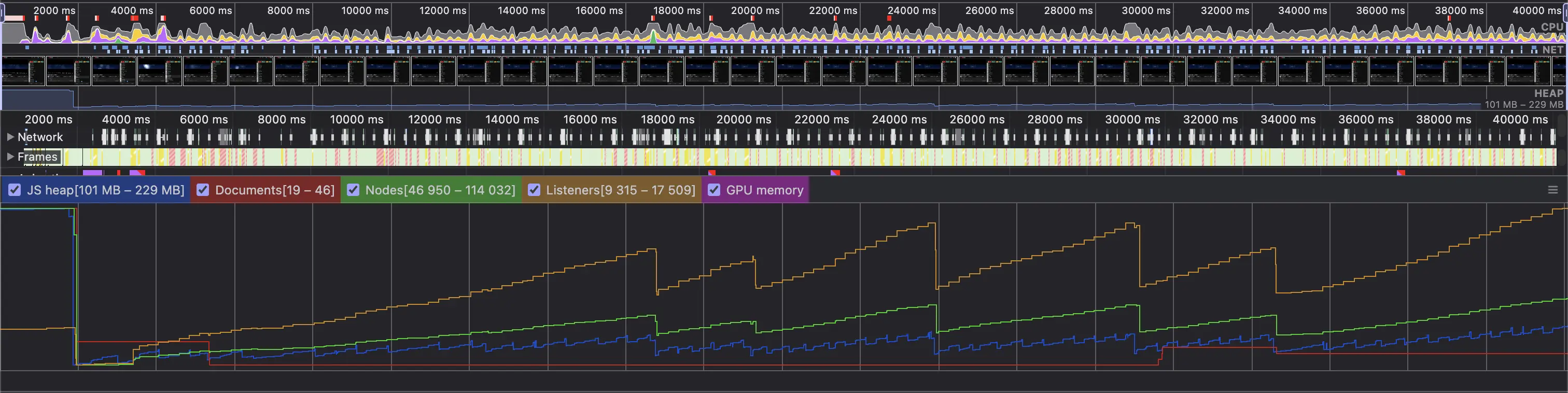
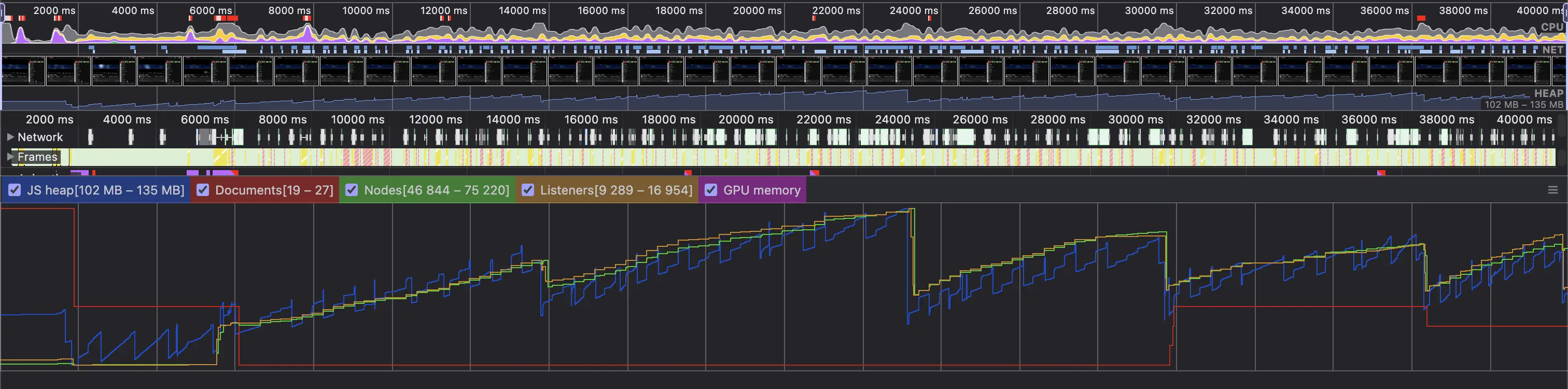
  10. can be verified in DevTools Performance Recording.

General Test (Loading of Chatroom in a Live Archive for 30s)

  1. https://www.youtube.com/watch?v=IKKar5SS29E
  2. Open Chat Room
  3. Play 1s (live chat initialization)
  4. Open DevTools and start record
  5. Record for >30s

Before

After