github-nickname

Add nicknames to GitHub feed and profile pages, configured based on JSON content or remote URL.

Verze ze dne 12. 05. 2026. Zobrazit nejnovější verzi.

K instalaci tototo skriptu si budete muset nainstalovat rozšíření jako Tampermonkey, Greasemonkey nebo Violentmonkey.

You will need to install an extension such as Tampermonkey to install this script.

K instalaci tohoto skriptu si budete muset nainstalovat rozšíření jako Tampermonkey nebo Violentmonkey.

K instalaci tohoto skriptu si budete muset nainstalovat rozšíření jako Tampermonkey nebo Userscripts.

You will need to install an extension such as Tampermonkey to install this script.

K instalaci tohoto skriptu si budete muset nainstalovat manažer uživatelských skriptů.

(Už mám manažer uživatelských skriptů, nechte mě ho nainstalovat!)

You will need to install an extension such as Stylus to install this style.

You will need to install an extension such as Stylus to install this style.

You will need to install an extension such as Stylus to install this style.

You will need to install a user style manager extension to install this style.

You will need to install a user style manager extension to install this style.

You will need to install a user style manager extension to install this style.

(Už mám manažer uživatelských stylů, nechte mě ho nainstalovat!)

Autor
fantasticmao
Hodnocení
0 0 0
Verze
1.3
Vytvořeno
12. 05. 2026
Aktualizováno
12. 05. 2026
Size
6,1 KB
Licence
MIT
Spustit na

github nickname

Add nicknames for users on GitHub feed and profile pages
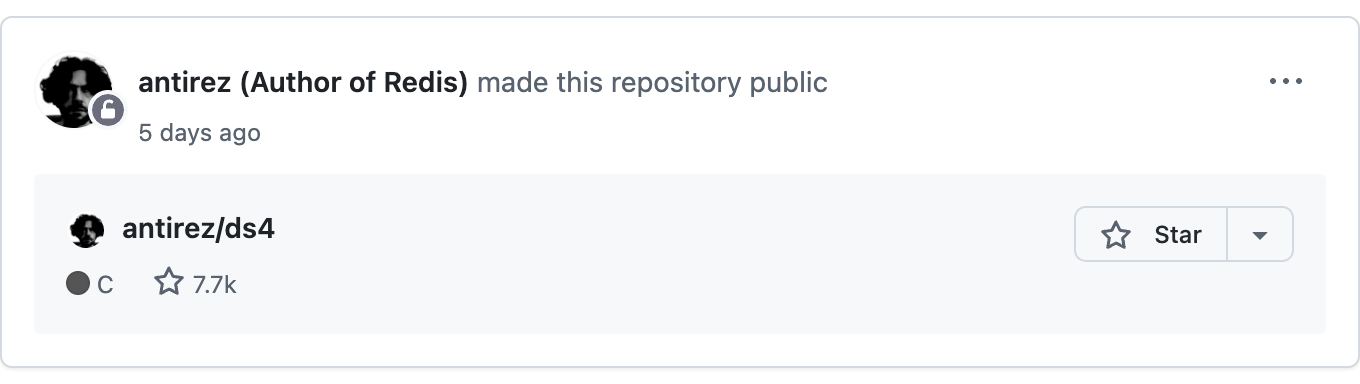
Preview

github-nickname preview

Configuration

Mode Description Config Entry Example
JSON Mode Enter a JSON string, suitable for a small number of user nicknames Tampermonkey menu -> Config nickname {"torvalds": "Father of Linux"}
URL Mode Enter a URL to a remote JSON file, suitable for many nicknames or teams Tampermonkey menu -> Config nickname https://example.com/nicknames.json

Configuration Steps

Click the Tampermonkey icon in the browser toolbar and select the "Config nickname" menu item
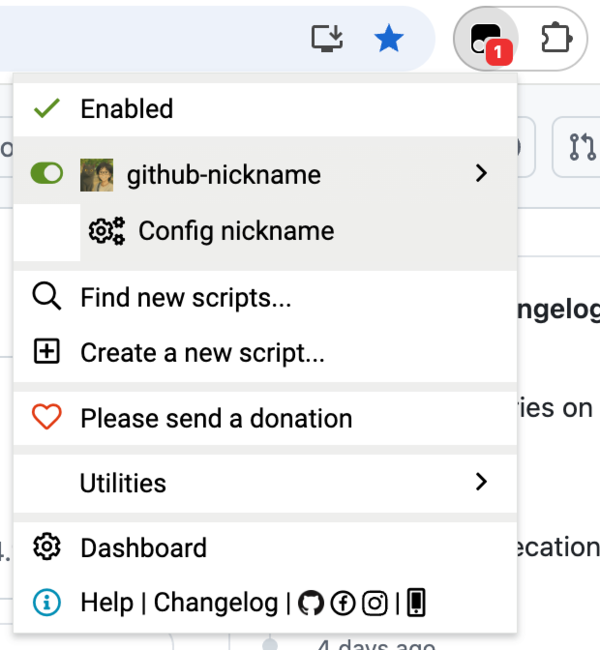
github-nickname usage

In the dialog that appears, enter a JSON string or URL and click OK to save the configuration
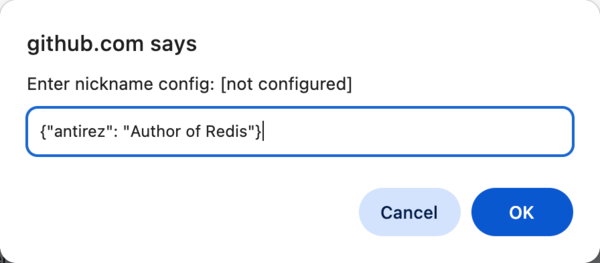
github-nickname usage

JSON Format

{
  "username": "nickname",
  "another-username": "another nickname"
}

FAQ

Q: How do I update the nickname configuration?

A: Repeat the configuration steps above to update. JSON mode takes effect immediately, while URL mode fetches the latest configuration on the next page load.

Q: Which GitHub pages are supported?

A: Currently supports the GitHub homepage (feed page) and user profile page (profile page).

Q: Can I use JSON mode and URL mode at the same time?

A: No, you can only choose one mode. Configuring a new mode will automatically clear the previous configuration.