GDocs - Focus Mode

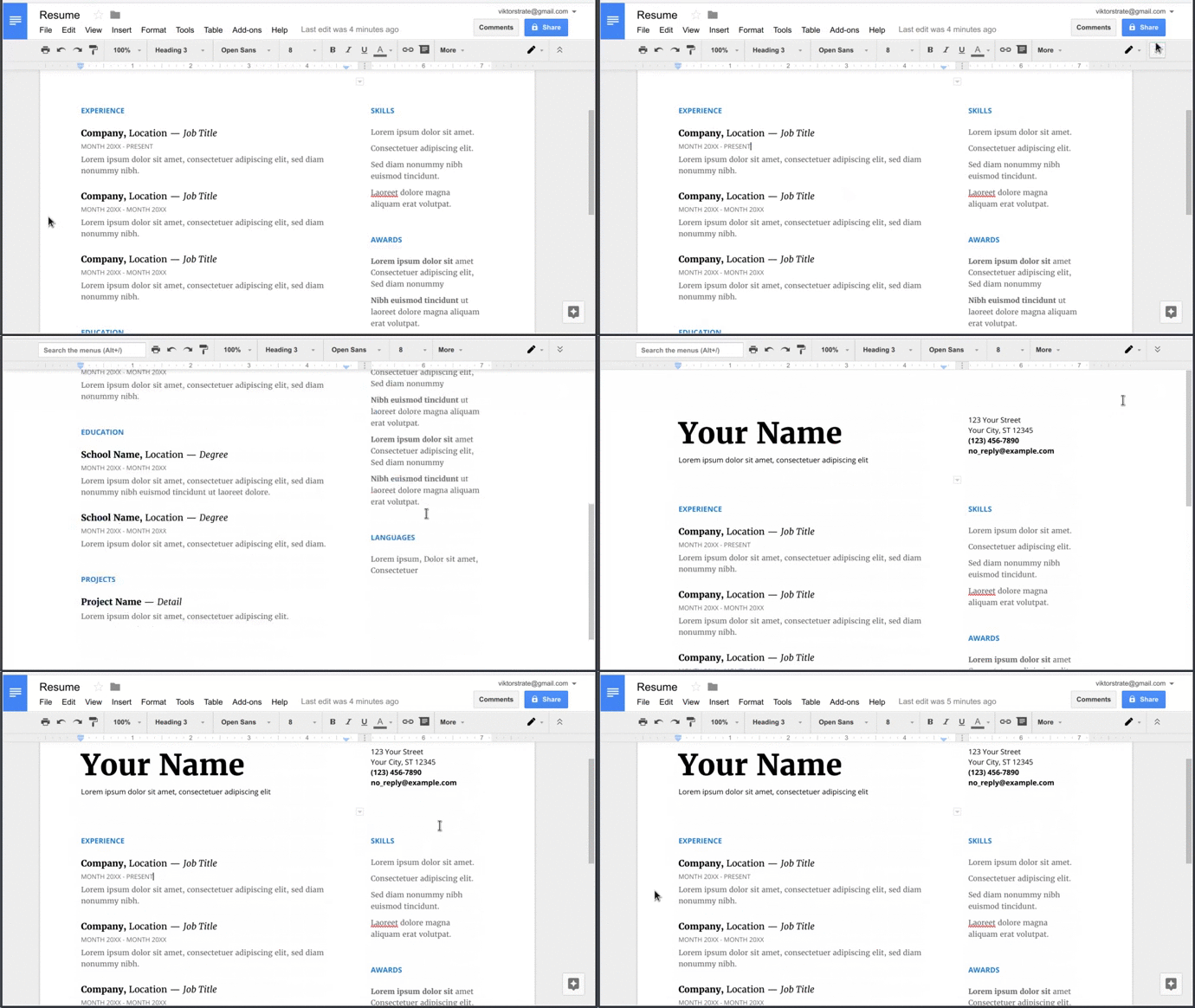
In Google docs press 'Hide the menus' button, to enter focus mode.

K instalaci tototo skriptu si budete muset nainstalovat rozšíření jako Tampermonkey, Greasemonkey nebo Violentmonkey.

You will need to install an extension such as Tampermonkey or Violentmonkey to install this script.

K instalaci tohoto skriptu si budete muset nainstalovat rozšíření jako Tampermonkey nebo Violentmonkey.

K instalaci tohoto skriptu si budete muset nainstalovat rozšíření jako Tampermonkey nebo Userscripts.

You will need to install an extension such as Tampermonkey to install this script.

K instalaci tohoto skriptu si budete muset nainstalovat manažer uživatelských skriptů.

(Už mám manažer uživatelských skriptů, nechte mě ho nainstalovat!)

You will need to install an extension such as Stylus to install this style.

You will need to install an extension such as Stylus to install this style.

You will need to install an extension such as Stylus to install this style.

You will need to install a user style manager extension to install this style.

You will need to install a user style manager extension to install this style.

You will need to install a user style manager extension to install this style.

(Už mám manažer uživatelských stylů, nechte mě ho nainstalovat!)
Autor
viktorstrate
Denně instalací
0
Celkem instalací
171
Hodnocení
1 0 0
Verze
0.1
Vytvořeno
15. 05. 2017
Aktualizováno
15. 05. 2017
velikost
1,7 KB
Licence
neuvedeno
Spustit na

Google Docs - Focus Mode

Fork script on GitHub

In Google docs press 'Hide the menus' button, to enter focus mode.

Focus mode, will hide the background, when 'Hide the menus' is pressed.

Example