Steam Page Tools

Adds cross-page badge search, badge tools, and bulk store actions to Steam.

Terá de instalar uma extensão como Tampermonkey, Greasemonkey ou Violentmonkey para instalar este script.

You will need to install an extension such as Tampermonkey or Violentmonkey to install this script.

Terá de instalar uma extensão como Tampermonkey ou Violentmonkey para instalar este script.

Terá de instalar uma extensão como Tampermonkey ou Userscripts para instalar este script.

Terá de instalar uma extensão como Tampermonkey para instalar este script.

Terá de instalar uma extensão de gestão de scripts de utilizador para instalar este script.

(Já tenho um gestor de scripts de utilizador, deixe-me instalá-lo!)

Terá de instalar uma extensão como Stylus para instalar este estilo.

Terá de instalar uma extensão como Stylus para instalar este estilo.

Terá de instalar uma extensão como Stylus para instalar este estilo.

Terá de instalar uma extensão de gestão de estilos de utilizador para instalar este estilo.

Terá de instalar uma extensão de gestão de estilos de utilizador para instalar este estilo.

Terá de instalar uma extensão de gestão de estilos de utilizador para instalar este estilo.

(Já tenho um gestor de estilos de utilizador, deixe-me instalá-lo!)

Autor
x0697x
Instalações diárias
0
Total de instalações
4
Classificações
0 0 0
Versão
1.10.5
Criado
23/07/2026
Atualizado
02/08/2026
Tamanho
100 KB
Licença
N/D
Aplica-se a

Steam Page Tools

Steam Page Tools

A userscript for Violentmonkey and Tampermonkey that adds tools to your Steam Community badge pages and Steam Store search results.

Changelog

Only the five most recent releases are listed here.

1.10.5 - 2026-08-02

  • Changed: Matching badges now appear progressively as each source page finishes loading, with a running result count.
  • Changed: The badge-search input now uses the same compact 22-pixel height as the adjacent badge controls.
  • Improved: Search terms match from the start of words instead of matching unrelated text fragments.
  • Synchronized: Userscript behavior matches the latest browser-extension main updates.

1.10.4 - 2026-07-31

  • Changed: Badge-search loading and result status now appears directly below the search field.
  • Fixed: Search progress no longer moves or wraps the badge counter and action controls.
  • Synchronized: Userscript behavior matches the corresponding browser-extension main update.

1.10.3 - 2026-07-31

  • Added: Automatic cross-page count of games with card drops remaining, with progressive results and scan completion state.
  • Changed: Badge search and account controls now share one aligned, responsive toolbar.
  • Fixed: Drop filtering reuses the counter scan, shows cached matches immediately, and keeps Steam pagination hidden while active.
  • Synchronized: Userscript behavior now matches the browser extension's final counter and filtering update.

1.10.2 - 2026-07-31

  • Changed: Cross-page badge-search matches are shown together in one result view.
  • Fixed: Steam's unrelated page summary and navigation are hidden while searching and restored when the query is cleared or search loading fails.
  • Synchronized: Userscript behavior now matches the browser extension's main branch.

1.10.1 - 2026-07-31

  • Fixed: Badge artwork now loads in cloned cross-page search and card-drop results.
  • Changed: The badge search field is aligned to the right.

Features

Badge pages

Badge search is available on every profile. It displays matches progressively as each paginated result is scanned and temporarily hides Steam's server-side pagination. Badge filtering and auto-crafting are available only on the signed-in account's own badge pages.

  • Search the profile's owned badges by game or badge name across all paginated results.
  • Count games with card drops remaining across every paginated badge result.
  • Show only games with card drops remaining across paginated badge results.
  • Auto-craft complete card sets across your badge pages, with confirmation, live progress, request pacing, rate-limit handling, cross-tab protection, safety limits, and a stop-after-current-request control.

[!WARNING] Auto-crafting consumes cards and cannot be undone. The script asks for confirmation before crafting begins.

Steam badge

Steam Store search results

  • Select games directly from the search results.
  • Add selected games to the cart in one run.
  • Add selected games to the wishlist after refreshing the account's current wishlist; games already on it are skipped automatically.

Bundle rows are not supported. When a game has multiple purchase options, the cart action uses Steam's first/default package.

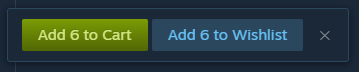
Selection checkboxes on Steam search resultsBulk cart and wishlist action bar

Installation

The instructions and extension links below are for Chrome and Chromium-based browsers.

Violentmonkey

  1. Install Violentmonkey from the Chrome Web Store.
  2. Open the Violentmonkey Dashboard, then click +.

Violentmonkey add-script button

  1. Click Install from URL, then paste:
   https://raw.githubusercontent.com/x0697x/steam-page-tools/main/steam-page-tools.user.js
  1. Click Install.

Violentmonkey install confirmation

  1. On the extension's Details page, enable Allow User Scripts.

Chrome extension details Allow User Scripts setting

Tampermonkey

  1. Install Tampermonkey from the Chrome Web Store.
  2. Open Steam Page Tools on Greasy Fork.
  3. Click Install this script.

Greasy Fork install button

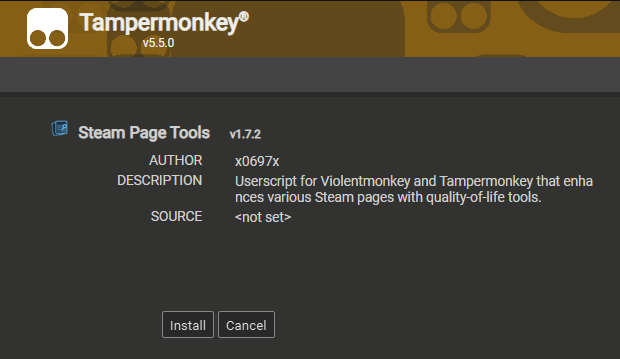
  1. Confirm by clicking Install.

Tampermonkey install confirmation

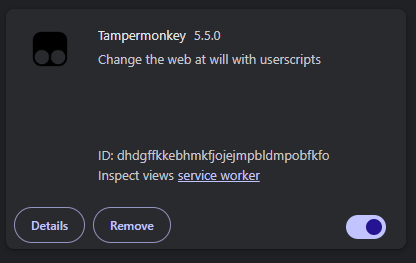
  1. On the extension's Details page, enable Allow User Scripts.

Chrome extension details Allow User Scripts setting