GDocs - Focus Mode

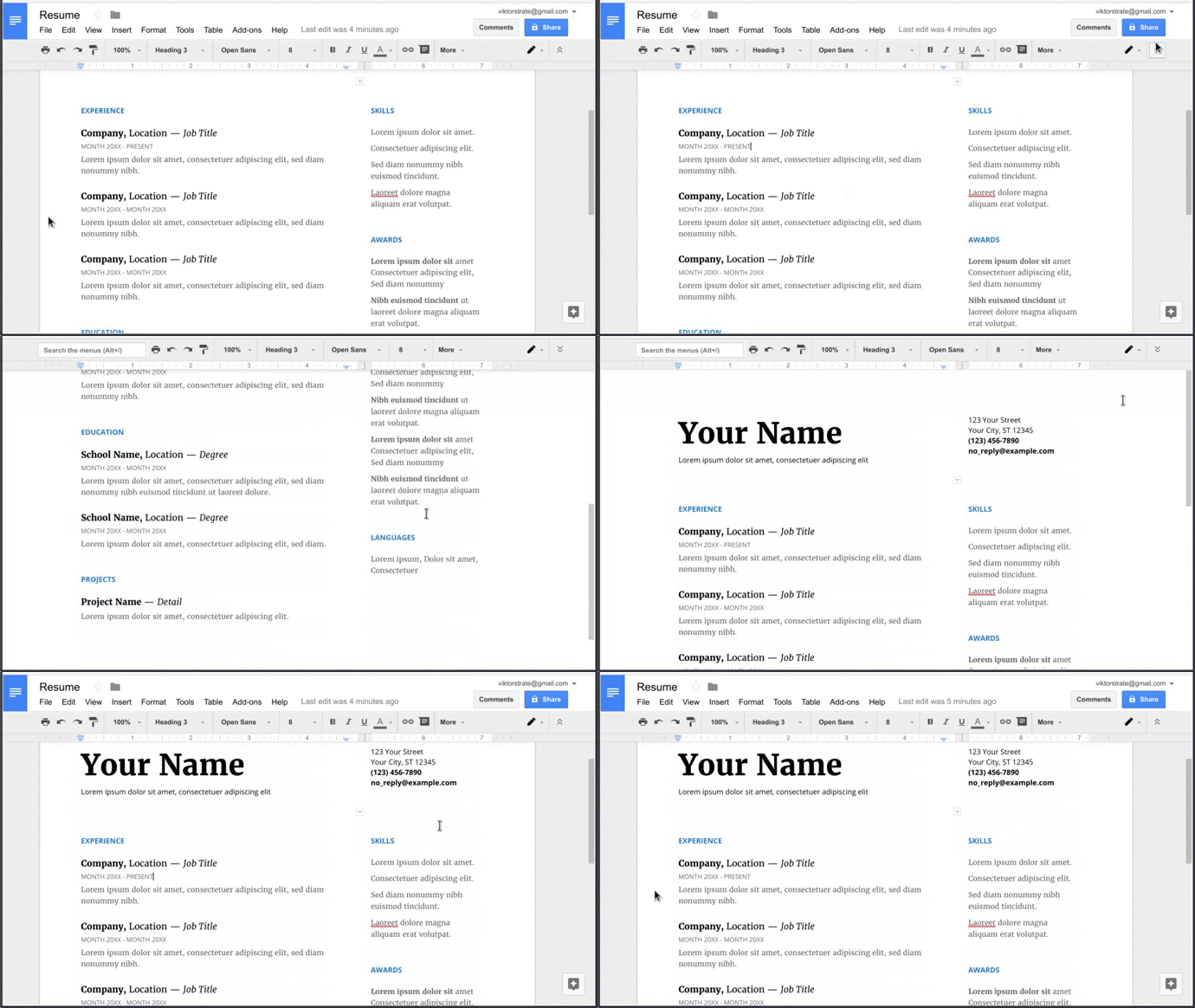
In Google docs press 'Hide the menus' button, to enter focus mode.

Aby zainstalować ten skrypt, wymagana jest instalacje jednego z następujących rozszerzeń: Tampermonkey, Greasemonkey lub Violentmonkey.

You will need to install an extension such as Tampermonkey to install this script.

Aby zainstalować ten skrypt, wymagana jest instalacje jednego z następujących rozszerzeń: Tampermonkey, Violentmonkey.

Aby zainstalować ten skrypt, wymagana będzie instalacja rozszerzenia Tampermonkey lub Userscripts.

You will need to install an extension such as Tampermonkey to install this script.

Aby zainstalować ten skrypt, musisz zainstalować rozszerzenie menedżera skryptów użytkownika.

(Mam już menedżera skryptów użytkownika, pozwól mi to zainstalować!)

You will need to install an extension such as Stylus to install this style.

You will need to install an extension such as Stylus to install this style.

You will need to install an extension such as Stylus to install this style.

Będziesz musiał zainstalować rozszerzenie menedżera stylów użytkownika, aby zainstalować ten styl.

Będziesz musiał zainstalować rozszerzenie menedżera stylów użytkownika, aby zainstalować ten styl.

Musisz zainstalować rozszerzenie menedżera stylów użytkownika, aby zainstalować ten styl.

(Mam już menedżera stylów użytkownika, pozwól mi to zainstalować!)
Autor
viktorstrate
Dziennych instalacji
0
Wszystkich instalacji
170
Oceny
1 0 0
Wersja
0.1
Utworzono
15-05-2017
Zaktualizowano
15-05-2017
Rozmiar
1,67 KB
Licencja
Brak licencji
Dotyczy

Google Docs - Focus Mode

Fork script on GitHub

In Google docs press 'Hide the menus' button, to enter focus mode.

Focus mode, will hide the background, when 'Hide the menus' is pressed.

Example