GitHub Code Folding

A userscript that adds code folding to GitHub files

Aby zainstalować ten skrypt, wymagana jest instalacje jednego z następujących rozszerzeń: Tampermonkey, Greasemonkey lub Violentmonkey.

You will need to install an extension such as Tampermonkey to install this script.

Aby zainstalować ten skrypt, wymagana jest instalacje jednego z następujących rozszerzeń: Tampermonkey, Violentmonkey.

Aby zainstalować ten skrypt, wymagana będzie instalacja rozszerzenia Tampermonkey lub Userscripts.

You will need to install an extension such as Tampermonkey to install this script.

Aby zainstalować ten skrypt, musisz zainstalować rozszerzenie menedżera skryptów użytkownika.

(Mam już menedżera skryptów użytkownika, pozwól mi to zainstalować!)

You will need to install an extension such as Stylus to install this style.

You will need to install an extension such as Stylus to install this style.

You will need to install an extension such as Stylus to install this style.

Będziesz musiał zainstalować rozszerzenie menedżera stylów użytkownika, aby zainstalować ten styl.

Będziesz musiał zainstalować rozszerzenie menedżera stylów użytkownika, aby zainstalować ten styl.

Musisz zainstalować rozszerzenie menedżera stylów użytkownika, aby zainstalować ten styl.

(Mam już menedżera stylów użytkownika, pozwól mi to zainstalować!)
Autor
Mottie
Dziennych instalacji
0
Wszystkich instalacji
670
Oceny
13 0 1
Wersja
1.1.5
Utworzono
29-12-2016
Zaktualizowano
17-02-2024
Rozmiar
7,76 KB
Licencja
MIT
Dotyczy

A userscript that adds code folding to GitHub files

  • This code only works on GitHub files (with line numbers), not in markdown code.
  • Works for both space and tab indentation.
  • This code was modified from the GitHub Code Folding Chrome extension by @noam3127 (MIT license).
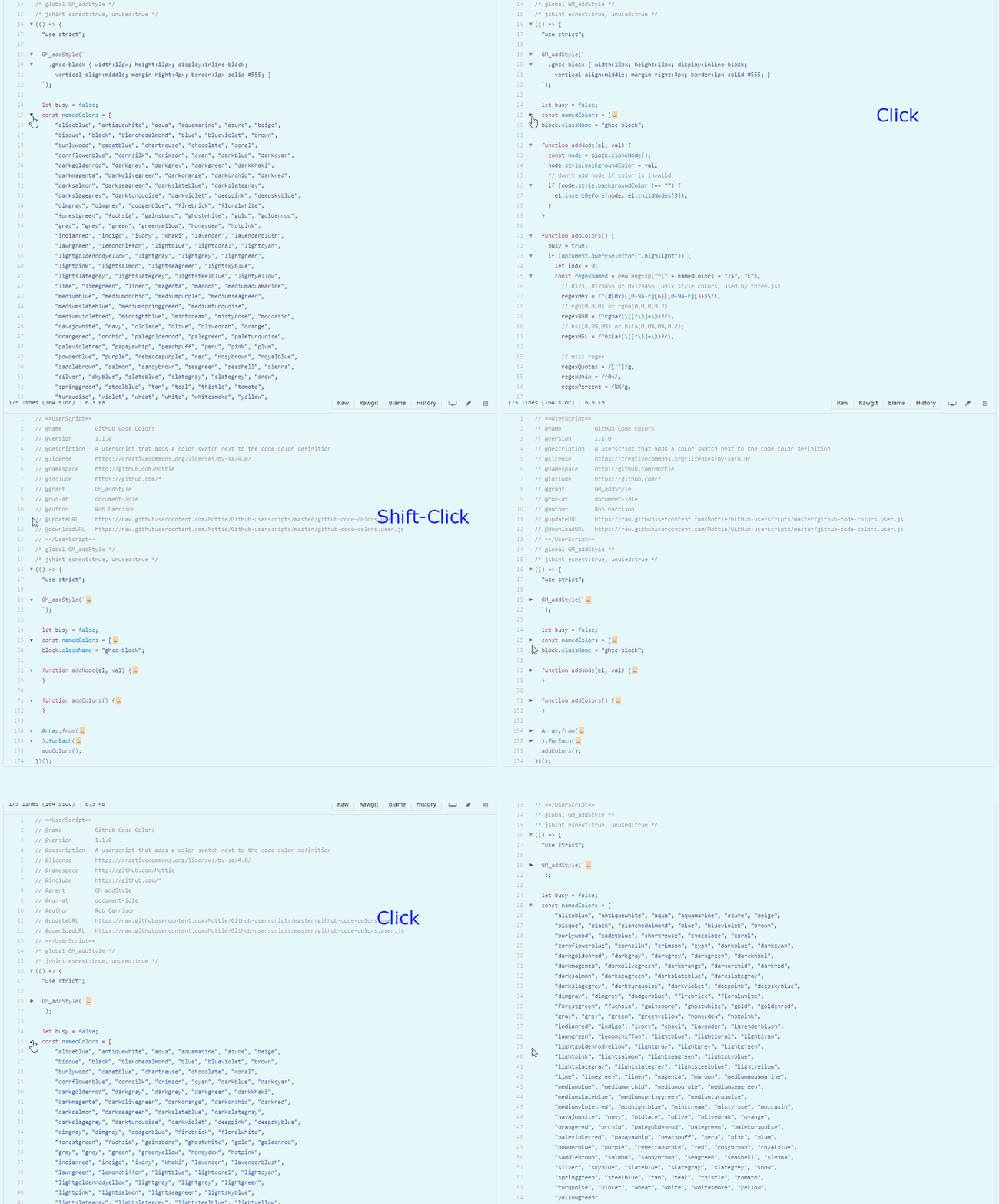
  • Clicking on an arrow will collapse a section of code with the same indentation level.
  • Using Shift click on an arrow will collapse all sections of the same code indentation level.
  • After collapsing a code block, click on either the arrow (left side) or on the ellipsis (right side), to re-expand the code block.

github-code-folding

Hosted with ♥ at GitHub