YouTube Speed and Loop

Enhances YouTube with playback speeds and repeat functionality.

Voor het installeren van scripts heb je een extensie nodig, zoals Tampermonkey, Greasemonkey of Violentmonkey.

Voor het installeren van scripts heb je een extensie nodig, zoals Tampermonkey of Violentmonkey.

Voor het installeren van scripts heb je een extensie nodig, zoals Tampermonkey of Violentmonkey.

Voor het installeren van scripts heb je een extensie nodig, zoals Tampermonkey of Userscripts.

Voor het installeren van scripts heb je een extensie nodig, zoals {tampermonkey_link:Tampermonkey}.

Voor het installeren van scripts heb je een gebruikersscriptbeheerder nodig.

(Ik heb al een user script manager, laat me het downloaden!)

Voor het installeren van gebruikersstijlen heb je een extensie nodig, zoals {stylus_link:Stylus}.

Voor het installeren van gebruikersstijlen heb je een extensie nodig, zoals {stylus_link:Stylus}.

Voor het installeren van gebruikersstijlen heb je een extensie nodig, zoals {stylus_link:Stylus}.

Voor het installeren van gebruikersstijlen heb je een gebruikersstijlbeheerder nodig.

Voor het installeren van gebruikersstijlen heb je een gebruikersstijlbeheerder nodig.

Voor het installeren van gebruikersstijlen heb je een gebruikersstijlbeheerder nodig.

(Ik heb al een beheerder - laat me doorgaan met de installatie!)
Maker
Hank8933
Dagelijks aantal installaties
0
Totaal aantal installaties
51
Beoordelingen
1 0 0
Versie
1.1.1
Gemaakt op
08-03-2025
Bijgewerkt op
28-10-2025
Grootte
24,7 KB
Licentie
MIT
Wordt toegepast op

YouTube-Speed-and-Loop

Enhances YouTube with playback speeds beyond 2x and repeat functionality.

Features

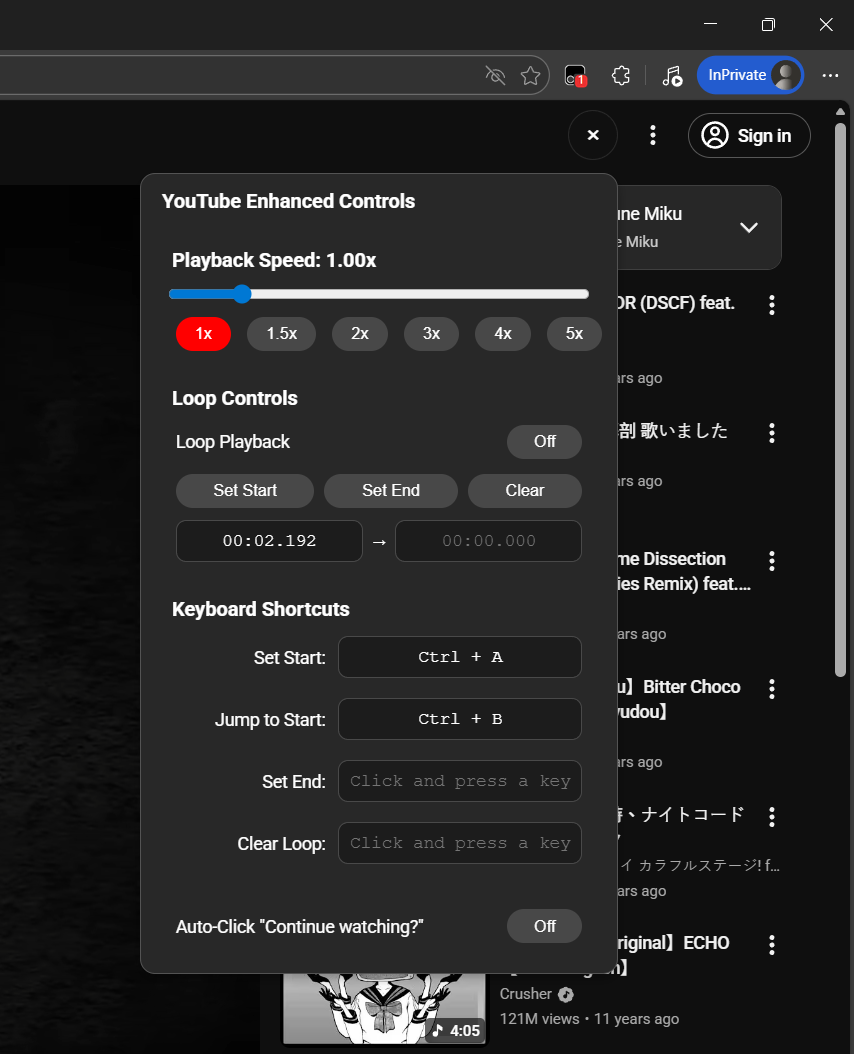
  • Playback Speed Control: Adjust playback speed from 0.25x to 5x using a slider or preset buttons.
  • Loop Playback: Toggle loop playback on/off for the entire video.
  • Loop Range: Set specific start and end times to loop a section of the video.

Installation

  1. Install a userscript manager like Tampermonkey and enable developer mode (see this guide).
  2. Go to Greasy Fork to install the script.

Usage

  • Playback Speed:
    • Use the slider to adjust the speed dynamically.
    • Click preset buttons (1x, 1.5x, 2x, 3x, 4x, 5x) for quick selection.
  • Loop Playback:
    • Click the "Loop Playback" button to toggle looping on/off.
  • Loop Range:
    • Click "Set Start" to mark the loop start time.
    • Click "Set End" to mark the loop end time.
    • Click "Clear" to reset the loop range.

Screenshots

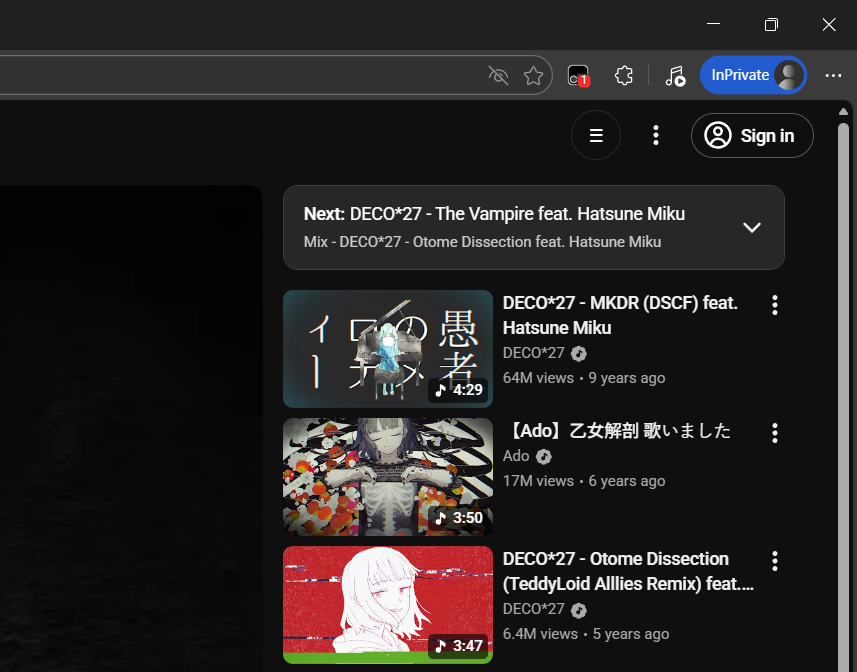
Collapsed Control Panel

The control panel in its minimized state.
Control Panel Collapsed

Expanded Control Panel

The full panel with all options visible.
Control Panel Expanded

📦 Changelog

  • v1.1.1 (Current)

    • ✨ Feature: Added a keyboard shortcuts manager.
      • You can now set custom keys for: Set Start, Jump to Start, Set End, and Clear Loop.
    • 🎨 UI/UX: Refined the control panel layout for better readability and alignment.
  • v1.1.0

    • ✨ Feature: Added an auto-clicker for the "Continue Watching?" dialog and precise manual inputs for loop timing.
    • 🎨 UI Overhaul: Complete redesign of the control panel for a modern look, relocated to the top-right for better UI integration.
    • 🔧 Stability: Refactored initialization logic for significantly improved reliability and speed during page navigation.
  • v1.0.1

    • 🛠️ Fix: Prevent multiple control panels from appearing.
    • 🔄 Fix: Keep custom loop toggle in sync with the native video loop state.
  • v1.0

    • 🎉 Initial Release: Basic playback speed and loop functionality.

License

MIT License