
युझर स्क्रिप्ट्ससाठीचे संकेतस्थळ Greasy Fork येथे तुमचे स्वागत आहे.
युझर स्क्रिप्ट काय असतात?
User scripts put you in control of your browsing experience. Once installed, they automatically make the sites you visit better by adding features, making them easier to use, or taking out the annoying bits. The user scripts on Greasy Fork were written by other users and posted to share with the world. They're free to install and easy to use.
पाऊल 1 - एखादे युझर स्क्रिप्ट व्यवस्थापक इंस्टॉल करा
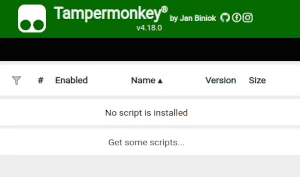
युझर स्क्रिप्ट वापरण्याच्या आधी एक युझर स्क्रिप्ट व्यवस्थापक इंस्टॉल करणे आवश्यक आहे. .तुम्ही कोणता युझर स्क्रिप्ट व्यवस्थापक वापरू शकता हे तुम्ही वापरणार्या ब्राउझरवर अवलंबून आहे.
डेस्कटॉप मोबाइल (अँड्रॉइड) मोबाइल (iOS)
- Chrome: Tampermonkey
- Firefox: Greasemonkey, Tampermonkey, or Violentmonkey
- Safari: Tampermonkey or Userscripts
- Microsoft Edge: Tampermonkey
- Opera: Tampermonkey or Violentmonkey
- Maxthon: Violentmonkey
- AdGuard: (no additional software required)
- Firefox: Greasemonkey, Tampermonkey, or Violentmonkey
- Microsoft Edge: Tampermonkey
- Maxthon: Violentmonkey
- Dolphin: Tampermonkey
- UC: Tampermonkey
- XBrowser
- Safari: Tampermonkey किंवा Userscripts
- Gear: (कोणत्याही अधिक सॉफ्टवेअरची गरज नाही)
पाऊल 2 - युझर स्क्रिप्ट इंस्टॉल करा
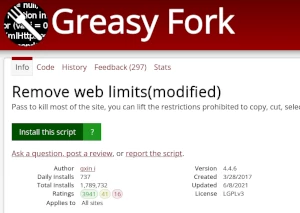
Browse this site to find a user script you want to try. Here is a sample of the most popular scripts:
- मुमू शैली - Moomoo.io/sploop.io मोड [टेक्स्चर पॅक एडिटर/ संगीत प्लेयर/ हॅट कीबिंड्स/ संगीत व्हिज्युअलायझर/ स्किन स्विचर/ अँटी-किक/ ऑटो लॉगिन]
- Smash Karts Wapenmenu - Kies je eigen wapens in Smash Karts met een menu (druk op 'G')
- कस्टम स्टिकर - WhatsApp Web मध्ये कस्टम स्टिकर तयार करा.
- ChatGPT 长对话卡顿优化 - chatgpt长对话卡顿是因为前端一次性加载了全部对话,导致每次新增对话时要渲染的聊天太多,因此可以通过设置属性为display=none来部分解决,通过卸载部分DOM来进一步缓解。
- Trakt.tv | Anti-V3 Redirect - A temporary bypass for the automatic v2 -> v3 redirect of free users (since March 2026). Support for correct v2 redirects after page reloads and when opening links in a new tab is limited, so try to navigate around within the same tab when possible. Also make sure to check for updates if this script stops working.
Once you've found a user script, click the green install button on the user script's page, and your user script manager will ask you to confirm the install.
पाऊल 3 - युझर स्क्रिप्ट वापरा
Go to the site the user script affects. It should automatically do its thing. After trying out the user script for a while, go back to where you installed the user script and leave some feedback for the user script's author.