Backloggd Plus
Userscript that extends Backloggd with extra game information, richer UI, and quality-of-life improvements — without leaving the site.
Note: This catalog page may lag behind GitHub. For the newest build, prefer the GitHub raw install URL. The script’s @updateURL / @downloadURL also point at GitHub main.
Status: early. Backloggd enrichment + list badges + Steam / SteamDB → Backloggd buttons.
Links
Screenshots
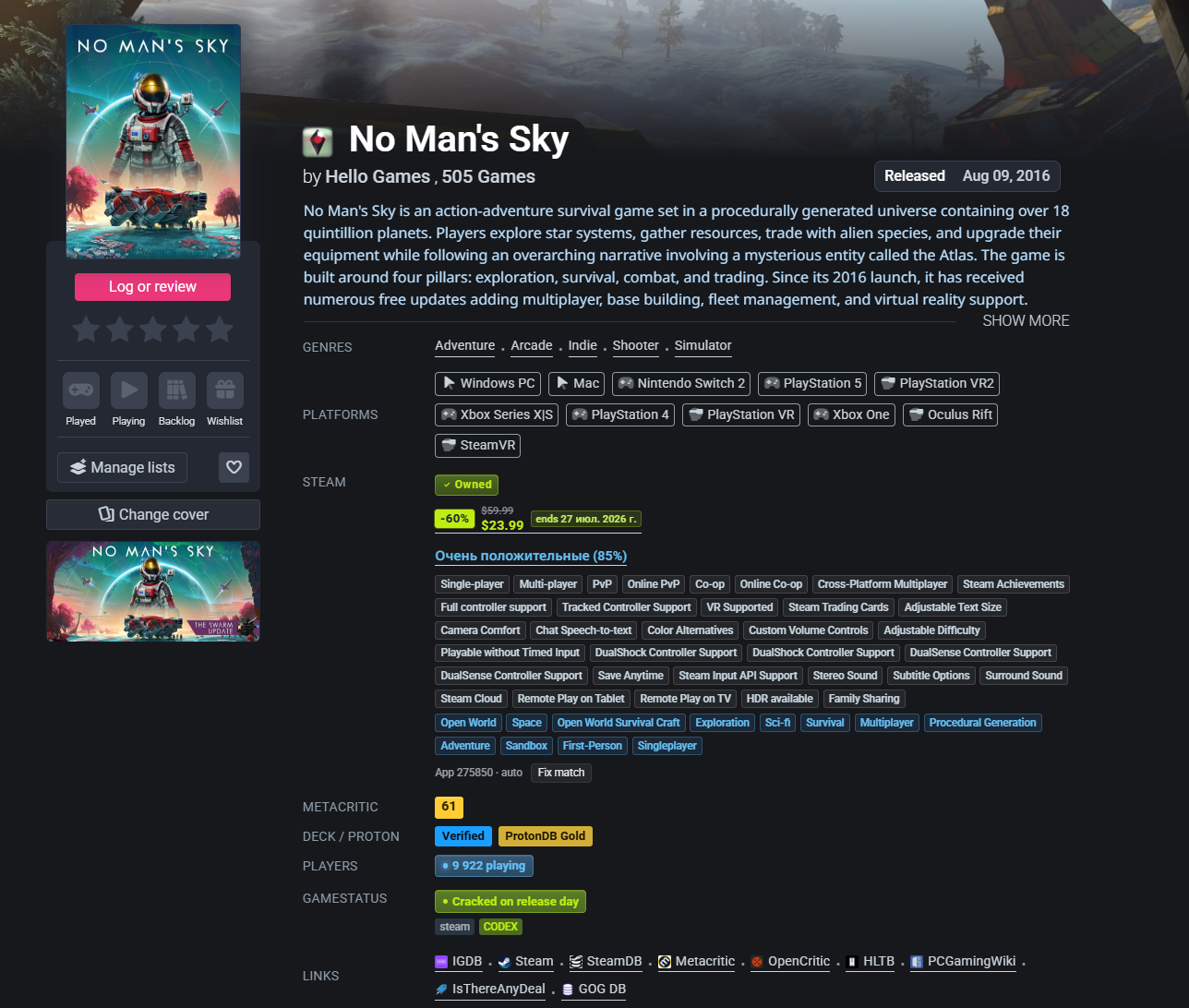
Game page — Steam (owned · price · reviews · tags), Metacritic, Deck/Proton, players, GameStatus, links
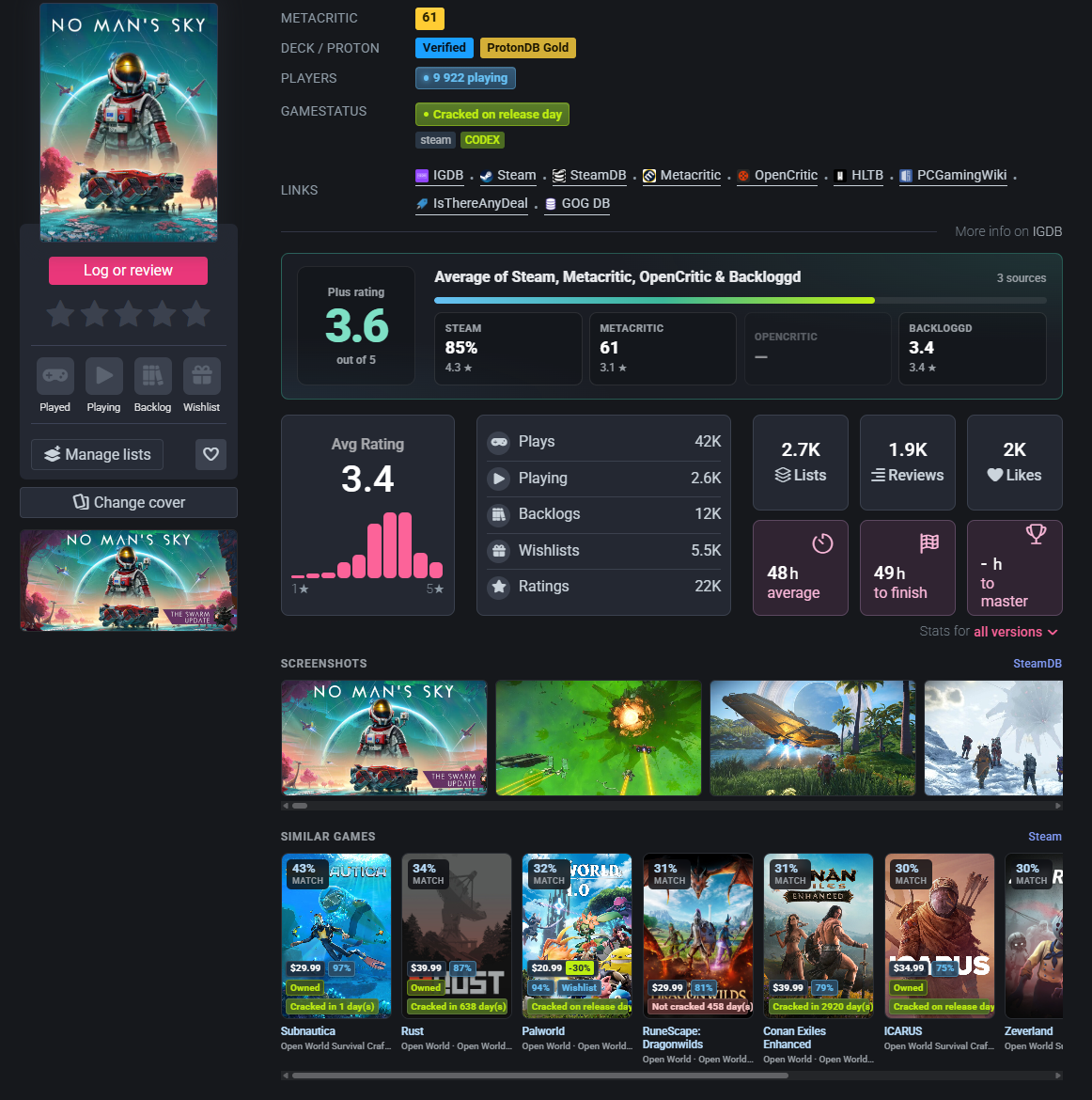
Game page — Plus rating average, Steam screenshots gallery, similar games with cover badges
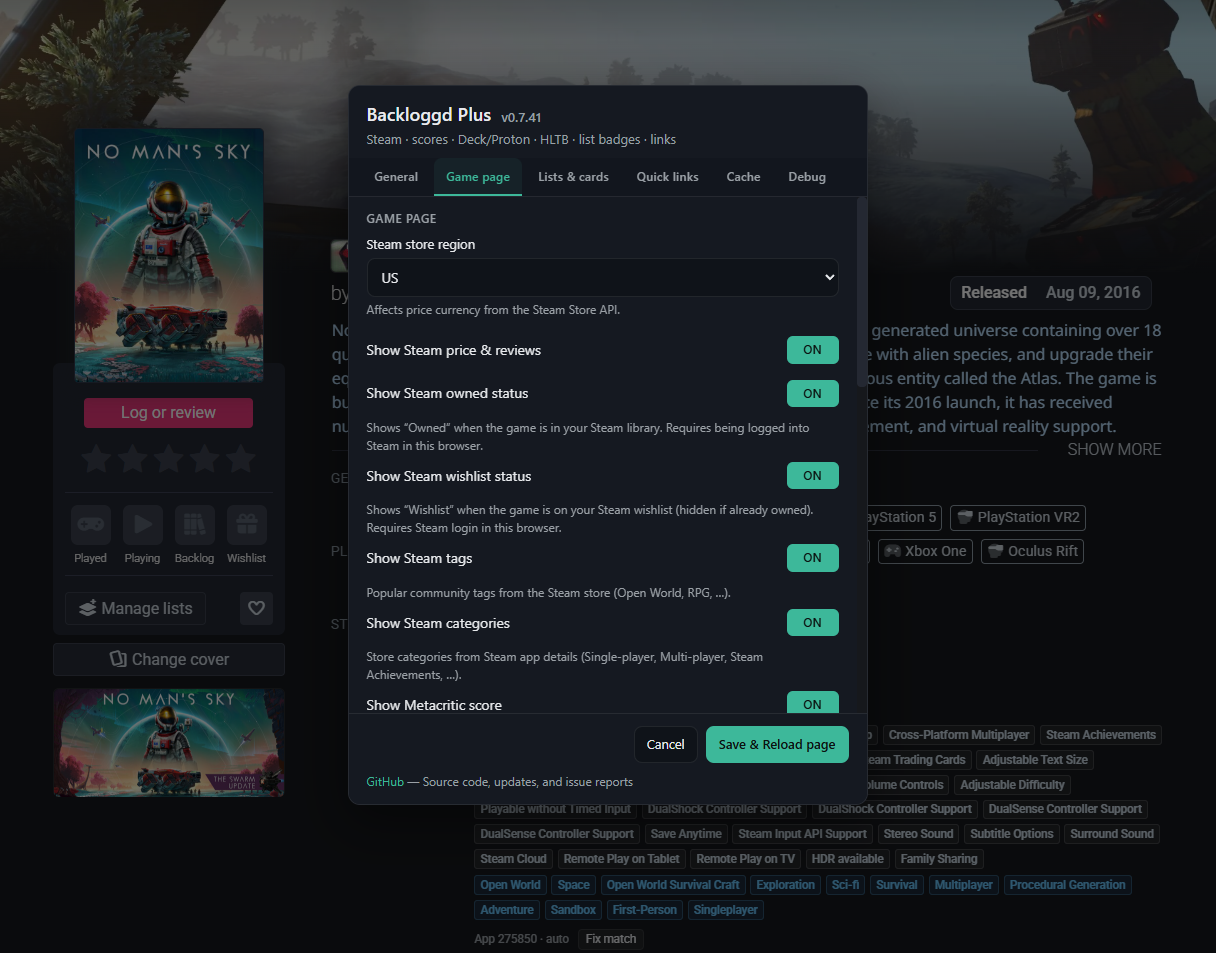
Settings — Game page toggles
Features
Game pages (/games/{slug}/):
- Native detail rows under Platforms — Steam (owned · wishlist · price · sale end / recent low · reviews · tags), SteamDB (franchise · systems · technologies · last record update), Metacritic, OpenCritic, HLTB, Deck / Proton, Players, GameStatus, Links
- Fix match — override the automatic Steam App ID when store search is wrong (saved per slug)
- SteamDB visuals: app icon before the title, logo under Change cover, online player count
- SteamDB details row: franchise / OS from Steam store APIs; technologies & last record update from SteamDB when reachable
- Export button under the Steam header and in the log editor (optional; Settings → Game; Notion CSV / Markdown / JSON)
- Optional Backloggd game ID after the title (Settings → Game; click to copy)
- Translate buttons on the game description and review cards (Settings → Translation; Google Translate)
- Steam header / community icon on game pages; screenshot gallery after game stats
- Similar games under screenshots (Steam More Like This) with tag match %; cards link to Backloggd and can show the same cover badges as list grids
- Skeleton placeholders while Steam / GameStatus / score data loads
- Quick links with favicons (IGDB, Steam, SteamDB, Metacritic, OpenCritic, HLTB, PCGamingWiki, IsThereAnyDeal, GOG DB, GamesLike)
- Steam Owned / Wishlist badges when you are logged into Steam in the same browser (no API key)
- GameStatus status badges on game pages and cover grids
- Works without API keys (Steam Store public endpoints + session userdata + GameStatus / HLTB / OpenCritic / ProtonDB public APIs)
Lists / search / journal (cover grids):
- Compact badges on
.game-cover cards — price, Steam review %, Owned, Wishlist, GameStatus (lazy-loaded in viewport; per-type toggles in Settings → Game card)
- Same cover badges on Similar games cards (game page strip)
Steam app pages (store.steampowered.com/app/*, steamcommunity.com/app/*):
- Backloggd icon button in
.apphub_OtherSiteInfo (same style as SteamDB / Community Hub)
- Link built from the Steam URL slug or game title
SteamDB app pages (steamdb.info/app/*):
- Backloggd button in
nav.app-links (same .btn style as Store / IGDB)
- Prefers IGDB slug from the page when available
Settings (navbar Plus on Backloggd / userscript manager menu):
- Tabbed panel: General · User profile · Game page · Game card · Translation · Cache · Debug · About
- Interface language (Auto or fixed locale)
- User profile: mini-profile hover cards (optional viewport preload); profile-page tier chrome with per-block toggles (header, tier chip, stats, nav, favorites)
- Steam store region (price currency)
- Toggles for Steam / owned / wishlist / tags / Metacritic / OpenCritic / HLTB / Deck·Proton / GameStatus / players / SteamDB icon & logo / screenshots gallery / similar games / native game stats block / game ID / translation (description & reviews) / list cover badges (per type) / links / Steam & SteamDB Backloggd buttons
- Debug mode: one panel with clickable source links and a full response dump
- Per-site link visibility (IGDB, Steam, SteamDB, Metacritic, OpenCritic, HLTB, PCGamingWiki, IsThereAnyDeal, GOG DB, GamesLike)
- Cache duration + clear cache (expired prune + LRU soft limit; library/tag map keep short TTLs; online players are live)
Supported pages
Updates
The script includes @updateURL and @downloadURL metadata pointing to the raw GitHub file. Supported managers check for updates automatically.
Contributors
Thanks to everyone who helps improve Backloggd Plus:
Affiliation
This project is not affiliated with Backloggd. It is an independent community userscript.
License
MIT — Copyright (c) 2026 NemoKing
