Block annoying and glitchy Google One Tap prompts
On sites like Reddit or Stack Overflow, you may find that an annoying pop-up displaying at the OS-level shows up without you even doing anything. That's Google One Tap, a feature in Google Chrome which attempts to make signing into websites easier, but ultimately disrupts user experience by being a nuisance.
When the One Tap popup is open, you cannot expand extension interfaces at all. If the popup glitches out and remains on screen after you navigate away, you have to return and figure out where it came from just to dismiss the popup, since you can't actually interact with it. Not to mention, it blocks the most essential portion of most all websites: the top-right corner where most websites place all the other sign in methods (which I certainly do use very often).
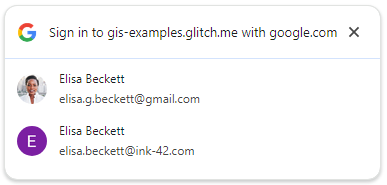
Sure, One Tap had an exponential cooldown for closing One Tap. According to the documentation, the prompt could be temporarily disabled for up to four weeks if closed enough times. But they got rid of that cooldown when they added FedCM, and now that annoying overlay shows up whenever it feels like it!
What really frustrates me is that Chrome does not give you an option to disable this feature. The semi-recent update to One Tap that permitted it to use FedCM (which broke my older script that also aimed to disable One Tap) was really the last straw for me: I don't want sites to have this much control over what goes on outside their designated sandboxed viewport. I mean, that's what it was made for, isn't it?

