5etools Clean Spell Layout

Makes the spells page of 5e.tools clean, and only show pinned list, with customizable UI.

スクリプトをインストールするには、Tampermonkey, GreasemonkeyViolentmonkey のような拡張機能のインストールが必要です。

You will need to install an extension such as Tampermonkey to install this script.

スクリプトをインストールするには、TampermonkeyViolentmonkey のような拡張機能のインストールが必要です。

スクリプトをインストールするには、TampermonkeyUserscripts のような拡張機能のインストールが必要です。

このスクリプトをインストールするには、Tampermonkeyなどの拡張機能をインストールする必要があります。

このスクリプトをインストールするには、ユーザースクリプト管理ツールの拡張機能をインストールする必要があります。

(ユーザースクリプト管理ツールは設定済みなのでインストール!)

このスタイルをインストールするには、Stylusなどの拡張機能をインストールする必要があります。

このスタイルをインストールするには、Stylus などの拡張機能をインストールする必要があります。

このスタイルをインストールするには、Stylus tなどの拡張機能をインストールする必要があります。

このスタイルをインストールするには、ユーザースタイル管理用の拡張機能をインストールする必要があります。

このスタイルをインストールするには、ユーザースタイル管理用の拡張機能をインストールする必要があります。

このスタイルをインストールするには、ユーザースタイル管理用の拡張機能をインストールする必要があります。

(ユーザースタイル管理ツールは設定済みなのでインストール!)

作者のサイトでサポートを受ける。または、このスクリプトの質問や評価の投稿はこちら通報はこちらへお寄せください
作者
ThunderE75
1日のインストール数
0
累計インストール数
1
評価
0 0 0
バージョン
1.3
作成日
2026/04/22
更新日
2026/04/22
大きさ
21KB
ライセンス
AGPL-3.0
対象サイト


5eTools Spell List Userscript

Fixes the awkward layout of the spell view on 5etools by creating a clean, split-screen interface.
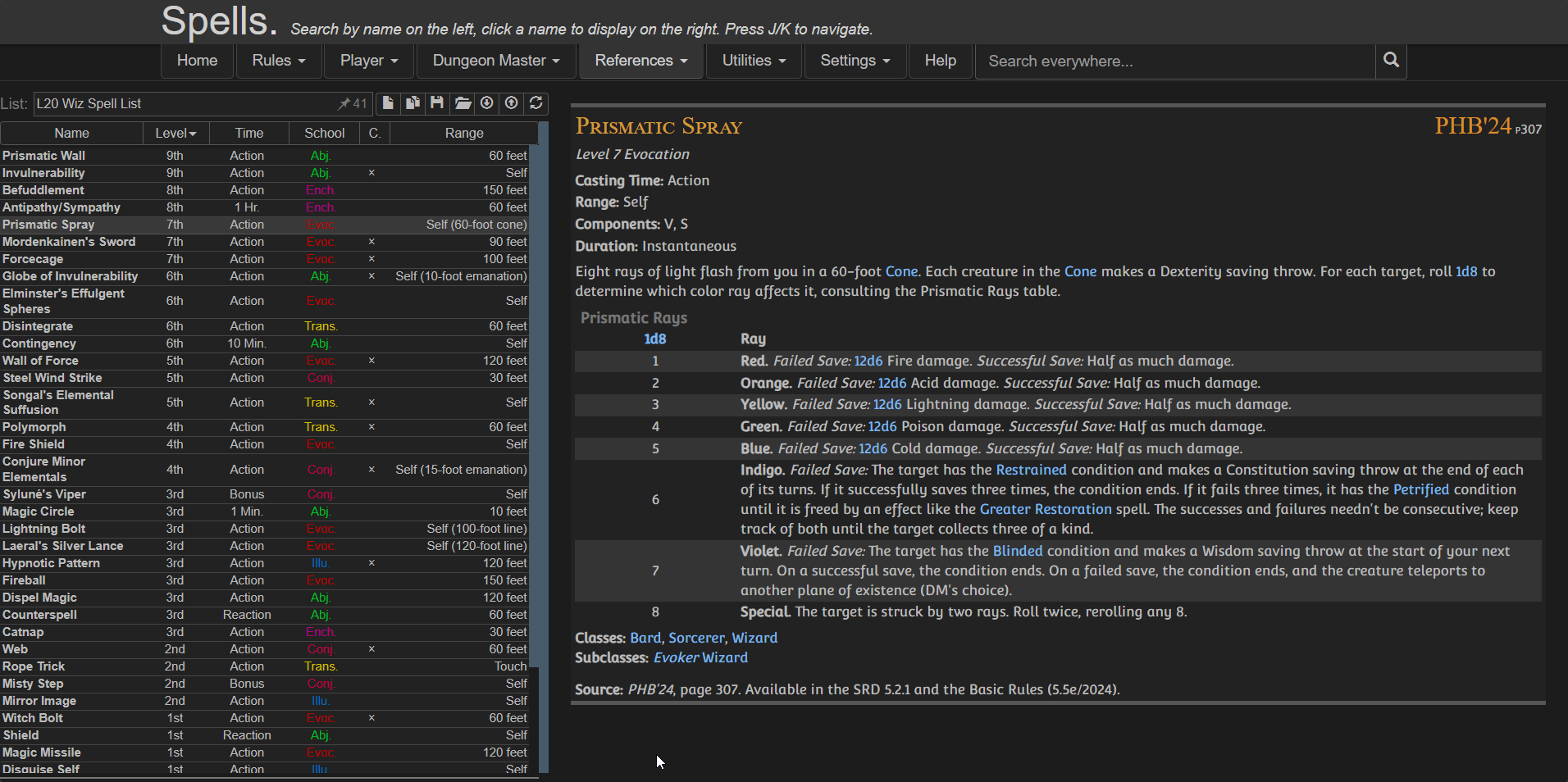
Preview

Features

  • Moving the Pinned Spell List to the left
  • Keeping spell details on the right
  • Using full screen width efficiently
  • Providing a clean, consistent reading experience
  • Optional toggles via userscript settings:
    • Show/Hide Header
    • Show/Hide Navigation
    • Show/Hide Extra panel

⚠️ IMPORTANT
Create your spell list BEFORE enabling the script because once the script is active:
  • The original UI is replaced
  • You won’t have access to the main spell browser anymore

Installation

Configuration

You can customize the layout using your userscript manager:

Violentmonkey dashboard > Edit the script > Go to Values / Script Settings


{
  "showExtra": true,
  "showHeader": true,
  "showNav": false
}

Credits