GitHub Code Colors

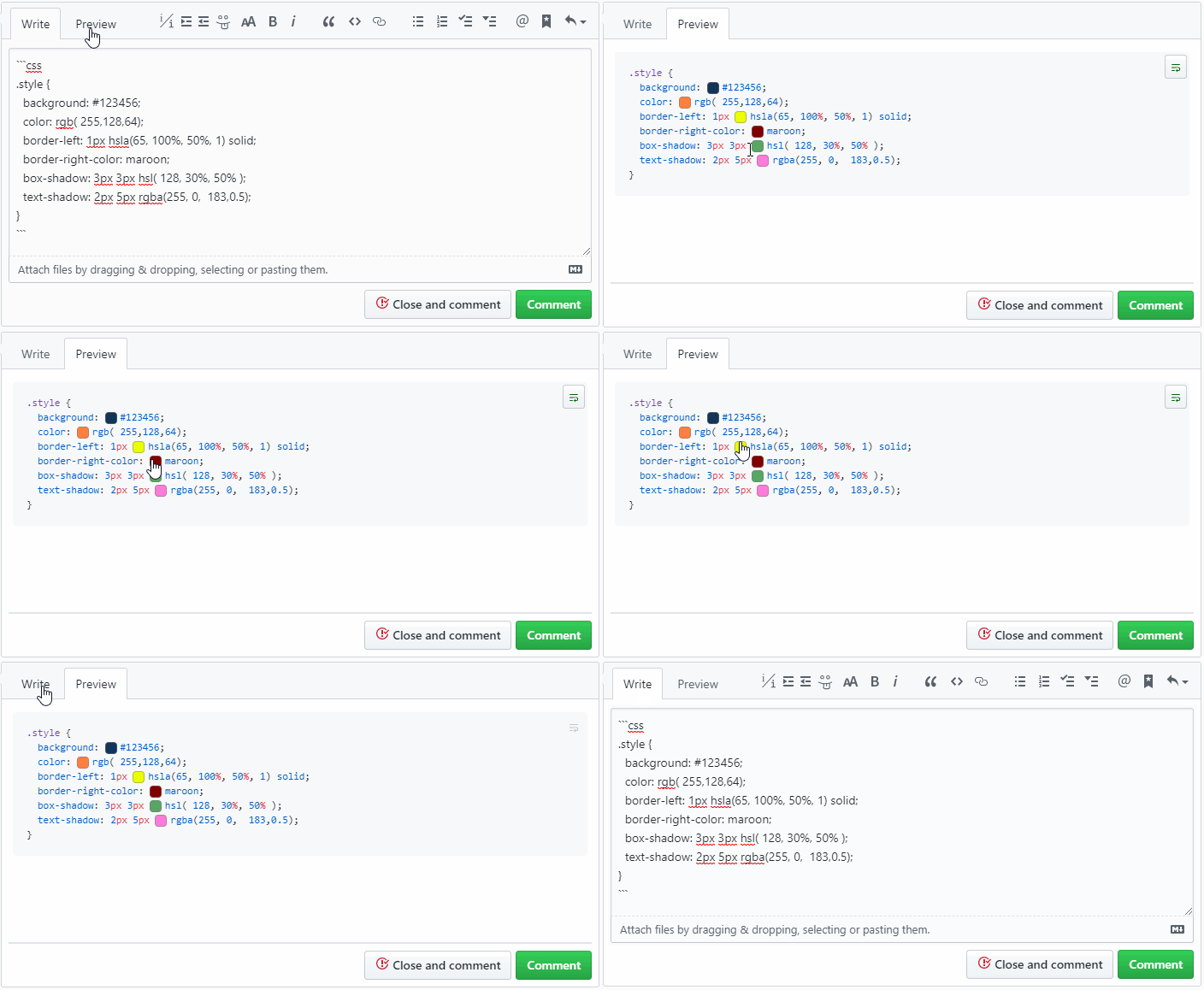
A userscript that adds a color swatch next to the code color definition

Pada tanggal 21 Juli 2021. Lihat %(latest_version_link).

You will need to install an extension such as Tampermonkey, Greasemonkey or Violentmonkey to install this script.

You will need to install an extension such as Tampermonkey to install this script.

You will need to install an extension such as Tampermonkey or Violentmonkey to install this script.

You will need to install an extension such as Tampermonkey or Userscripts to install this script.

You will need to install an extension such as Tampermonkey to install this script.

You will need to install a user script manager extension to install this script.

(I already have a user script manager, let me install it!)

You will need to install an extension such as Stylus to install this style.

You will need to install an extension such as Stylus to install this style.

You will need to install an extension such as Stylus to install this style.

You will need to install a user style manager extension to install this style.

You will need to install a user style manager extension to install this style.

You will need to install a user style manager extension to install this style.

(I already have a user style manager, let me install it!)
Penulis
Mottie
Nilai
0 0 0
Versi
2.0.6
Dibuat
20 Maret 2016
Diperbarui
21 Juli 2021
Size
9,02 KB
Lisensi
MIT
Berlaku untuk

A userscript that adds a color swatch next to the code color definition

  • It works in comment previews and code pages.
  • Supports hex, rgb, rgba, hsl, hsla and all named colors.
  • Additional support for colors set inside strings (e.g. javascript or canvas).
  • It does not interfere if you copy & paste the code.
  • In v2+:
    • You can use Tab to navigate between swatches.
    • Pressing Space and Enter will toggle the popup (when focused).
    • Pressing Esc will close all popups.

github-code-color

Hosted with ♥ at GitHub