
Welcome to Greasy Fork, a site for user scripts.
What are user scripts?
User scripts put you in control of your browsing experience. Once installed, they automatically make the sites you visit better by adding features, making them easier to use, or taking out the annoying bits. The user scripts on Greasy Fork were written by other users and posted to share with the world. They're free to install and easy to use.
Step 1: install a user script manager
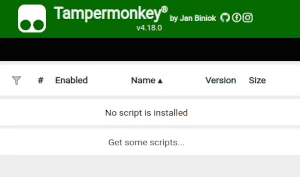
To use user scripts you need to first install a user script manager. Which user script manager you can use depends on which browser you use.
Desktop Mobile (Android) Mobile (iOS)
- Chrome: Tampermonkey
- Firefox: Greasemonkey, Tampermonkey, or Violentmonkey
- Safari: Tampermonkey or Userscripts
- Microsoft Edge: Tampermonkey
- Opera: Tampermonkey or Violentmonkey
- Maxthon: Violentmonkey
- AdGuard: (no additional software required)
- Firefox: Greasemonkey, Tampermonkey, or Violentmonkey
- Microsoft Edge: Tampermonkey
- Maxthon: Violentmonkey
- Dolphin: Tampermonkey
- UC: Tampermonkey
- XBrowser
- Safari: Tampermonkey or Userscripts
- Gear: (no additional software required)
Step 2: install a user script
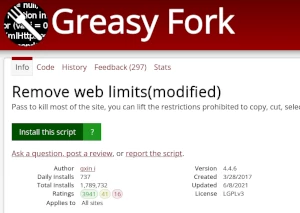
Browse this site to find a user script you want to try. Here is a sample of the most popular scripts:
- Greasy Fork Enhance - Enhance your experience at GreasyFork.
- Torn Bazaar Filler - On "Fill" click autofills bazaar item price with lowest market price currently minus $1 (can be customised), shows current price coefficient compared to 3rd lowest, fills max quantity for items, marks checkboxes for guns.
- Moomoo Styles - Moomoo.io/sploop.io mod [Рэдактар тэкстуры пакета/ музычны прайгравальнік/ капялюш клавішы/ музычная візуалізацыя/ Skin Switcher/ Anti-Kick/ Auto Login]
- ChatGPT Бясконцасць ∞ - Стварыце бясконцы адказы ад ўсеведучага ChatGPT (на любой мове!)
- Yandex Music Downloader - Добавляет кнопку для скачивания треков на Яндекс.Музыке. Использует гибридный метод (API или скрытый iframe) для получения аудиопотока и сохраняет файлы с корректным названием (Исполнитель - Трек). Работает в SPA-режиме.
Once you've found a user script, click the green install button on the user script's page, and your user script manager will ask you to confirm the install.
Step 3: use the user script
Go to the site the user script affects. It should automatically do its thing. After trying out the user script for a while, go back to where you installed the user script and leave some feedback for the user script's author.