
Welcome to Greasy Fork, a site for user scripts.
What are user scripts?
User scripts put you in control of your browsing experience. Once installed, they automatically make the sites you visit better by adding features, making them easier to use, or taking out the annoying bits. The user scripts on Greasy Fork were written by other users and posted to share with the world. They're free to install and easy to use.
Step 1: install a user script manager
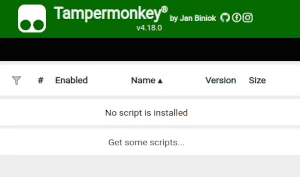
To use user scripts you need to first install a user script manager. Which user script manager you can use depends on which browser you use.
Desktop Mobile (Android) Mobile (iOS)
- Chrome: Tampermonkey or Violentmonkey
- Firefox: Greasemonkey, Tampermonkey, or Violentmonkey
- Safari: Tampermonkey or Userscripts
- Microsoft Edge: Tampermonkey or Violentmonkey
- Opera: Tampermonkey or Violentmonkey
- Maxthon: Violentmonkey
- AdGuard (no additional software required)
- Firefox: Greasemonkey, Tampermonkey, or Violentmonkey
- Microsoft Edge: Tampermonkey
- Maxthon: Violentmonkey
- Dolphin: Tampermonkey
- UC: Tampermonkey
- XBrowser (no additional software required)
- EinkBro (no additional software required)
- Safari: Tampermonkey or Userscripts
- Gear (no additional software required)
- Teak (no additional software required)
- EinkBro (no additional software required)
Step 2: install a user script
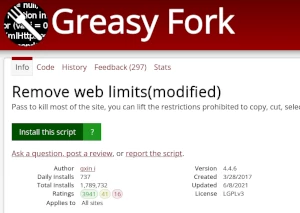
Browse this site to find a user script you want to try. Here is a sample of the most popular scripts:
- ChatGPT Бясконцасць ∞ - Стварыце бясконцы адказы ад ўсеведучага ChatGPT (на любой мове!)
- Палепшаны Greasy Fork - Палепшыце зручнасць выкарыстання Greasy Fork з дапамогай гэтага пакета функцый: дадае значкі ідэнтыфікацыі, поўную панэль інструментаў HTML для рэдагавання апісанняў/каментарыяў і кнопку прамой загрузкі. Таксама ўключае функцыю перакладу на больш чым 100 моў для змесціва старонкі і дазваляе пашыраную наладу праз метаданыя. Тэхнічны інструмент, прызначаны для спрашчэння навігацыі і кіравання скрыптамі.
- GreasyFork Premium - Пашыранае паляпшэнне GreasyFork і SleazyFork: сучасны інтэрфейс, абранае ў адзін клік, прамая ўсталёўка, падрабязны прагляд скрыптоў, палепшаная панэль рэдактара, светлая/цёмная тэма, аптымізаваная навігацыя і многае іншае.
- Загрузнік медыя Telegram (Загрузка відэа, Арыгінальнае малюнак, Сціск, PNG) - Спампоўвайце відэа і фота з прыватных каналаў. Падтрымлівае спампоўку відэа, захаванне арыгінала і PNG для малюнкаў.
- Universal Media Pro Toolkit | Спампаваць відэа, выняць URL, гуляць - Вымайце прамыя відэа-URL, лёгка спампоўвайце медыя і прайгравайце адным пстрычкай мышы ў чыстым плаваючым акне.
Once you've found a user script, click the green install button on the user script's page, and your user script manager will ask you to confirm the install.
Step 3: use the user script
Go to the site the user script affects. It should automatically do its thing. After trying out the user script for a while, go back to where you installed the user script and leave some feedback for the user script's author.